
Version: 2.0.2
Developer: Hyperionics Technology
 Verified App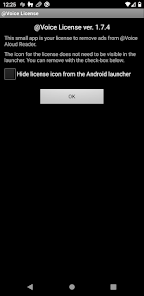
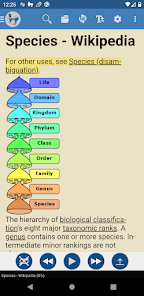
The "@Voice Premium License" offers a range of advanced features designed to enhance the user experience for those who rely on text-to-speech technology. One of the standout features is the ability to access a wider selection of high-quality voices, allowing users to choose from various accents and languages to suit their preferences. This customization enhances the listening experience, making it more engaging and relatable.
Additionally, the premium license includes the option to save audio files, enabling users to create and store spoken content for offline use. This is particularly beneficial for individuals who want to listen to articles, books, or other text materials without needing an internet connection. The license also removes ads, providing a cleaner and more focused interface. Furthermore, users can enjoy enhanced functionality, such as the ability to adjust speech speed and pitch, making it easier to tailor the audio output to individual needs.
Overall, the "@Voice Premium License" significantly enriches the text-to-speech experience, making it a valuable tool for users seeking accessibility and convenience in their daily reading and listening activities.
Using the "@Voice Premium License" is a straightforward process that enhances your text-to-speech experience. First, you need to download the "@Voice" app from your device's app store. Once installed, you can purchase the premium license directly within the app. After completing the purchase, the premium features will be unlocked automatically, allowing you to access the full range of functionalities.
To start using the app, simply input or paste the text you wish to convert into speech. You can choose from the various voice options available, adjusting settings such as speed and pitch to suit your preferences. The app also allows you to save audio files for offline listening, which is particularly useful for users who want to enjoy content on the go. Additionally, you can create playlists of your favorite texts, making it easy to organize and access your materials. Overall, the "@Voice Premium License" is user-friendly and designed to cater to a wide range of needs, ensuring a seamless experience for all users.
By following these steps, you can maximize the benefits of the "@Voice Premium License" and enjoy a more personalized and efficient text-to-speech experience.
The "@Voice" app, particularly with the Premium License, comes with several advantages that make it a popular choice among users. One of the primary pros is its extensive library of high-quality voices, which allows for a more natural and enjoyable listening experience. The ability to customize speech speed and pitch further enhances usability, catering to individual preferences. Additionally, the option to save audio files for offline use is a significant benefit, enabling users to access content without an internet connection.
However, there are some drawbacks to consider. One potential con is the cost associated with the premium license, which may not be feasible for all users. Some individuals might find the app's interface slightly overwhelming due to the multitude of features available, which could lead to a steeper learning curve. Furthermore, while the app supports various languages, the quality of voices may vary, and some users might not find their preferred accent or dialect available. Overall, while the "@Voice" app offers numerous benefits, potential users should weigh these pros and cons to determine if it meets their specific needs.
Spotify Wrapped is an annual feature that summarizes your listening habits, including your most-played songs and artists of the year.
To create a playlist, click "Your Library," then "Playlists," and select "Create Playlist." Add songs by searching or browsing.
Yes, with a Spotify Premium subscription, you can download songs and playlists for offline listening.
Spotify offers a free tier with ads, as well as a Premium subscription that removes ads and adds features.
Click the three dots next to the song, select "Share," and choose your preferred sharing method, like social media or a link.














 Google Play
  App Store