
Version: 10.145.2
Developer: Evernote Corporation
 Verified App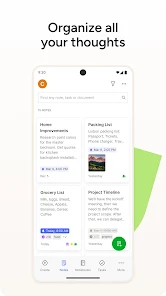
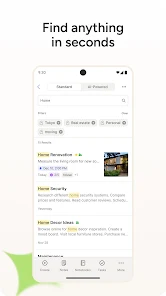
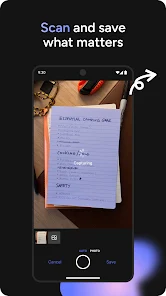
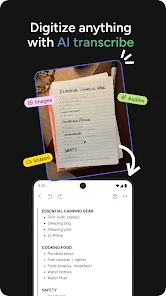

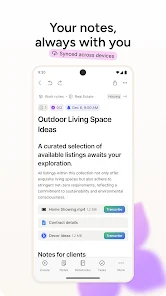
Evernote is a versatile note-taking application designed to help users organize their thoughts, tasks, and projects efficiently. One of its standout features is the ability to create notes in various formats, including text, images, audio recordings, and web clippings. This flexibility allows users to capture information in the way that suits them best.
Another key feature is the powerful search functionality, which enables users to find notes quickly, even if they contain handwritten text or images. Evernote also supports tagging and notebooks, allowing for easy categorization and retrieval of notes. Additionally, the app offers synchronization across multiple devices, ensuring that users can access their notes anytime, anywhere.
Collaboration is made simple with Evernote, as users can share notes and notebooks with others, making it an excellent tool for team projects. The app also includes reminders and task management features, helping users stay organized and on track with their goals. Overall, Evernote combines a rich set of features that cater to both personal and professional needs.
Using Evernote is straightforward and user-friendly, making it accessible for individuals of all skill levels. To get started, download the app from your device's app store and create an account. Once logged in, you can begin creating notes by tapping the "+" icon. You can choose to write text, add images, record audio, or clip web pages directly from your browser.
To organize your notes, create notebooks for different topics or projects. You can also use tags to further categorize your notes, making it easier to find them later. To search for specific notes, simply use the search bar at the top of the app, which can filter results based on keywords, tags, or even text within images.
For collaboration, share your notes or notebooks with others by selecting the share option and entering their email addresses. You can also set reminders for important tasks or deadlines within your notes. By regularly updating and organizing your notes, you can maximize the effectiveness of Evernote as a comprehensive note-taking and organizational tool.
Evernote offers numerous advantages that make it a popular choice among users. One of the primary benefits is its robust organizational features, including notebooks, tags, and a powerful search function that allows for quick retrieval of information. The ability to sync across multiple devices ensures that users can access their notes from anywhere, enhancing productivity. Additionally, Evernote's support for various media types, such as images and audio, allows for a richer note-taking experience.
However, there are some drawbacks to consider. One notable con is that the free version has limitations on the number of devices that can be synced and the amount of data that can be uploaded monthly. Some users may find the interface overwhelming due to the abundance of features, which can lead to a steeper learning curve. Furthermore, while Evernote is feature-rich, some users may prefer simpler alternatives that focus solely on text-based notes.
In summary, while Evernote is a powerful tool for note organization and productivity, potential users should weigh its pros and cons to determine if it aligns with their specific needs and preferences.
Spotify Wrapped is an annual feature that summarizes your listening habits, including your most-played songs and artists of the year.
To create a playlist, click "Your Library," then "Playlists," and select "Create Playlist." Add songs by searching or browsing.
Yes, with a Spotify Premium subscription, you can download songs and playlists for offline listening.
Spotify offers a free tier with ads, as well as a Premium subscription that removes ads and adds features.
Click the three dots next to the song, select "Share," and choose your preferred sharing method, like social media or a link.
















 Google Play
  App Store