
Version: 4.2538.2
Developer: Microsoft Corporation
 Verified App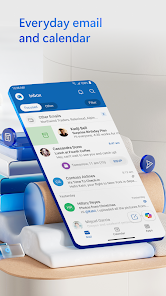
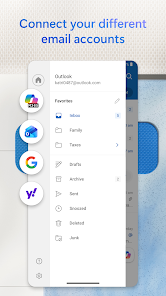
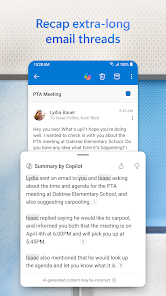
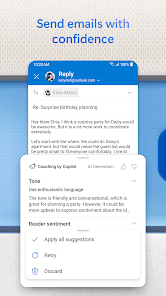
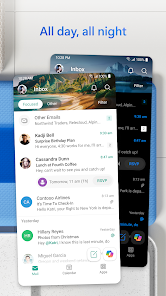
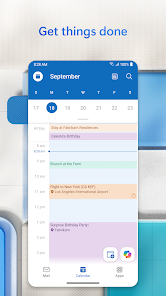
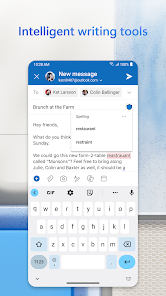
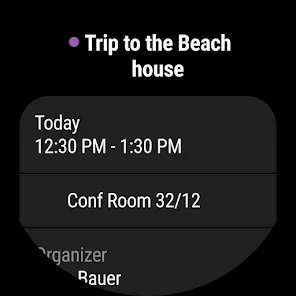
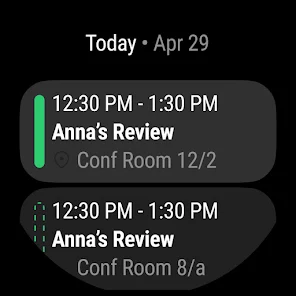

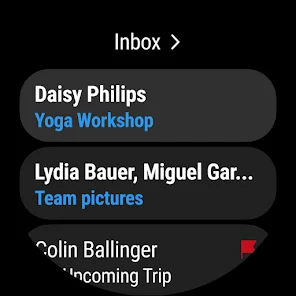
Microsoft Outlook has evolved into a comprehensive tool that goes beyond just managing emails. It offers a suite of features that can streamline your communication and organization. Below are some standout highlights:
Microsoft Outlook has become an integral part of my daily routine, especially during the workweek. Each morning, I start my day by checking my emails through the unified inbox. This helps me catch up on any messages I might have missed overnight and prioritize my tasks for the day. During the school year, I also use the calendar feature to keep track of my kids' school events, ensuring I don’t double-book myself with work commitments.
Throughout the day, I often schedule meetings with clients. Utilizing the calendar integration, I can see when both my schedule and theirs are free. A memorable instance was when I had to coordinate a last-minute client call. The calendar suggested a time that worked perfectly for both parties, and I was able to send an invite in seconds.
The user interface of Microsoft Outlook strikes a good balance between functionality and simplicity. Upon launching the app, I am greeted with a clean layout that makes navigation intuitive. The sidebar provides quick access to my inbox, calendar, and task list, which is a feature I appreciate as it minimizes the time spent searching for what I need.
When composing emails, the workflow is seamless. I can easily attach files from OneDrive or my device and even add links to my calendar without leaving the email window. The performance is robust; I’ve never experienced any significant lag, even with large attachments. Overall, using Outlook feels efficient, empowering me to tackle my work and personal communication without feeling overwhelmed.
Microsoft Outlook is available for free, which is impressive considering the features it offers. However, for users seeking additional functionalities such as more cloud storage or advanced collaboration tools, the Microsoft 365 subscription starts at $6 per month. This pricing model is reasonable, especially for businesses that rely heavily on email and calendar management.
Microsoft consistently updates Outlook to introduce new features and improve performance. I’ve noticed enhancements to the user interface and additional integrations with other Microsoft apps over the past year. Customer support is also readily available, with resources including a comprehensive help center and community forums. When I faced a minor issue with syncing my calendar, I found the support documentation very helpful, guiding me through troubleshooting steps.
As an American user, I find security and privacy to be paramount when using any app, especially one that handles sensitive information like Outlook. The app is available on both the App Store and Google Play, which adds a layer of credibility. When registering, Microsoft requires basic personal information such as your name, email address, and password. This is standard practice, but I appreciate that Microsoft has a transparent privacy policy outlining how my data is used.
One concern I had was regarding tracking behavior and advertisements. Fortunately, Outlook does not display ads within the app, which makes for a cleaner user experience. Microsoft also provides options to manage privacy settings, allowing me to control how my data is shared. Overall, I feel secure using Outlook, knowing that my personal information is safeguarded and that I can easily adjust my privacy settings as needed.

 Stay organized with ease Seamless calendar integration Powerful search capabilities Robust email management tools Customizable notifications system
 Limited customization options Syncing issues with devices Occasional performance lag Complex user interface
 Yes, Outlook can be integrated with various apps and services, including Microsoft Teams, OneNote, and third-party applications through add-ins. This integration allows you to streamline workflows, improve productivity, and access additional functionalities directly within Outlook.
Yes, you can use Microsoft Outlook offline. It allows you to read and draft emails, manage your calendar, and access contacts without an internet connection. Any changes made offline will sync automatically once you reconnect to the internet.
To change your email signature in Outlook, go to File > Options > Mail > Signatures. In the Signatures and Stationery window, you can create, edit, or delete your signatures. You can also set a default signature for new emails and replies.
You can organize your emails in Outlook using folders, categories, and flags. Create folders to categorize your emails, use color-coded categories for quick identification, and flag important messages for follow-up. Additionally, you can use the search function to quickly find specific emails.
To recover deleted emails in Outlook, go to the "Deleted Items" folder. If the email is there, right-click on it and select "Move" to restore it to your inbox. If it’s not there, check the "Recoverable Items" folder by clicking on "Folder" > "Recover Deleted Items."
Your Microsoft Outlook customer number is typically found in your account settings or confirmation email after purchase.
If you purchased the app, enter the product key during installation or sign in with your Microsoft account to activate it.
You can reach Microsoft Outlook customer service by visiting the official Microsoft Support website or calling their support number for your region.
Visit the Outlook website or open the app, enter your email address, and click 'Next.' Then, enter your password and click 'Sign in.'

















 Google Play
  App Store