
 Home
Home  Apps
Apps  Games
Games  About Us
  Cookies & Privacy Policy
  Terms of Service
Photoshop Express Photo Editor
Version: 7.6.872
Developer: Adobe
 Verified App
 Advertisement
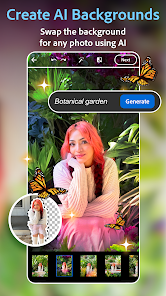
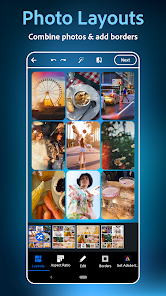
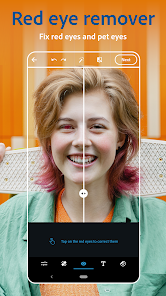
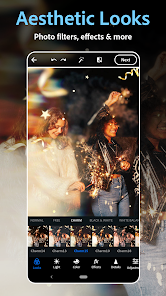
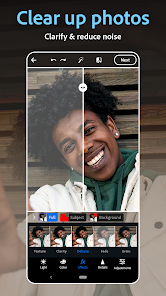
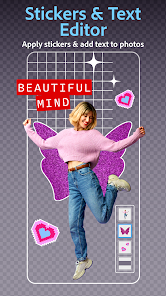
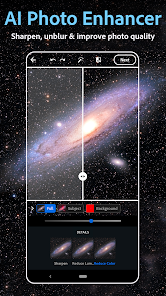
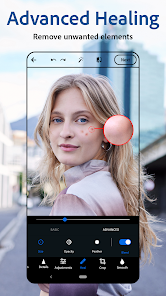
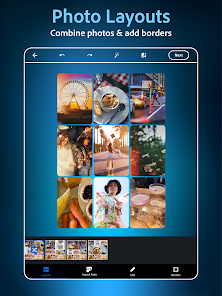
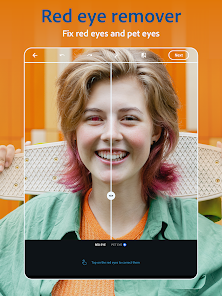
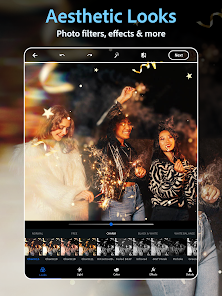
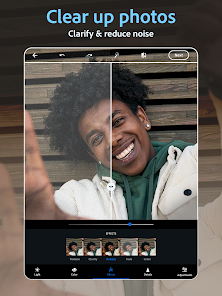
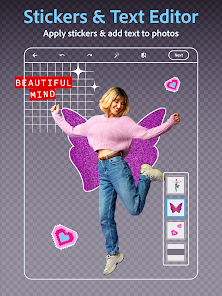
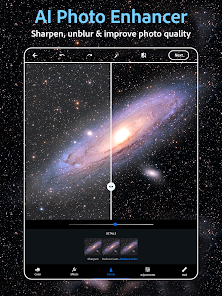
Photoshop Express Photo Editor is a powerful and user-friendly mobile app that brings professional photo editing tools to your fingertips. With a wide range of features, including filters, effects, and advanced editing options, it allows users to enhance their images effortlessly. Whether you're a beginner or an experienced photographer, Photoshop Express offers intuitive controls and creative possibilities to transform your photos into stunning visuals. Share your masterpieces easily on social media and elevate your photography game with this versatile app.
Advertisement
Features of "Photoshop Express Photo Editor"
Photoshop Express Photo Editor is a versatile mobile application that offers a range of features designed for both casual users and photography enthusiasts. One of its standout features is the user-friendly interface, which allows for easy navigation and quick access to editing tools. Users can apply a variety of filters and effects to enhance their images, including options for adjusting brightness, contrast, and saturation. Additionally, the app provides advanced editing tools such as cropping, rotating, and straightening images.
Another notable feature is the ability to remove blemishes and imperfections with the healing brush tool, making it easier to achieve a polished look. Users can also add text overlays and borders to their photos, giving them a personalized touch. The app supports various file formats and allows for easy sharing on social media platforms. Furthermore, Photoshop Express offers a collage maker, enabling users to combine multiple images into a single frame, enhancing creativity and storytelling in their photography.
How to Use "Photoshop Express Photo Editor"
Using Photoshop Express Photo Editor is straightforward, making it accessible for users of all skill levels. To get started, download the app from your device's app store and open it. Once inside, you can either take a new photo or select one from your gallery. After choosing an image, you will be directed to the editing interface, where you can explore various tools and features.
Begin by applying filters to enhance the overall look of your photo. You can then adjust specific elements like brightness, contrast, and saturation using the sliders provided. If you wish to crop or rotate your image, simply select the respective tool and make your adjustments. For more detailed edits, utilize the healing brush to remove any unwanted blemishes. Once you are satisfied with your edits, save your image to your device or share it directly to social media platforms. The intuitive design ensures that even beginners can achieve professional-looking results with ease.
Pros & Cons of the App
Photoshop Express Photo Editor comes with several advantages that make it a popular choice among users. One of the primary pros is its user-friendly interface, which simplifies the editing process for beginners. The app offers a wide range of editing tools and features, allowing for both basic and advanced adjustments. Additionally, the ability to share images directly to social media platforms enhances convenience for users looking to showcase their work quickly.
However, there are some drawbacks to consider. While the app provides a robust set of features, it may lack some of the more advanced capabilities found in the full version of Photoshop. Users may also encounter occasional ads, which can be distracting during the editing process. Furthermore, some features may require an internet connection or a subscription for full access. Overall, while Photoshop Express is an excellent tool for quick edits and enhancements, those seeking comprehensive editing capabilities may need to explore additional options.
 Google Play
  App Store
 Top Apps





Similar Apps
Lightroom Photo & Video Editor
Photography

4.6

Cartoon Photo PRO
Photography
4.7
FaceApp: Perfect Face Editor
Photography
4.3

Filmic Pro: Mobile Cine Camera
Photography
2.4
GIF Maker, GIF Editor Pro
Photography
4.7
Litchi for DJI Drones
Photography
4.5
Manual Camera: DSLR Camera Pro
Photography
4.0

PhotoPills
Photography
4.7
PhotoSync Bundle Add-On
Photography
4.6
ProCam X ( HD Camera Pro )
Photography
4.2
Solocator - GPS Field Camera
Photography
3.8

Stop Motion Studio Pro
Photography
4.3
Advertisement
Laden…