
 Home
Home  Apps
Apps  Games
Games  About Us
  Cookies & Privacy Policy
  Terms of Service
PhotoSync Bundle Add-On
Version: 3.1.2
Developer: touchbyte
 Verified App
 Advertisement
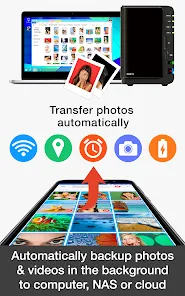
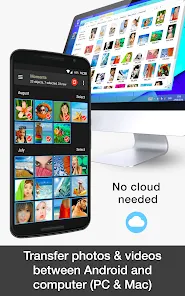
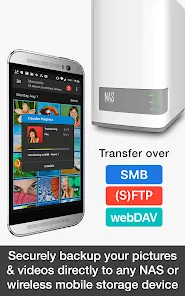
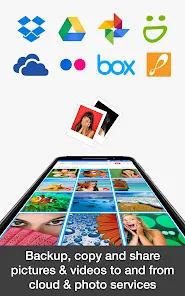
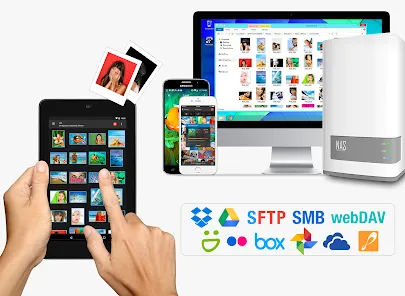
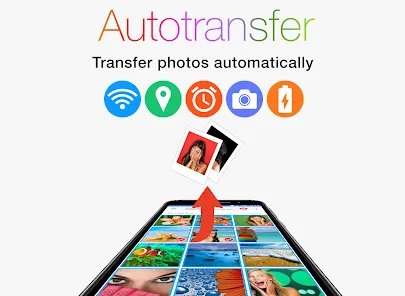
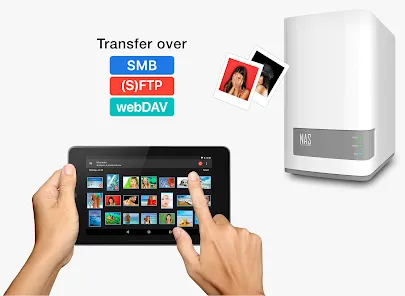
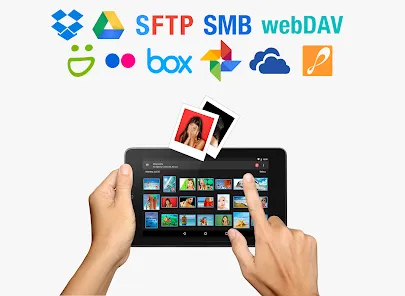
The PhotoSync Bundle Add-On enhances your photo and video transfer experience, seamlessly connecting your devices for effortless sharing. With intuitive features and robust performance, it allows you to transfer files between smartphones, tablets, and computers with ease. Enjoy fast, reliable syncing and backup options, ensuring your precious memories are always safe and accessible. Elevate your media management with the PhotoSync Bundle Add-On and simplify your digital life today!
Advertisement
Features of "PhotoSync Bundle Add-On"
The "PhotoSync Bundle Add-On" enhances the functionality of the PhotoSync app, providing users with a comprehensive suite of features designed to streamline photo and video management. One of the standout features is the ability to transfer files seamlessly between devices, including smartphones, tablets, and computers, using Wi-Fi or mobile data. This ensures that users can access their media anytime, anywhere, without the need for cumbersome cables.
Additionally, the add-on supports automatic backup options, allowing users to set up scheduled transfers to cloud storage services. This feature is particularly useful for safeguarding precious memories against data loss. The add-on also includes advanced filtering options, enabling users to sort and select specific files for transfer based on various criteria, such as date or file type. Furthermore, the user-friendly interface makes navigation intuitive, ensuring that even those less tech-savvy can utilize its capabilities effectively.
Lastly, the add-on supports multiple file formats, ensuring compatibility with a wide range of media types. Overall, the "PhotoSync Bundle Add-On" significantly enhances the user experience by providing robust tools for efficient media management.
How to Use "PhotoSync Bundle Add-On"
Using the "PhotoSync Bundle Add-On" is a straightforward process that allows users to maximize their media management capabilities. First, ensure that you have the PhotoSync app installed on your device, along with the bundle add-on. Once installed, open the app and navigate to the settings to configure your preferences, such as selecting your preferred cloud storage service for backups.
To initiate a transfer, select the photos or videos you wish to move. You can choose to transfer files to another device or upload them to your cloud storage. The app provides options for both Wi-Fi and mobile data transfers, so select the method that best suits your needs. If you want to automate the process, set up scheduled backups in the settings menu, specifying the frequency and destination for your files.
Once your preferences are set, simply follow the on-screen prompts to complete the transfer. The app will display progress indicators, ensuring you are informed throughout the process. With these simple steps, you can efficiently manage and safeguard your media using the "PhotoSync Bundle Add-On."
Pros & Cons of the App
The "PhotoSync Bundle Add-On" comes with several advantages that enhance its appeal to users. One of the primary benefits is its ability to transfer files quickly and efficiently between various devices, which saves time and effort. The automatic backup feature is another significant advantage, as it provides peace of mind by ensuring that important media is securely stored in the cloud. Additionally, the app's user-friendly interface makes it accessible for users of all skill levels, allowing for easy navigation and operation.
However, there are some drawbacks to consider. One potential downside is that the app may require a stable internet connection for optimal performance, which can be a limitation in areas with poor connectivity. Furthermore, while the add-on offers a range of features, some users may find the initial setup process a bit complex, especially if they are not familiar with cloud services. Lastly, the app may have limitations on file size or transfer speed, depending on the user's internet plan, which could affect the overall experience.
In summary, while the "PhotoSync Bundle Add-On" offers numerous benefits for media management, users should weigh these against the potential limitations to determine if it meets their specific needs.
Check All Versions  Google Play
  App Store
Google Play App Store Top Apps





Similar Apps

Lightroom Photo & Video Editor
Photography

4.6

Cartoon Photo PRO
Photography
4.7

FaceApp: Perfect Face Editor
Photography
4.3

Filmic Pro: Mobile Cine Camera
Photography
2.4

GIF Maker, GIF Editor Pro
Photography
4.7

Litchi for DJI Drones
Photography
4.5

Manual Camera: DSLR Camera Pro
Photography
4.0

PhotoPills
Photography
4.7

ProCam X ( HD Camera Pro )
Photography
4.2
Solocator - GPS Field Camera
Photography
3.8

Stop Motion Studio Pro
Photography
4.3

TIME WARP SCAN: Face Scanner
Photography
4.6
Advertisement
Laden…