
 Home
Home  Apps
Apps  Games
Games  About Us
  Cookies & Privacy Policy
  Terms of Service
ProCam X ( HD Camera Pro )
Version: 1.22
Developer: Imagi Mobile
 Verified App
 Advertisement
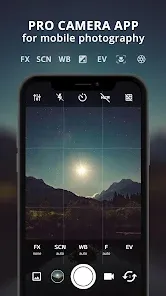
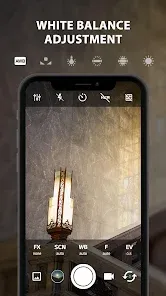
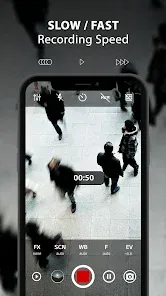
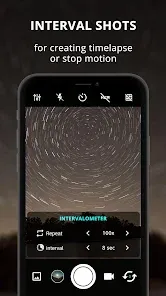
ProCam X (HD Camera Pro) is a powerful camera app designed for photography enthusiasts and professionals alike. It offers advanced features such as manual controls, high-resolution image capture, and a variety of shooting modes to enhance your photography experience. With its intuitive interface and customizable settings, ProCam X allows users to unleash their creativity and capture stunning images with ease. Whether you're shooting landscapes, portraits, or action shots, this app provides the tools you need for exceptional results.
Advertisement
Features of "ProCam X ( HD Camera Pro )"
ProCam X ( HD Camera Pro ) is a feature-rich camera application designed for photography enthusiasts and professionals alike. One of its standout features is the manual control over various camera settings, including ISO, shutter speed, and focus, allowing users to capture images with precision. The app supports high-resolution image capture, ensuring that photos maintain clarity and detail even when enlarged.
Additionally, ProCam X offers a range of shooting modes, such as HDR, panorama, and time-lapse, catering to different photography styles and needs. The app also includes advanced features like real-time histogram, grid overlays, and customizable white balance settings, which enhance the user experience. Users can also take advantage of the burst mode for capturing fast-moving subjects, as well as the ability to shoot in RAW format for greater post-processing flexibility.
Furthermore, ProCam X provides various filters and effects that can be applied in real-time, allowing users to experiment creatively with their shots. The intuitive user interface makes it easy to navigate through the app's features, making it accessible for both beginners and seasoned photographers.
How to Use "ProCam X ( HD Camera Pro )"
Using ProCam X ( HD Camera Pro ) is straightforward, even for those new to photography apps. After downloading and installing the app, open it to access the main camera interface. The layout is user-friendly, with essential controls easily accessible on the screen. To start capturing images, simply tap the shutter button. You can switch between different shooting modes by selecting the desired option from the menu, such as HDR or panorama.
For manual adjustments, tap on the settings icon to access options for ISO, shutter speed, and focus. Adjust these settings according to your shooting conditions for optimal results. If you want to shoot in RAW format, ensure that this option is enabled in the settings menu. To apply filters or effects, navigate to the filter section and choose your preferred style before taking the shot.
After capturing your images, you can review them in the gallery section of the app. From there, you can edit, share, or delete photos as needed. ProCam X also allows you to customize your shooting experience further by exploring additional settings, such as grid overlays and white balance adjustments, ensuring you have complete control over your photography.
Pros & Cons of the App
ProCam X ( HD Camera Pro ) comes with several advantages that make it a popular choice among photography enthusiasts. One of the main pros is its extensive manual control features, which allow users to fine-tune their camera settings for optimal results. The app's ability to shoot in RAW format is another significant benefit, providing photographers with greater flexibility during post-processing. Additionally, the variety of shooting modes and filters enhances creative possibilities, making it suitable for various photography styles.
However, there are some drawbacks to consider. One potential con is that the app may have a steeper learning curve for beginners who are not familiar with manual camera settings. Some users may also find that certain advanced features are not as intuitive as they could be, requiring time to master. Additionally, while the app is feature-rich, it may consume more battery power compared to standard camera apps, which could be a concern during extended shooting sessions.
Overall, ProCam X ( HD Camera Pro ) offers a robust set of features that cater to both amateur and professional photographers, but users should be prepared to invest time in learning how to utilize its full potential effectively.
Check All Versions  Google Play
  App Store
Google Play App Store Top Apps





Similar Apps

Lightroom Photo & Video Editor
Photography

4.6

Cartoon Photo PRO
Photography
4.7
FaceApp: Perfect Face Editor
Photography
4.3

Filmic Pro: Mobile Cine Camera
Photography
2.4
GIF Maker, GIF Editor Pro
Photography
4.7
Litchi for DJI Drones
Photography
4.5

Manual Camera: DSLR Camera Pro
Photography
4.0

PhotoPills
Photography
4.7
PhotoSync Bundle Add-On
Photography
4.6
Solocator - GPS Field Camera
Photography
3.8

Stop Motion Studio Pro
Photography
4.3

TIME WARP SCAN: Face Scanner
Photography
4.6
Advertisement
Laden…