
 Home
Home  Apps
Apps  Games
Games  About Us
  Cookies & Privacy Policy
  Terms of Service
Canon Camera Connect
Version: 3.4.10.12
Developer: Canon Inc.
 Verified App
 Advertisement
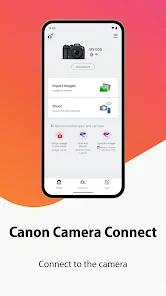
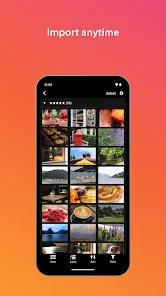
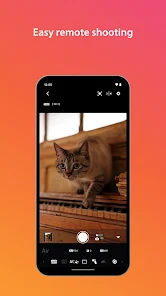
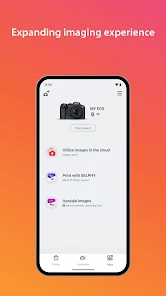
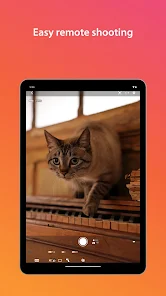
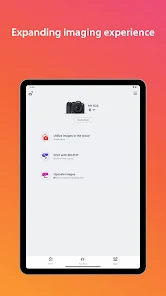
The Canon Camera Connect app allows users to easily connect their Canon cameras to smartphones and tablets. With this app, you can transfer images and videos, remotely control your camera, and access various camera settings. It enhances your photography experience by enabling seamless sharing on social media and cloud services. Whether you're a professional or an amateur, Canon Camera Connect simplifies the process of managing and enjoying your photography on the go.
Advertisement
Features of "Canon Camera Connect"
Canon Camera Connect is a versatile mobile application designed to enhance the user experience for Canon camera owners. One of its primary features is the ability to wirelessly transfer images and videos from your camera to your smartphone or tablet. This allows for quick sharing on social media or easy storage on your mobile device. The app supports various Canon camera models, enabling users to control their cameras remotely, which is particularly useful for group shots or long-exposure photography.
Another notable feature is the live view function, which lets users see what the camera sees directly on their mobile device screen. This is beneficial for composing shots from difficult angles. Additionally, the app provides access to camera settings, allowing users to adjust parameters like ISO, shutter speed, and aperture directly from their smartphones. Canon Camera Connect also offers firmware updates for compatible cameras, ensuring that users have the latest features and improvements. Overall, the app enhances the photography experience by providing convenience and flexibility.
How to Use "Canon Camera Connect"
Using Canon Camera Connect is a straightforward process that begins with downloading the app from the App Store or Google Play Store. Once installed, ensure that your Canon camera is compatible with the app and has Wi-Fi or Bluetooth capabilities. To connect, turn on the camera's wireless function and select the appropriate connection method, either Wi-Fi or Bluetooth, depending on your camera model.
Next, open the Canon Camera Connect app on your mobile device and follow the on-screen instructions to establish a connection. Once paired, you can start transferring images and videos by selecting the desired files within the app. For remote shooting, navigate to the remote control feature, where you can adjust settings and capture images directly from your smartphone. Regularly check for firmware updates through the app to keep your camera functioning optimally. With these simple steps, you can maximize the potential of your Canon camera.
Pros & Cons of the App
Canon Camera Connect offers several advantages that enhance the photography experience. One of the main pros is its user-friendly interface, making it accessible for both beginners and experienced photographers. The ability to transfer images wirelessly saves time and effort, allowing for quick sharing on social media platforms. Additionally, the remote shooting feature is a significant benefit, enabling users to take photos without being physically present at the camera, which is ideal for group shots or wildlife photography.
However, the app does have some drawbacks. One common issue is connectivity problems, which can arise depending on the camera model and mobile device compatibility. Users may experience delays in image transfer, especially with larger files. Furthermore, while the app supports a range of Canon cameras, not all features are available for every model, which can limit functionality for some users. Overall, while Canon Camera Connect is a valuable tool for photographers, potential users should be aware of its limitations.
 Google Play
  App Store
 Top Apps





Similar Apps

Lightroom Photo & Video Editor
Photography

4.6

Cartoon Photo PRO
Photography
4.7
FaceApp: Perfect Face Editor
Photography
4.3

Filmic Pro: Mobile Cine Camera
Photography
2.4

GIF Maker, GIF Editor Pro
Photography
4.7
Litchi for DJI Drones
Photography
4.5

Manual Camera: DSLR Camera Pro
Photography
4.0

PhotoPills
Photography
4.7
PhotoSync Bundle Add-On
Photography
4.6

ProCam X ( HD Camera Pro )
Photography
4.2
Solocator - GPS Field Camera
Photography
3.8

Stop Motion Studio Pro
Photography
4.3
Advertisement
Laden…