
 Home
Home  Apps
Apps  Games
Games  About Us
  Cookies & Privacy Policy
  Terms of Service
Screen Recorder - Vidma Record
Version: 3.7.44
Developer: Vidma Video Studio
 Verified App
 Advertisement

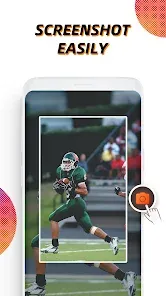
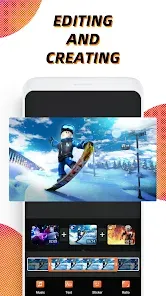
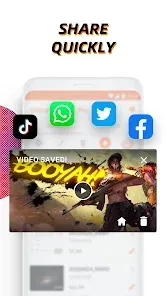
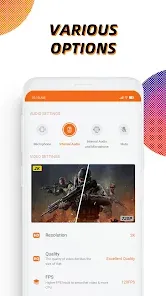

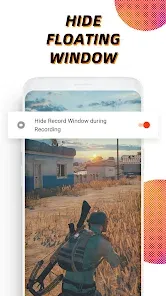
"Screen Recorder - Vidma Record" is a powerful and user-friendly app designed to capture high-quality screen recordings effortlessly. Whether you want to create tutorials, gameplay videos, or share important moments, Vidma Record offers a range of features, including customizable settings, audio recording, and editing tools. With its intuitive interface, you can start recording in just a few taps, making it the perfect solution for both beginners and experienced creators alike. Experience seamless recording with Vidma Record today!
Advertisement
Features of "Screen Recorder - Vidma Record"
"Screen Recorder - Vidma Record" offers a variety of features designed to enhance the screen recording experience. One of its standout features is the ability to record high-quality videos in various resolutions, including HD and Full HD. Users can also choose to record audio from the device's microphone, making it ideal for creating tutorials or gameplay commentary. The app supports both landscape and portrait recording modes, allowing for flexibility depending on the content being captured.
Additionally, the app includes a built-in video editor, enabling users to trim, merge, and add music to their recordings without needing a separate application. The user interface is intuitive, making it easy for both beginners and experienced users to navigate. Another notable feature is the option to add overlays, such as a front-facing camera feed, which is perfect for vloggers and educators. Furthermore, users can easily share their recordings on social media platforms directly from the app, streamlining the process of content distribution.
How to Use "Screen Recorder - Vidma Record"
Using "Screen Recorder - Vidma Record" is a straightforward process that can be accomplished in just a few steps. First, download and install the app from your device's app store. Once installed, open the app and grant the necessary permissions for screen recording and audio capture. You will be greeted with a user-friendly interface that allows you to customize your recording settings, such as resolution and audio source.
To start recording, simply tap the record button, and a countdown will begin, giving you time to prepare your screen. During the recording, you can pause or stop the session at any time. After finishing, the app will automatically save your video in the gallery. If you wish to edit your recording, navigate to the built-in video editor, where you can make adjustments like trimming or adding effects. Finally, share your finished video directly to social media or save it for later use. This seamless process makes it easy for anyone to create high-quality screen recordings.
Pros & Cons of the App
"Screen Recorder - Vidma Record" comes with several advantages that make it a popular choice among users. One of the main pros is its high-quality recording capabilities, which allow for clear and detailed videos. The built-in video editor is another significant benefit, as it eliminates the need for additional software, saving time and effort. The app's user-friendly interface is also a plus, making it accessible for users of all skill levels. Additionally, the ability to share recordings directly to social media enhances convenience for content creators.
However, there are some drawbacks to consider. Some users have reported occasional performance issues, such as lag during recording, especially on older devices. Additionally, while the app is free, certain advanced features may require in-app purchases, which could be a downside for those looking for a completely free solution. Lastly, the app may not support all devices, limiting its accessibility for some users. Overall, while "Screen Recorder - Vidma Record" has its pros and cons, it remains a solid option for screen recording needs.
Check All Versions  Google Play
  App Store
Google Play App Store Top Apps





Similar Apps
Kodi
Video Players & Editors

3.6
CapCut - Video Editor
Video Players & Editors
3.4
AirMirror: AirPlay Receiver
Video Players & Editors
3.6

Blue Iris
Video Players & Editors
2.5
IPTV Extreme Pro
Video Players & Editors
3.8

IPTV Pro
Video Players & Editors
4.7

MX Player Pro
Video Players & Editors
4.3

StbEmu (Pro)
Video Players & Editors
3.6
TV Cast Pro for Android TV
Video Players & Editors
4.4
TV Cast Pro for Fire TV
Video Players & Editors
4.5
TV Cast Pro for LG webOS
Video Players & Editors
4.0
TV Cast Pro for Roku
Video Players & Editors
4.6
Advertisement
Laden…