
 Home
Home  Apps
Apps  Games
Games  About Us
  Cookies & Privacy Policy
  Terms of Service
Microsoft Teams
Version: 1416/1.0.0.2025073002
Developer: Microsoft Corporation
 Verified App
 Advertisement





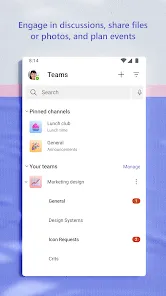




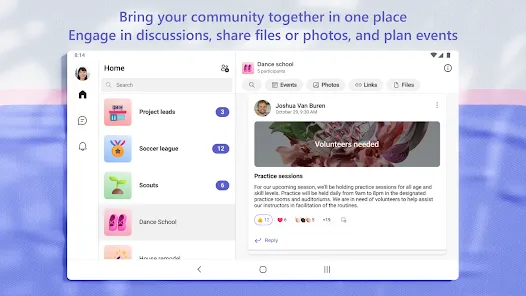
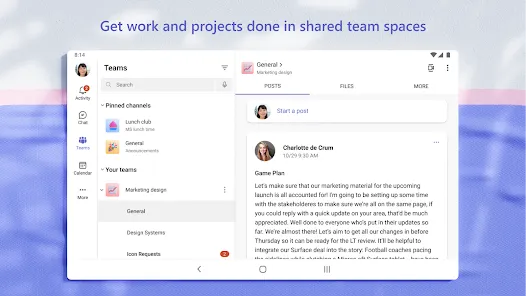
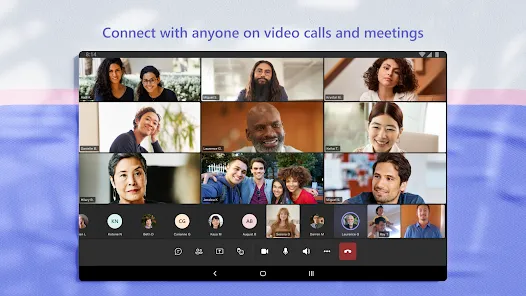
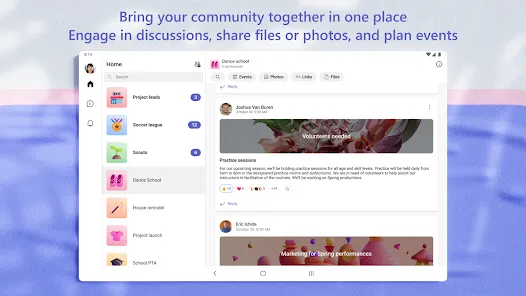
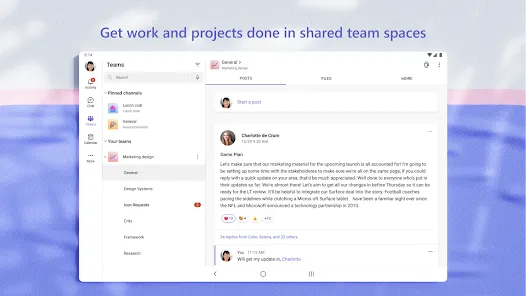
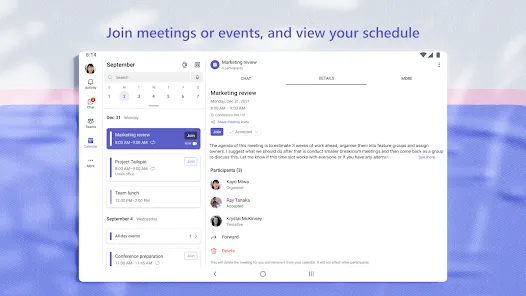
Microsoft Teams is a collaboration platform that integrates chat, video meetings, file sharing, and app integration to enhance teamwork and productivity. Designed for both businesses and educational institutions, it allows users to communicate in real-time, organize projects, and collaborate seamlessly across devices. With features like channels, tabs, and integrations with Microsoft 365, Teams streamlines workflows and fosters a connected work environment, making it an essential tool for modern collaboration.
Advertisement
Features of Microsoft Teams
Microsoft Teams is a comprehensive collaboration platform that integrates various tools to enhance teamwork and communication. One of its standout features is the ability to create dedicated channels for different projects or topics, allowing team members to organize discussions and resources effectively. Additionally, Teams supports real-time chat, enabling users to communicate instantly through text, voice, or video calls.
Another significant feature is the integration with Microsoft 365 applications, such as Word, Excel, and PowerPoint, which allows users to collaborate on documents directly within the platform. Teams also offers file sharing and storage capabilities, making it easy to access and manage documents in one place. Furthermore, the platform includes meeting scheduling tools, enabling users to set up virtual meetings seamlessly, complete with calendar integration and reminders.
Moreover, Teams supports third-party app integrations, allowing organizations to customize their workspace with tools that fit their specific needs. Security features, such as data encryption and compliance with industry standards, ensure that sensitive information remains protected. Overall, Microsoft Teams provides a robust environment for collaboration, making it an essential tool for modern workplaces.
How to Use Microsoft Teams
Using Microsoft Teams is straightforward and user-friendly, making it accessible for individuals and organizations alike. To get started, users need to download the Microsoft Teams app or access it via a web browser. After signing in with a Microsoft account, users can create or join a team by entering a code or accepting an invitation from an existing team member.
Once in a team, users can navigate through various channels dedicated to specific topics or projects. Each channel allows for threaded conversations, file sharing, and collaboration on documents. To initiate a chat, users can click on the "Chat" tab, where they can send direct messages or start group conversations. For meetings, users can schedule or join video calls directly from the calendar feature, which integrates with Outlook.
Additionally, users can customize their notifications and settings to manage their experience effectively. The search function helps locate messages, files, or people quickly. By exploring the app's features, such as task management and app integrations, users can enhance their productivity and streamline their workflows. Overall, Microsoft Teams is designed to facilitate seamless communication and collaboration in any work environment.
Pros & Cons of Microsoft Teams
Microsoft Teams offers numerous advantages that make it a popular choice for organizations. One of the primary benefits is its integration with Microsoft 365, allowing users to access familiar tools like Word and Excel within the platform. This seamless integration enhances productivity by enabling real-time collaboration on documents. Additionally, Teams provides robust communication features, including chat, video conferencing, and file sharing, all in one place, which simplifies teamwork.
However, there are some drawbacks to consider. One common issue is that the platform can be overwhelming for new users due to its extensive features and functionalities. The learning curve may deter some individuals from fully utilizing the app. Furthermore, performance can be affected by internet connectivity, leading to lag during video calls or file uploads. Lastly, while Teams offers a free version, many advanced features are only available in the paid plans, which may not be feasible for smaller organizations.
In summary, while Microsoft Teams provides a powerful suite of tools for collaboration and communication, potential users should weigh its advantages against the challenges to determine if it aligns with their needs and capabilities.
Check All Versions  Google Play
  App Store
Google Play App Store Top Apps





Similar Apps

DoorDash - Dasher
Business

4.3

Duo Mobile
Business
4.5

Google Chat
Business
4.4

LinkedIn: Jobs & Business News
Business
4.2

Microsoft Authenticator
Business
4.6

Uber - Driver: Drive & Deliver
Business
4.6

TeamViewer Remote Control
Business
4.4

Slack
Business
4.7

Power Apps
Business
4.5

Zoom Workplace
Business
4.1

Workday
Business
4.3

AnyDesk Remote Desktop
Business
2.6
Advertisement
Laden…