
 Home
Home  Apps
Apps  Games
Games  About Us
  Cookies & Privacy Policy
  Terms of Service
Iconic KWGT
Version: 9.0.2
Developer: Zeffi Setups
 Verified App
 Advertisement
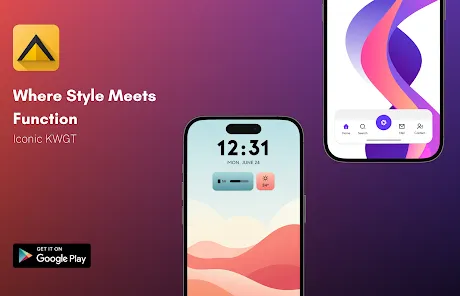
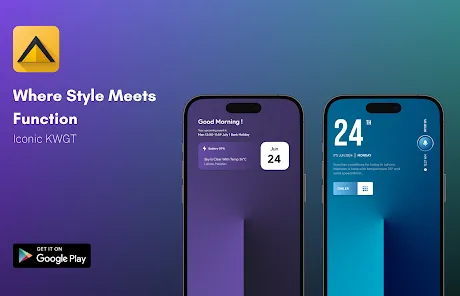
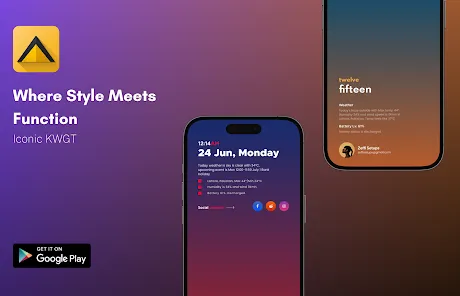
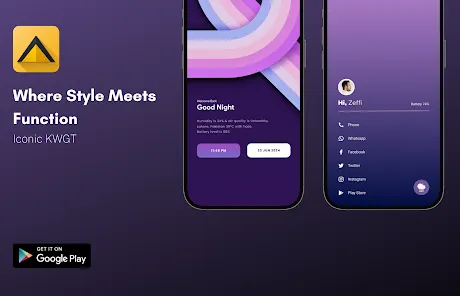
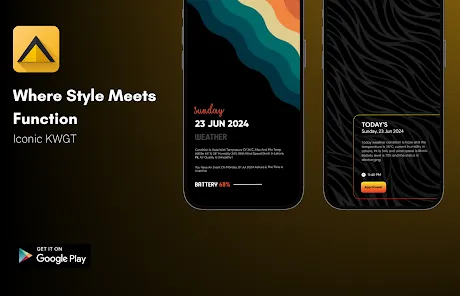
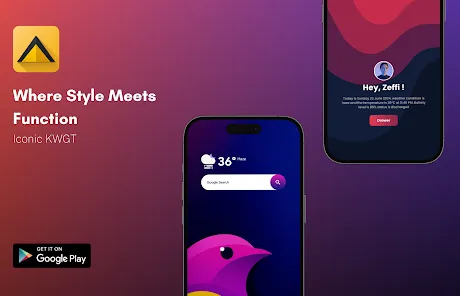
Iconic KWGT is a powerful widget customization app that allows users to create stunning, personalized home screen widgets for their Android devices. With a vast library of unique designs and easy-to-use tools, Iconic KWGT empowers users to express their style and enhance their device's functionality. Whether you're looking for minimalistic designs or vibrant themes, this app offers endless possibilities to transform your home screen into a visually appealing and highly functional space.
Advertisement
Features of "Iconic KWGT"
"Iconic KWGT" is a powerful widget customization app that allows users to create stunning and personalized home screen widgets for their Android devices. One of its standout features is the extensive library of pre-designed widgets, which cater to various styles and preferences. Users can choose from a wide range of themes, colors, and layouts, ensuring that their widgets not only serve a functional purpose but also enhance the aesthetic appeal of their home screens.
Another notable feature is the intuitive editor that allows users to customize widgets with ease. The drag-and-drop interface makes it simple to add elements such as text, images, and shapes, while advanced options enable users to tweak animations, colors, and sizes. Additionally, "Iconic KWGT" supports dynamic content, allowing widgets to display real-time information such as weather updates, calendar events, and battery status. This functionality ensures that users have quick access to essential information right from their home screens.
Moreover, the app is compatible with various launchers, making it versatile for different Android setups. With regular updates and a supportive community, "Iconic KWGT" continues to evolve, providing users with fresh content and features to enhance their widget experience.
How to Use "Iconic KWGT"
Using "Iconic KWGT" is a straightforward process that allows users to create and customize widgets effortlessly. First, download and install the app from the Google Play Store. Once installed, you will need to add a KWGT widget to your home screen. To do this, long-press on an empty space on your home screen, select "Widgets," and then choose the KWGT widget size that suits your needs.
After placing the widget on your home screen, tap on it to open the "Iconic KWGT" editor. Here, you can browse through the extensive library of pre-made widgets or create your own from scratch. If you opt for a pre-made widget, simply select it, and it will load into the editor. From there, you can customize various elements, such as colors, fonts, and sizes, to match your personal style.
Once you are satisfied with your design, save your changes, and exit the editor. Your customized widget will now be displayed on your home screen. You can always return to the editor to make further adjustments or create new widgets as desired. With its user-friendly interface and powerful customization options, "Iconic KWGT" makes it easy for anyone to enhance their Android home screen.
Pros & Cons of the App
"Iconic KWGT" comes with several advantages that make it a popular choice among Android users. One of the primary pros is its extensive customization options, allowing users to create unique widgets that reflect their personal style. The app's user-friendly interface makes it accessible for both beginners and experienced users, enabling them to design widgets without a steep learning curve. Additionally, the regular updates and active community support ensure that users have access to new features and designs, keeping the app fresh and engaging.
However, there are some drawbacks to consider. One con is that the app may require a bit of time to fully explore all its features, especially for those who are new to widget customization. Some users may also find that certain advanced features can be overwhelming or complex to use. Furthermore, while the app offers a wide range of pre-designed widgets, users looking for highly specific designs may still need to invest time in creating their own from scratch. Overall, "Iconic KWGT" is a powerful tool for widget customization, but it may not be suitable for everyone.
Check All Versions  Google Play
  App Store
Google Play App Store Top Apps





Similar Apps

ARC Launcher® Pro Themes DIY
Personalization

4.7

Auric Icon Pack
Personalization
4.6
Beauty Sporty Fit Watch Face
Personalization
3.3

Black Pie - Icon Pack
Personalization
4.7

Blaze Backless Icon Pack
Personalization
4.6

Blaze Dark Icon Pack
Personalization
4.5

Borealis - Icon Pack
Personalization
4.6
Chester inform LCD
Personalization
3.7

Crayon Icon Pack
Personalization
4.4
Digital Mod Black watchface
Personalization
3.8
Digital Red watch face
Personalization
4.0

Facemoji AI Emoji Keyboard
Personalization
4.7
Advertisement
Laden…