
 Home
Home  Apps
Apps  Games
Games  About Us
  Cookies & Privacy Policy
  Terms of Service
Crayon Icon Pack
Version: 5.4
Developer: JustNewDesigns
 Verified App
 Advertisement
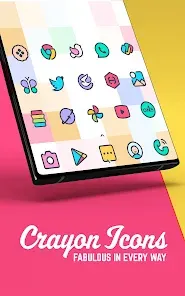
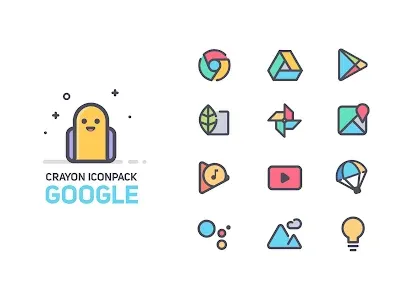
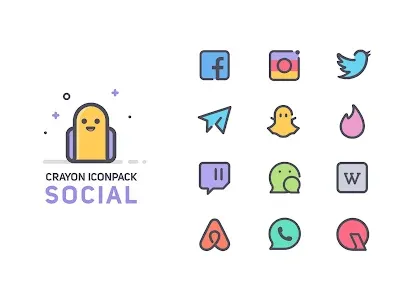
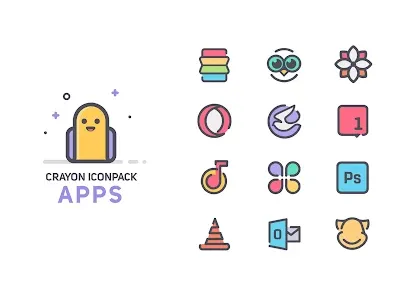
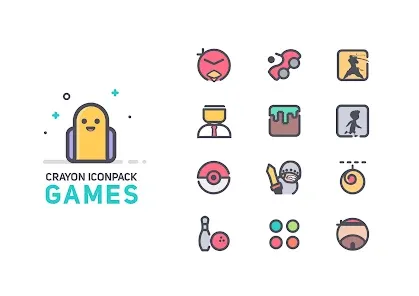
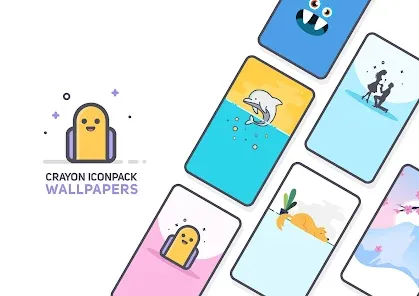
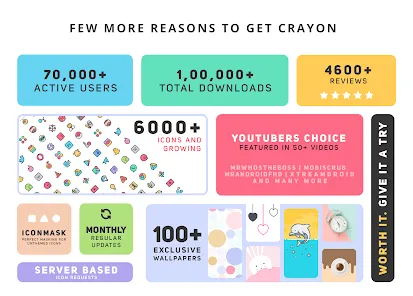
Introducing the Crayon Icon Pack, a vibrant and playful collection of hand-drawn icons designed to bring a splash of color to your device. With over 2,000 unique icons and customizable options, this pack transforms your home screen into a creative masterpiece. Enjoy seamless integration with popular launchers and easy-to-use features that allow you to personalize your experience. Elevate your device's aesthetic with the whimsical charm of Crayon Icon Pack!
Advertisement
Features of "Crayon Icon Pack"
The "Crayon Icon Pack" is designed to bring a vibrant and playful aesthetic to your device's interface. One of its standout features is the extensive collection of hand-drawn icons, which adds a unique artistic flair to your home screen. With thousands of icons available, users can customize their app shortcuts to reflect their personal style. The pack also includes dynamic calendar icons that automatically update to display the current date, enhancing functionality while maintaining a cohesive look.
Another notable feature is the support for various launchers, making it compatible with popular options like Nova Launcher, Apex Launcher, and more. This versatility allows users to easily integrate the icon pack into their existing setups. Additionally, the "Crayon Icon Pack" offers regular updates, ensuring that new icons are added frequently to keep the collection fresh and relevant. The pack also includes a user-friendly dashboard that simplifies the process of applying icons and customizing settings, making it accessible for users of all experience levels.
How to Use "Crayon Icon Pack"?
Using the "Crayon Icon Pack" is a straightforward process that enhances your device's visual appeal. First, ensure that you have a compatible launcher installed on your device, such as Nova Launcher or Apex Launcher. Once you have the launcher set up, download and install the "Crayon Icon Pack" from the Google Play Store. After installation, open the app, and you will be greeted with a user-friendly interface that showcases all available icons.
To apply the icon pack, navigate to the settings within your launcher. Look for the option to change the icon pack, and select "Crayon Icon Pack" from the list. You can then choose individual icons to replace or apply the entire pack at once. Additionally, the app allows you to request icons for any missing apps, ensuring that your customization remains comprehensive. With these simple steps, you can transform your device's appearance and enjoy a fresh, artistic look.
Pros & Cons of the App
The "Crayon Icon Pack" comes with several advantages that make it a popular choice among users. One of the primary pros is its unique artistic style, which sets it apart from standard icon packs. The hand-drawn icons provide a whimsical touch that appeals to those looking for a creative way to personalize their devices. Additionally, the extensive library of icons ensures that most apps are covered, allowing for a cohesive look across your home screen. Regular updates also mean that users can expect new icons and improvements over time.
However, there are some drawbacks to consider. One potential con is that the pack may not include icons for every app, which could lead to inconsistencies in appearance if users have niche or less common applications. Furthermore, while the artistic style is appealing to many, it may not suit everyone's taste, particularly those who prefer a more minimalist or professional look. Lastly, the reliance on third-party launchers can be a limitation for users who prefer the default interface of their devices. Overall, the "Crayon Icon Pack" offers a delightful customization option, but it may not be for everyone.
Check All Versions  Google Play
  App Store
Google Play App Store Top Apps





Similar Apps
ARC Launcher® Pro Themes DIY
Personalization

4.7
Auric Icon Pack
Personalization
4.6
Beauty Sporty Fit Watch Face
Personalization
3.3
Black Pie - Icon Pack
Personalization
4.7

Blaze Backless Icon Pack
Personalization
4.6

Blaze Dark Icon Pack
Personalization
4.5

Borealis - Icon Pack
Personalization
4.6
Chester inform LCD
Personalization
3.7
Digital Mod Black watchface
Personalization
3.8
Digital Red watch face
Personalization
4.0

Facemoji AI Emoji Keyboard
Personalization
4.7
Fake GPS Joystick & Routes Go
Personalization
3.7
Advertisement
Laden…