
 Home
Home  Apps
Apps  Games
Games  About Us
  Cookies & Privacy Policy
  Terms of Service
Facemoji AI Emoji Keyboard
Version: 3.4.3.4
Developer: EKATOX APPS
 Verified App
 Advertisement
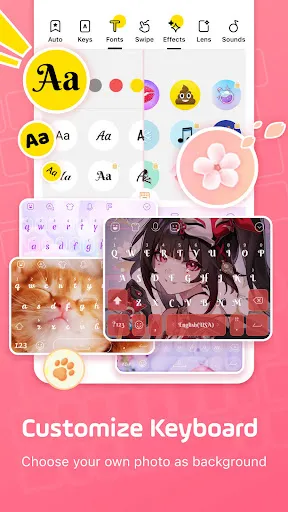


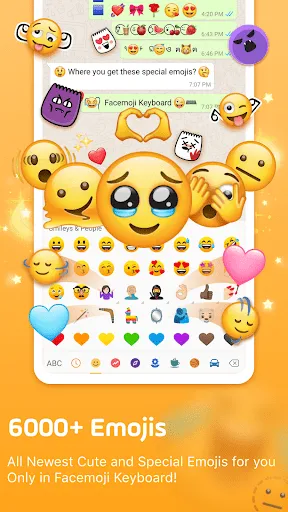
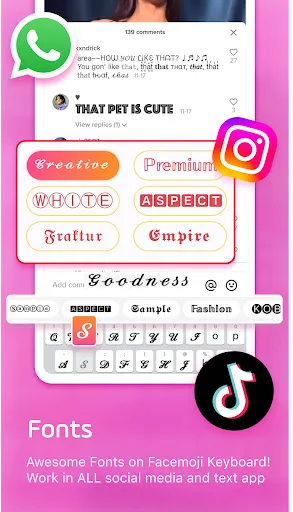

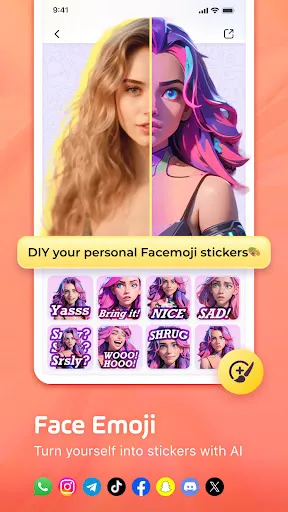

Facemoji AI Emoji Keyboard transforms your messaging experience with a vast array of customizable emojis, stickers, and GIFs. Powered by advanced AI technology, it allows users to create personalized emojis that reflect their unique style and emotions. With seamless integration across various messaging platforms, Facemoji enhances communication, making it more fun and expressive. Enjoy a user-friendly interface and a rich library of content to elevate your conversations and connect with friends in a whole new way!
Advertisement
Features of "Facemoji AI Emoji Keyboard"
The "Facemoji AI Emoji Keyboard" offers a wide array of features designed to enhance your messaging experience. One of its standout features is the extensive library of emojis, stickers, and GIFs, allowing users to express themselves in a fun and creative way. The keyboard also includes customizable themes, enabling users to personalize their typing interface according to their preferences.
Another notable feature is the AI-powered emoji prediction, which suggests relevant emojis based on the text you type. This functionality streamlines the communication process, making it quicker and more intuitive. Additionally, the keyboard supports multiple languages, catering to a diverse user base. Users can also create their own emojis and stickers, adding a personal touch to their messages. The app is designed for seamless integration with various messaging platforms, ensuring that users can easily share their creations across different apps.
Furthermore, the "Facemoji AI Emoji Keyboard" includes voice input capabilities, allowing for hands-free typing. The app also prioritizes user privacy, ensuring that personal data is not collected or shared without consent. Overall, this keyboard combines functionality with creativity, making it a popular choice for those looking to enhance their digital communication.
How to Use "Facemoji AI Emoji Keyboard"
Using the "Facemoji AI Emoji Keyboard" is a straightforward process that enhances your messaging experience. First, download and install the app from your device's app store. Once installed, open the app and follow the on-screen instructions to enable the keyboard in your device's settings. This typically involves navigating to the keyboard settings and selecting "Facemoji" as your preferred input method.
After enabling the keyboard, you can customize it to suit your style. Explore the various themes and settings available within the app to personalize your keyboard. When you start typing in any messaging app, the "Facemoji" keyboard will automatically appear. You can access emojis, stickers, and GIFs by tapping the respective icons on the keyboard. The AI emoji prediction feature will suggest relevant emojis as you type, making it easy to find the perfect expression for your message.
Additionally, you can create your own emojis and stickers by using the app's design tools. This feature allows for a unique touch in your conversations. Remember to explore the voice input option for hands-free typing, which can be particularly useful when multitasking. Overall, the "Facemoji AI Emoji Keyboard" is user-friendly and designed to enhance your communication with creativity and ease.
Pros & Cons of the App
The "Facemoji AI Emoji Keyboard" comes with several advantages that make it appealing to users. One of the primary pros is its extensive library of emojis, stickers, and GIFs, which allows for diverse expression in messaging. The AI-powered emoji prediction feature enhances user experience by suggesting relevant emojis based on the context of the conversation, making communication more efficient. Additionally, the ability to customize themes and create personalized emojis adds a unique touch to the keyboard, catering to individual preferences.
However, there are some cons to consider. Some users may find the app's size to be larger than other keyboard options, which could be a concern for those with limited storage on their devices. Additionally, while the app prioritizes user privacy, some users may still be wary of using third-party keyboards due to potential security risks. Furthermore, the app may not support all languages equally, which could limit its usability for non-English speakers. Overall, while the "Facemoji AI Emoji Keyboard" offers a fun and creative messaging experience, users should weigh these pros and cons before fully committing to the app.
Check All Versions  Google Play
  App Store
Google Play App Store Top Apps





Similar Apps

ARC Launcher® Pro Themes DIY
Personalization

4.7

Auric Icon Pack
Personalization
4.6
Beauty Sporty Fit Watch Face
Personalization
3.3

Black Pie - Icon Pack
Personalization
4.7

Blaze Backless Icon Pack
Personalization
4.6

Blaze Dark Icon Pack
Personalization
4.5

Borealis - Icon Pack
Personalization
4.6

Chester inform LCD
Personalization
3.7

Crayon Icon Pack
Personalization
4.4

Digital Mod Black watchface
Personalization
3.8
Digital Red watch face
Personalization
4.0

Fake GPS Joystick & Routes Go
Personalization
3.7
Advertisement
Laden…