
 Home
Home  Apps
Apps  Games
Games  About Us
  Cookies & Privacy Policy
  Terms of Service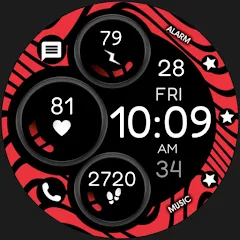
Digital Red watch face
Version: 1.0.3
Developer: Monkey's Dream
 Verified App
 Advertisement
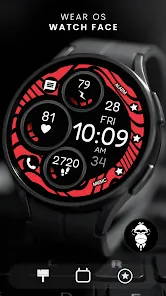
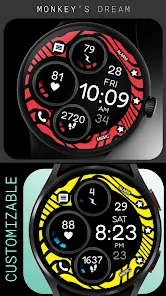
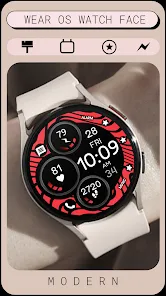
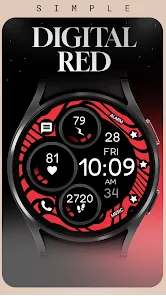
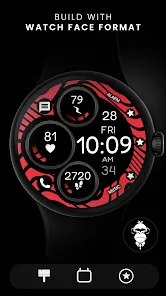
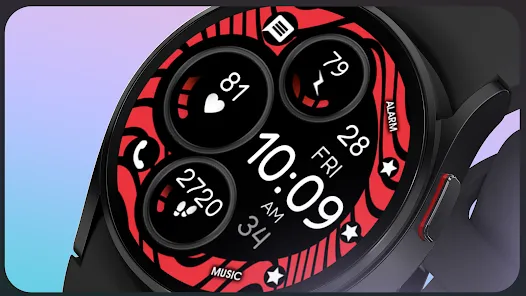
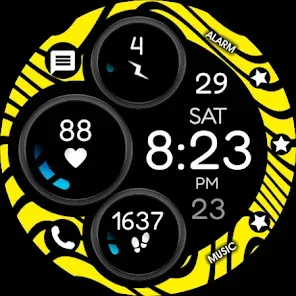
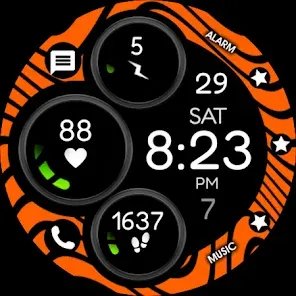
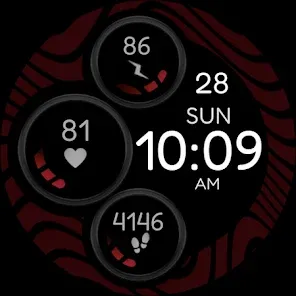
Introducing the "Digital Red Watch Face" app, where style meets functionality! Transform your smartwatch with a sleek, modern design featuring vibrant red accents and customizable options. Stay on top of your schedule with easy-to-read digital time displays, date, and health metrics at a glance. Perfect for any occasion, this watch face combines elegance and practicality, ensuring you never miss a beat. Elevate your smartwatch experience today with the Digital Red Watch Face!
Advertisement
Features of "Digital Red Watch Face"
The "Digital Red Watch Face" is designed to offer a vibrant and modern aesthetic, making it a popular choice among smartwatch users. One of its standout features is the bold red color scheme, which not only enhances visibility but also adds a touch of style to your wrist. The digital display provides clear and easy-to-read time, date, and other essential information at a glance.
Additionally, this watch face often includes customizable options, allowing users to personalize their experience by selecting different layouts, fonts, and additional complications such as heart rate, step count, and battery life. The watch face is typically optimized for various lighting conditions, ensuring that the display remains legible in both bright sunlight and low-light environments. Furthermore, it is designed to be energy-efficient, helping to extend the battery life of your smartwatch while still providing a striking visual appeal.
How to Use "Digital Red Watch Face"
Using the "Digital Red Watch Face" is a straightforward process that enhances your smartwatch experience. To begin, ensure that your smartwatch is compatible with the watch face. You can usually find the watch face in the app store associated with your device or through a dedicated watch face app. Once located, download and install the watch face onto your smartwatch.
After installation, navigate to the watch face settings on your device. Here, you can select the "Digital Red Watch Face" from the list of available options. Once selected, you can customize various elements such as the layout, color intensity, and additional complications to suit your preferences. To make the most of the watch face, regularly check the settings to adjust any features as needed, ensuring that it remains functional and visually appealing. With these simple steps, you can enjoy the stylish and practical benefits of the "Digital Red Watch Face" on your wrist.
Pros & Cons of the App
The "Digital Red Watch Face" app comes with several advantages that make it appealing to users. One of the primary pros is its eye-catching design, which stands out and adds a unique flair to any smartwatch. The customizable features allow users to tailor the watch face to their liking, enhancing personal expression. Additionally, the app is generally user-friendly, making it easy for individuals of all tech-savviness levels to navigate and set up.
However, there are some cons to consider. Some users may find that the bold color scheme, while striking, may not suit all occasions or personal styles. Furthermore, depending on the smartwatch model, certain features may not be fully supported, limiting customization options. Lastly, while the app is designed to be energy-efficient, some users may still experience a slight drain on battery life due to the vibrant display. Weighing these pros and cons can help users decide if the "Digital Red Watch Face" is the right choice for their smartwatch needs.
Check All Versions  Google Play
  App Store
Google Play App Store Top Apps





Similar Apps
ARC Launcher® Pro Themes DIY
Personalization

4.7
Auric Icon Pack
Personalization
4.6
Beauty Sporty Fit Watch Face
Personalization
3.3
Black Pie - Icon Pack
Personalization
4.7

Blaze Backless Icon Pack
Personalization
4.6

Blaze Dark Icon Pack
Personalization
4.5

Borealis - Icon Pack
Personalization
4.6
Chester inform LCD
Personalization
3.7

Crayon Icon Pack
Personalization
4.4
Digital Mod Black watchface
Personalization
3.8

Facemoji AI Emoji Keyboard
Personalization
4.7

Fake GPS Joystick & Routes Go
Personalization
3.7
Advertisement
Laden…