Category: Business
Developer: 24Task: Hire Freelancer For Clients & Job Search
 Verified App



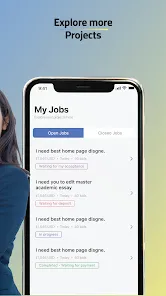

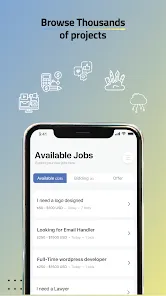


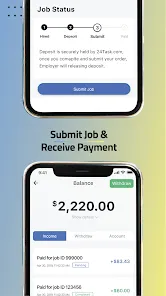

"24Task For Freelancers" is a comprehensive platform designed to connect freelancers with clients seeking various services. One of its standout features is the user-friendly interface, which allows freelancers to create detailed profiles showcasing their skills, experience, and portfolio. This makes it easier for potential clients to find the right talent for their projects.
Another notable feature is the wide range of job categories available, including writing, graphic design, programming, and digital marketing. This diversity ensures that freelancers from different fields can find suitable opportunities. Additionally, the platform offers a secure payment system, which protects both freelancers and clients during transactions.
Moreover, "24Task" provides a rating and review system, enabling freelancers to build their reputation based on client feedback. This feature encourages quality work and helps clients make informed decisions. Lastly, the platform includes communication tools that facilitate seamless interaction between freelancers and clients, ensuring clarity and efficiency throughout the project lifecycle.
Using "24Task For Freelancers" is a straightforward process that begins with creating an account. Freelancers can sign up by providing their email address and setting a password. Once registered, users can complete their profiles by adding relevant information such as skills, work experience, and a portfolio of previous projects. This step is crucial for attracting potential clients.
After setting up the profile, freelancers can browse available job listings that match their skills and interests. They can apply for projects by submitting proposals that outline their approach, timeline, and pricing. It’s essential to tailor each proposal to the specific job to increase the chances of being hired.
Once hired, freelancers can communicate with clients through the platform’s messaging system to clarify project details and expectations. After completing the work, they can submit it for review. Upon client approval, payment is processed through the secure system. Regularly updating the profile and gathering client reviews can help freelancers enhance their visibility and attract more job opportunities.
Like any platform, "24Task For Freelancers" has its advantages and disadvantages. One of the primary pros is the extensive range of job categories available, which caters to a diverse group of freelancers. This variety allows users to find projects that align with their skills and interests. Additionally, the secure payment system provides peace of mind for both freelancers and clients, ensuring that transactions are safe and reliable.
Another advantage is the rating and review system, which helps freelancers build credibility and attract more clients. The platform's user-friendly interface also makes it easy for freelancers to navigate and manage their profiles and applications. However, there are some cons to consider. The competition can be fierce, with many freelancers vying for the same projects, which may lead to lower rates for some services.
Furthermore, some users have reported occasional technical issues with the platform, which can hinder the user experience. Lastly, while the platform offers a variety of job opportunities, not all projects may be well-compensated, leading to potential dissatisfaction among freelancers. Balancing these pros and cons is essential for freelancers looking to maximize their experience on "24Task."

 Access a diverse range of projects across various industries. Flexible working hours allow you to manage your own schedule. Secure payment systems ensure timely and reliable compensation. User-friendly interface simplifies project management and communication. Build a strong portfolio by showcasing your completed work.
 Limited job variety may restrict freelancers from exploring diverse opportunities. Low client engagement often leads to communication challenges and misunderstandings. High competition can make it difficult for newcomers to secure projects.
  Google Play
  App Store
 Yes, users can submit suggestions or feedback through the app’s support feature or via email to the support team.
Yes, 24Task For Freelancers collects personal data as part of account creation and usage, but it is committed to protecting user privacy according to its privacy policy.
24Task For Freelancers primarily requires an internet connection to access its features, so offline use is limited.
You can cancel your subscription through your account settings in the app or by contacting customer support for assistance.
Subscription costs may vary, so it’s best to check the app for the most current pricing information and any available plans.
Yes, you can update your customer number by contacting customer service for assistance with the process.
To activate your account, check your email for the activation link and click it. If you didn’t receive it, contact customer service for assistance.
You can reach our customer service via the support section on our website or by emailing us directly for assistance with your login issues.
To log in, visit the website, enter your email and password, and click the login button. If you have trouble, check your email for your customer number.
You can contact customer service as often as needed; we’re here to assist you with any questions or issues you may have.