
 Home
Home  Apps
Apps  Games
Games  About Us
  Cookies & Privacy Policy
  Terms of Service
T-Mobile® FamilyMode™
Version: 4.0.3
Developer: T-Mobile USA
 Verified App
 Advertisement
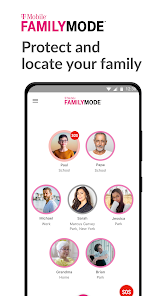
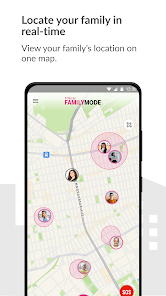
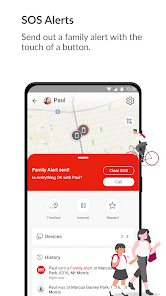
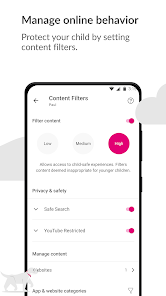
The T-Mobile® FamilyMode™ app is designed to help families manage their digital lives with ease. It offers tools for monitoring screen time, filtering content, and setting usage limits, ensuring a safer online experience for children. With FamilyMode™, parents can stay connected and engaged with their family's online activities, fostering healthy digital habits while enjoying the convenience of managing everything from one user-friendly platform. Empower your family's digital journey with T-Mobile® FamilyMode™.
Advertisement
Features of T-Mobile® FamilyMode™
T-Mobile® FamilyMode™ is designed to help families manage their digital lives more effectively. One of its standout features is the ability to monitor and control screen time across various devices. Parents can set daily limits for individual devices, ensuring that children spend a balanced amount of time online. Additionally, the app allows for content filtering, enabling parents to block inappropriate websites and apps, thus creating a safer online environment for their kids.
Another key feature is location tracking, which provides real-time updates on the whereabouts of family members. This is particularly useful for parents who want to ensure their children are safe when they are out. FamilyMode™ also includes a pause feature, allowing parents to temporarily disable internet access on specific devices, which can be handy during family meals or study time. Overall, T-Mobile® FamilyMode™ combines monitoring, control, and safety features to help families navigate the digital landscape responsibly.
How to Use T-Mobile® FamilyMode™
Using T-Mobile® FamilyMode™ is straightforward and user-friendly. First, download the FamilyMode app from the App Store or Google Play Store and create an account using your T-Mobile credentials. Once logged in, you can add family members by sending them invitations through the app. Each family member will need to accept the invitation to be included in the FamilyMode network.
After setting up your family group, you can start customizing settings for each member. This includes setting screen time limits, filtering content, and enabling location tracking. The app provides an intuitive dashboard where you can easily monitor usage statistics and adjust settings as needed. To pause internet access, simply select the device you wish to manage and use the pause feature. With these simple steps, families can effectively manage their digital interactions and promote healthier online habits.
Pros & Cons of T-Mobile® FamilyMode™
T-Mobile® FamilyMode™ offers several advantages that make it appealing for families. One of the primary benefits is its comprehensive monitoring capabilities, allowing parents to keep track of their children's online activities and set appropriate boundaries. The app's user-friendly interface makes it easy to navigate and customize settings, ensuring that families can tailor their experience to meet their specific needs. Additionally, the location tracking feature provides peace of mind for parents, knowing they can easily locate their children when necessary.
However, there are some drawbacks to consider. One potential con is that the app may require a subscription fee, which could be a deterrent for some families. Additionally, while the content filtering is helpful, it may not be foolproof, and some inappropriate content could still slip through. Lastly, the effectiveness of the app relies on the cooperation of family members, particularly older children who may resist monitoring. Balancing oversight with trust is essential for the app to be successful in promoting healthy digital habits.
 Google Play
  App Store
 Top Apps





Similar Apps

Cocomelon
Parenting

4.5

Microsoft Family Safety
Parenting
3.9

Speech Blubs: Language Therapy
Parenting
4.5

OurFamilyWizard Co-Parent App
Parenting
4.5

AirDroid Parental Control
Parenting
4.5

Eyezy: Phone Tracker By Number
Parenting
2.7

Bark - Parental Controls
Parenting
4.2
Parental Control App- FamiSafe
Parenting
3.3

Solid Starts: Baby Food App
Parenting
4.9

Sitly - The babysitter app
Parenting
1.5

Baby Connect: Newborn Tracker
Parenting
4.5

BabySparks - Development Activ
Parenting
4.1
Advertisement
Laden…