
 Home
Home  Apps
Apps  Games
Games  About Us
  Cookies & Privacy Policy
  Terms of Service
AR Art Projector: Da Vinci Eye
Version: 3.2.5
Developer: Da Vinci Eye LLC
 Verified App
 Advertisement
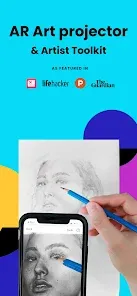
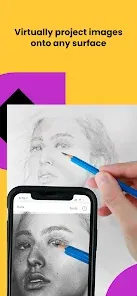
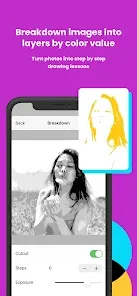
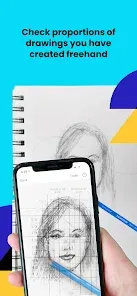
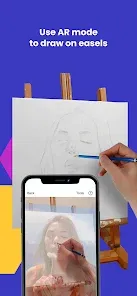
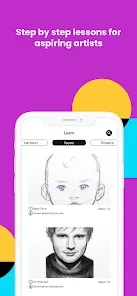
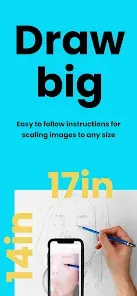
The "AR Art Projector: Da Vinci Eye" app transforms your creative process by using augmented reality to project images onto any surface. Perfect for artists and hobbyists, it allows you to trace and replicate artwork with precision. Simply select an image, adjust the size and position, and watch as it appears in real-time, making it easier than ever to bring your artistic visions to life. Unleash your creativity and enhance your skills with this innovative tool!
Advertisement
Features of "AR Art Projector: Da Vinci Eye"
The "AR Art Projector: Da Vinci Eye" is an innovative application designed to assist artists in creating accurate and proportionate drawings. One of its standout features is the augmented reality (AR) projection capability, which allows users to overlay images onto their drawing surfaces. This feature enables artists to trace outlines and details with precision, making it easier to replicate complex subjects.
Another notable feature is the adjustable transparency of the projected image, allowing users to customize the visibility of the reference image according to their preferences. The app also supports various image formats, making it versatile for different artistic needs. Additionally, it includes a user-friendly interface that simplifies the process of importing images and adjusting settings. The app is compatible with a wide range of devices, ensuring accessibility for many users. Overall, the "AR Art Projector: Da Vinci Eye" combines technology with artistry, providing a powerful tool for both beginners and experienced artists alike.
How to Use "AR Art Projector: Da Vinci Eye"
Using the "AR Art Projector: Da Vinci Eye" is a straightforward process that enhances the drawing experience. First, download and install the app on your compatible device. Once installed, open the app and select an image you wish to project. You can either choose from your gallery or use the app's built-in image search feature to find suitable reference images.
After selecting an image, position your device above your drawing surface. The app will automatically calibrate the projection, allowing you to adjust the size and angle of the image for optimal viewing. You can modify the transparency to suit your drawing style, making it easier to see your work beneath the projected image. Once everything is set, you can begin tracing or painting, using the projected image as a guide. The app also allows you to save your settings for future use, making it a convenient tool for ongoing projects.
Pros & Cons of the App
The "AR Art Projector: Da Vinci Eye" offers several advantages that make it appealing to artists. One of the primary benefits is its ability to enhance accuracy in drawing, allowing users to create more proportionate and detailed artwork. The augmented reality feature is particularly useful for beginners who may struggle with proportions and perspective. Additionally, the app is user-friendly, making it accessible for artists of all skill levels. The ability to adjust image transparency and size further enhances its versatility.
However, there are some drawbacks to consider. The app may require a stable surface and good lighting conditions for optimal performance, which can be a limitation in certain environments. Some users have reported occasional calibration issues, which can disrupt the drawing process. Furthermore, while the app is beneficial for tracing, it may not encourage the development of freehand drawing skills, which are essential for artistic growth. Overall, while the "AR Art Projector: Da Vinci Eye" is a valuable tool, it is important for users to balance its use with traditional drawing techniques.
 Google Play
  App Store
 Top Apps





Similar Apps

FlipaClip: Create 2D Animation
Art & Design

4.4
GIMP
Art & Design
2.8
Rainbow Brainskull Oracle Deck
Art & Design
4.8
Sketchbook
Art & Design
4.0

Adobe Capture: Illustrator,Ps
Art & Design
4.6
Floor Plan Creator
Art & Design
4.0

Infinite Painter
Art & Design
4.5
Pixelcut AI Photo Editor
Art & Design
4.3
Dawn AI - Avatar Generator
Art & Design
2.0
Poseit
Art & Design
3.8
Pixel Studio: pixel art editor
Art & Design
4.7
starryai - AI Art Generator
Art & Design
4.2
Advertisement
Laden…