
 Home
Home  Apps
Apps  Games
Games  About Us
  Cookies & Privacy Policy
  Terms of Service
Adobe Capture: Illustrator,Ps
Version: 5.3 (1696)
Developer: Adobe
 Verified App
 Advertisement
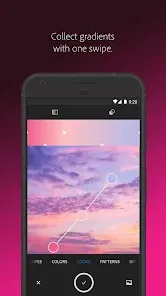
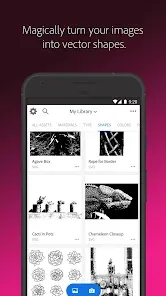
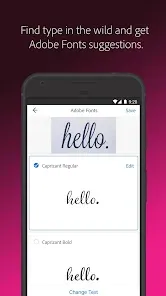
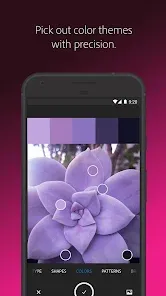
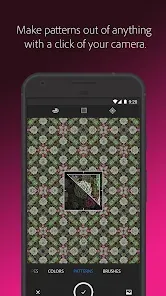
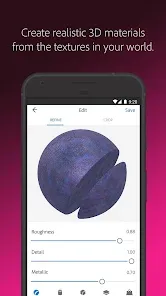
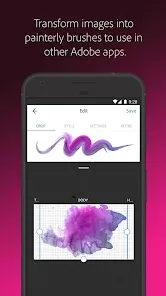
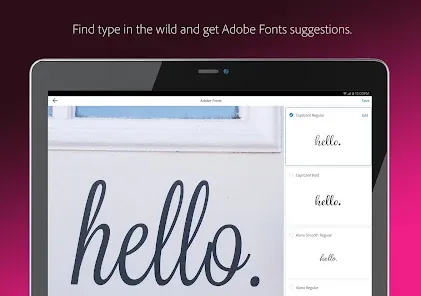
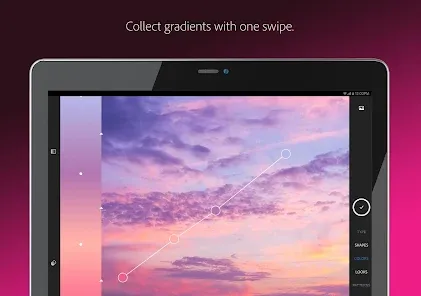
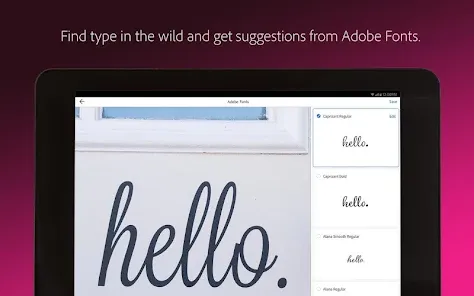
Adobe Capture is a powerful mobile app that transforms your creative ideas into stunning designs. With features that allow you to capture colors, shapes, patterns, and brushes from the world around you, it seamlessly integrates with Adobe Illustrator and Photoshop. Whether you're a designer or an artist, Adobe Capture empowers you to create unique assets on the go, enhancing your workflow and inspiring your creativity. Unlock your imagination and elevate your projects with this versatile tool.
Advertisement
Features of "Adobe Capture: Illustrator, Ps"
Adobe Capture is a versatile mobile application that empowers users to transform their creative ideas into digital assets. One of its standout features is the ability to convert images into vector graphics, which can be directly imported into Adobe Illustrator and Photoshop. This functionality allows artists to create scalable designs that maintain quality across various sizes.
Another notable feature is the color palette generator, which enables users to extract color themes from photos. This tool is particularly useful for designers looking to create cohesive color schemes for their projects. Additionally, Adobe Capture offers a brush creation feature, allowing users to design custom brushes that can be used in Photoshop and Illustrator, enhancing their creative toolkit.
The app also includes a shape recognition tool, which can convert hand-drawn sketches into vector shapes. This feature is ideal for illustrators and graphic designers who want to digitize their artwork quickly. Furthermore, Adobe Capture integrates seamlessly with other Adobe Creative Cloud applications, ensuring a smooth workflow for users across different platforms.
How to Use "Adobe Capture: Illustrator, Ps"
Using Adobe Capture is straightforward and user-friendly, making it accessible for both beginners and experienced designers. To get started, download the app from the App Store or Google Play and sign in with your Adobe ID. Once you’re in, you can explore various tools available on the home screen.
To create vector graphics, simply tap on the "Shapes" option and take a photo of your drawing or any object. The app will automatically convert it into a vector shape that you can refine and save. For color palettes, select the "Color" feature, capture an image, and the app will generate a color theme based on the photo. You can save these palettes for future use in your design projects.
For custom brushes, navigate to the "Brush" section, where you can create brushes from images or drawings. Once you’ve created your assets, you can easily send them to Adobe Illustrator or Photoshop for further editing. The app’s intuitive interface and integration with Creative Cloud make it a powerful tool for enhancing your creative workflow.
Pros & Cons of the App
Adobe Capture offers numerous advantages that make it a valuable tool for designers and artists. One of the primary benefits is its ability to convert images into high-quality vector graphics, which is essential for scalable designs. The app's integration with Adobe Creative Cloud allows for seamless transfer of assets between devices, enhancing productivity. Additionally, the color palette and brush creation features provide users with a wide range of creative options, making it easier to develop unique designs.
However, there are some drawbacks to consider. The app may require a learning curve for new users, especially those unfamiliar with Adobe's ecosystem. Some users have reported occasional performance issues, such as lag or crashes, particularly when working with high-resolution images. Furthermore, while the app is free, certain advanced features may require a subscription to Adobe Creative Cloud, which could be a barrier for some users.
In summary, Adobe Capture is a powerful tool that offers a variety of features for creative professionals, but potential users should weigh its pros and cons to determine if it meets their specific needs.
 Google Play
  App Store
 Top Apps





Similar Apps

FlipaClip: Create 2D Animation
Art & Design

4.4
AR Art Projector: Da Vinci Eye
Art & Design
4.1

GIMP
Art & Design
2.8

Rainbow Brainskull Oracle Deck
Art & Design
4.8
Sketchbook
Art & Design
4.0
Floor Plan Creator
Art & Design
4.0

Infinite Painter
Art & Design
4.5
Pixelcut AI Photo Editor
Art & Design
4.3

Dawn AI - Avatar Generator
Art & Design
2.0
Poseit
Art & Design
3.8

Pixel Studio: pixel art editor
Art & Design
4.7
starryai - AI Art Generator
Art & Design
4.2
Advertisement
Laden…