
 Home
Home  Apps
Apps  Games
Games  About Us
  Cookies & Privacy Policy
  Terms of Service
TeamSpeak 3 - Voice Chat
Version: 3.4.5
Developer: TeamSpeak Systems, Inc.
 Verified App
 Advertisement
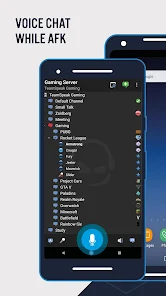

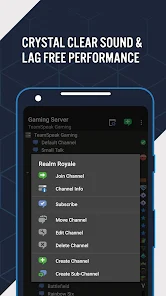
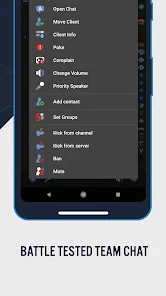
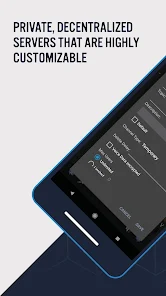

TeamSpeak 3 is a powerful voice chat application designed for gamers and communities, offering high-quality audio communication and low latency. With customizable servers, secure connections, and a user-friendly interface, it enables seamless collaboration and interaction among users. Whether for gaming, team coordination, or socializing, TeamSpeak 3 provides a reliable platform for real-time voice communication, ensuring that users stay connected and engaged in their activities. Experience clear and efficient communication with TeamSpeak 3.
Advertisement
Features of "TeamSpeak 3 - Voice Chat"
TeamSpeak 3 is a powerful voice communication platform designed for gamers and teams. One of its standout features is its high-quality audio, which ensures clear communication even in noisy environments. The software supports multiple channels, allowing users to create separate rooms for different groups or discussions, enhancing organization and focus during conversations.
Another notable feature is the ability to customize user permissions, enabling server administrators to control who can speak, join channels, or access specific features. This level of control is particularly beneficial for large teams or gaming clans. Additionally, TeamSpeak 3 offers low latency, which is crucial for real-time communication during gameplay.
The platform also supports a variety of plugins and add-ons, allowing users to enhance their experience with additional functionalities. Furthermore, TeamSpeak 3 is available on multiple platforms, including Windows, macOS, Linux, and mobile devices, making it accessible for users on the go. Overall, TeamSpeak 3 combines flexibility, quality, and customization, making it a preferred choice for many users.
How to Use "TeamSpeak 3 - Voice Chat"
Using TeamSpeak 3 is straightforward, making it accessible for both new and experienced users. First, download and install the application from the official TeamSpeak website. Once installed, launch the program and create an account or connect to an existing server using the server address provided by your team or community.
After connecting, you can join a channel where you can communicate with other users. To speak, simply press the designated push-to-talk key or enable voice activation in the settings. It’s essential to configure your audio settings to ensure optimal sound quality; this includes adjusting microphone sensitivity and speaker volume.
TeamSpeak also allows you to customize your user profile, including setting a unique nickname and avatar. Explore the settings menu to adjust permissions, manage channels, and invite friends. For a more enhanced experience, consider exploring available plugins that can add additional features. With these steps, you can effectively utilize TeamSpeak 3 for seamless voice communication.
Pros & Cons of the App
TeamSpeak 3 comes with several advantages that make it a popular choice among users. One of the primary pros is its exceptional audio quality, which is crucial for clear communication during gaming sessions. The platform also offers robust security features, including encryption, ensuring that conversations remain private and secure. Additionally, the ability to customize user permissions allows for better management of large groups, making it ideal for gaming clans and professional teams.
However, there are some drawbacks to consider. One notable con is that TeamSpeak 3 requires users to have a server to host conversations, which can be a barrier for those unfamiliar with server management. Furthermore, while the interface is functional, it may not be as user-friendly as some competing platforms, potentially leading to a steeper learning curve for new users. Lastly, while the basic version is free, advanced features may require a paid license, which could deter some users.
In summary, TeamSpeak 3 offers high-quality voice communication and customization options, making it a strong contender in the voice chat market. However, potential users should weigh the pros and cons to determine if it meets their specific needs.
 Google Play
  App Store
 Top Apps





Similar Apps

UC Browser-Safe, Fast, Private
Communication

4.4

Hangouts
Communication
4.8

Skype
Communication
4.3

TextNow: Call + Text Unlimited
Communication
4.6

GroupMe
Communication
4.6

LINE: Calls & Messages
Communication
3.6

Firefox: el navegador privado
Communication
4.6

Brave Private Web Browser, VPN
Communication
4.7

Burner: Second Phone Number
Communication
4.4

Cafe - Live video chat
Communication
4.6

CallApp: Caller ID & Block
Communication
4.4

Contacts
Communication
4.3
Advertisement
Laden…