
 Home
Home  Apps
Apps  Games
Games  About Us
  Cookies & Privacy Policy
  Terms of Service
LINE: Calls & Messages
Version: 45609
Developer: LINE (LY Corporation)
 Verified App
 Advertisement
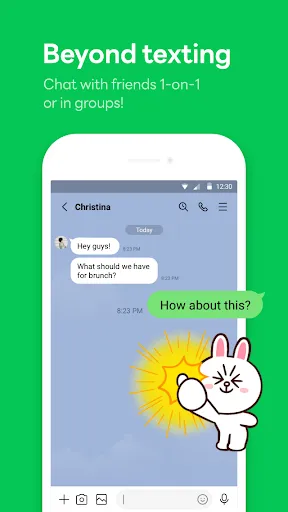
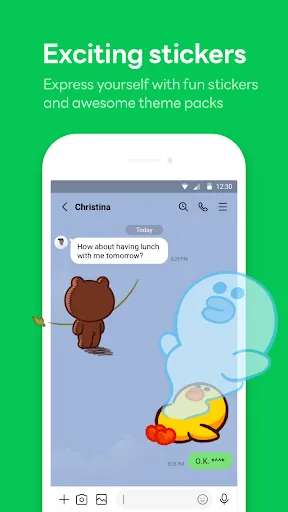
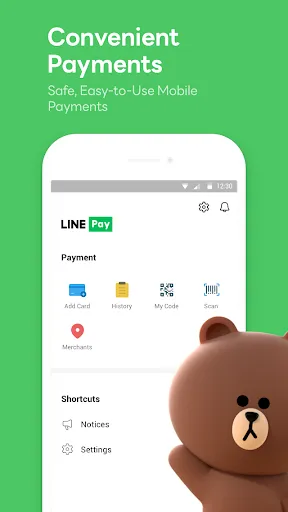



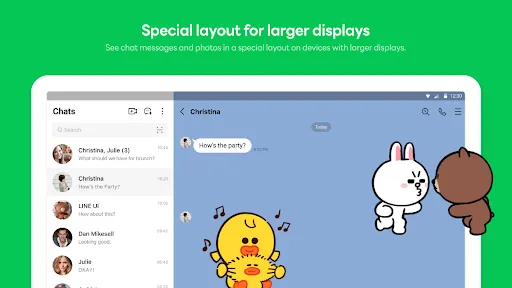

LINE: Calls & Messages is a versatile communication app that allows users to connect seamlessly through free voice calls, video calls, and instant messaging. With a user-friendly interface, LINE offers a range of features including stickers, group chats, and social networking elements, making it a popular choice for staying in touch with friends and family. Whether sharing moments or having fun with friends, LINE enhances your communication experience with its innovative tools and vibrant community.
Advertisement
Features of "LINE: Calls & Messages"
"LINE: Calls & Messages" is a versatile communication app that offers a wide range of features designed to enhance user interaction. One of its standout features is the ability to send free text messages, allowing users to communicate without incurring SMS charges. Additionally, LINE supports voice and video calls, enabling real-time conversations with friends and family, regardless of their location.
The app also includes a variety of multimedia sharing options, allowing users to send photos, videos, and voice messages effortlessly. LINE's unique sticker shop offers a fun way to express emotions, with a vast selection of stickers and emojis available for purchase or free download. Furthermore, LINE provides a timeline feature where users can share updates and photos with their friends, creating a social media-like experience within the app.
Another notable feature is the LINE Official Accounts, which allows businesses to connect with customers through messages and promotions. The app also supports group chats, making it easy to communicate with multiple people at once. Overall, LINE combines messaging, calling, and social networking into one comprehensive platform, making it a popular choice for users worldwide.
How to Use "LINE: Calls & Messages"
Using "LINE: Calls & Messages" is straightforward and user-friendly. To get started, download the app from your device's app store and create an account using your phone number. Once registered, you can customize your profile by adding a profile picture and a display name, making it easier for friends to recognize you.
After setting up your account, you can begin adding contacts by syncing your phone's address book or by searching for friends using their LINE IDs. To send a message, simply select a contact, type your message in the chat box, and hit send. For voice or video calls, tap the respective icons at the top of the chat screen. You can also create group chats by selecting multiple contacts and starting a conversation.
To explore additional features, such as stickers and multimedia sharing, tap the icons within the chat interface. You can also access the timeline to share updates or view your friends' posts. Regularly check for updates to ensure you have the latest features and improvements. With its intuitive design, LINE makes it easy for users to stay connected with friends and family.
Pros & Cons of the App
Like any application, "LINE: Calls & Messages" has its advantages and disadvantages. One of the primary pros is its comprehensive feature set, which includes free messaging, voice, and video calls, making it a cost-effective communication tool. The app's extensive sticker library adds a fun element to conversations, allowing users to express themselves creatively. Additionally, the timeline feature fosters social interaction, enabling users to share updates and engage with friends.
However, there are some cons to consider. One drawback is that the app may consume a significant amount of data, especially during video calls or when sharing large files. Users in regions with limited internet access may find this challenging. Furthermore, while LINE is popular in certain countries, it may not have as large a user base in others, which could limit its effectiveness for connecting with friends who use different messaging platforms.
Lastly, some users may find the app's interface slightly cluttered due to the abundance of features, which can be overwhelming for newcomers. Overall, while "LINE: Calls & Messages" offers a robust communication experience, potential users should weigh these pros and cons based on their individual needs and preferences.
Check All Versions  Google Play
  App Store
Google Play App Store Top Apps





Similar Apps

UC Browser-Safe, Fast, Private
Communication

4.4

Hangouts
Communication
4.8

Skype
Communication
4.3

TextNow: Call + Text Unlimited
Communication
4.6

GroupMe
Communication
4.6

Firefox: el navegador privado
Communication
4.6

Brave Private Web Browser, VPN
Communication
4.7

Burner: Second Phone Number
Communication
4.4

Cafe - Live video chat
Communication
4.6

CallApp: Caller ID & Block
Communication
4.4

Contacts
Communication
4.3

CryptoTab Browser Pro Level
Communication
4.1
Advertisement
Laden…