Category: Communication
Developer: Mozilla
 Verified App



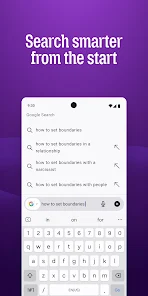


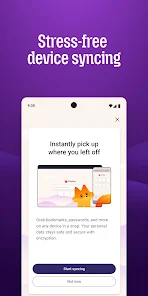
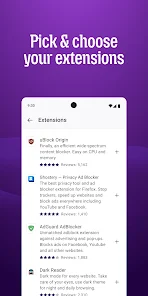
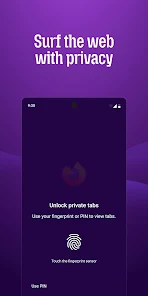
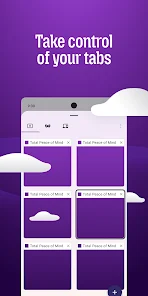

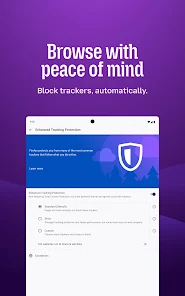
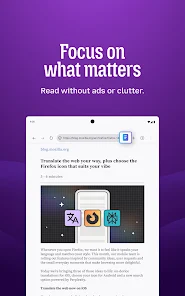
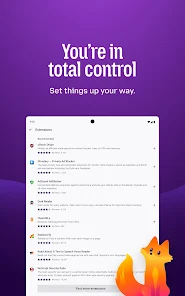

 Firefox prioritizes user privacy with robust tracking protection. The browser features a built-in password manager for secure logins. Regular updates ensure protection against the latest online threats. It offers customizable settings to enhance your browsing experience. Firefox supports a wide range of privacy-focused extensions and tools.
 Limited support for some popular extensions can hinder functionality. Slower performance compared to competitors may affect browsing speed. Occasional compatibility issues with certain websites can disrupt user experience.
  Google Play
  App Store

This is the only mobile browser to support some of the most-used plugins, but what it desperately needs is bookmark reorganization without needing to sync to other devices. I don't want the same bookmarks on my phone as my PC. I also find that, on rare occasions, during updates, my bookmarks will get scrambled into a random order. It's concerning that none of this was addressed and that a feedback link I was given as a response to my review here was one that doesn't work.
It's hard to find a perfect mobile browser but Firefox is definitely the closest I've seen. I wish certain things were more customizable (for example, it's confusing that on a normal site when you click the address bar it selects the entire URL, but when on a search engine you have to manually select and delete your search term to get it blank). Other than small things like this it's great, and I appreciate that they seem to pay attention to reviews.
I'll level with you: Mozilla Firefox is the only web browser I trust. It's faster and more efficient than Edge and Chrome, Private Browsing is great for those who value their privacy online, and the many extensions can customize the web browsing experience. I have Firefox installed on every device I own for good reason. Some advice: download the uBlock Origin, Privacy Badger, and Sponsorblock add-ons as soon as you can.
I like Firefox on my computer, why not my phone too? Wow. Not a single website I have visited has fit on my screen, and they won't zoom out. I have to scroll horizontally to read a whole page! I've been looking for hours trying to figure out how to fix this and can't find anything. There's laughably few settings for this version of Firefox and all of the Firefox 'help' info I've seen are either clear your cookies or "did you try zooming out?" Sticking with Chrome it is, I guess.
I have always loved using Firefox over the years, and rarely had any problems. The problems I do sometimes have are simply caused by websites that don't support Firefox, but those are rare. I can't see myself switching to any other browser, even a fork, any time soon. It's good! Yes the browser does have AI, but it's very easy to turn off entirely or just features you won't use. It's never gotten in my way. If there's ever anything you don't like, you can simply turn it off.
Review Source: Google Play store public user reviews.
Yes, users can submit suggestions or feedback through the app's support section or by visiting the official Firefox website.
Firefox: Private, Safe Browser is designed to minimize data collection and prioritizes user privacy, but some anonymous data may be collected for performance improvement.
Firefox: Private, Safe Browser does not support offline use, as it requires an internet connection to browse the web.
To cancel your subscription, go to your app store account settings, find the subscription section, and select the option to cancel the Firefox subscription.
While the app itself is free, there may be premium features available through subscription services, typically priced at a competitive rate, which can vary based on the offering.
You can reach Firefox customer service through their support website or by checking the help section in the app for contact options.
To activate additional features, go to the app settings and enable the relevant options.
You can log in by opening the app and entering your Firefox account credentials in the settings menu.
No activation is necessary; you can use the app immediately after downloading it.
Firefox does not have a dedicated customer number; support is primarily provided through online resources and forums.
- World Cup widget: Follow live scores, match schedules and results in one place.- Page summaries: Get key points from long articles with a tap or shake. Now available to all users in English.- 152.0.4: Fixed an overly sensitive toolbar swipe gesture that could unexpectedly open the tabs tray while scrolling or swiping in content and search results.- 152.0.4: The home screen no longer shows the "You're protected" tracking message until Firefox has blocked trackers.