Category: Books & Reference
Developer: Harshad RJ
 Verified App


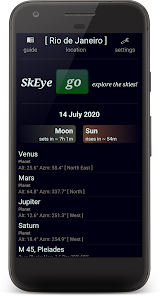
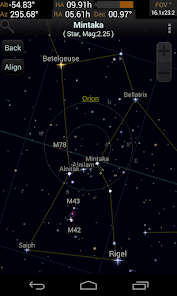
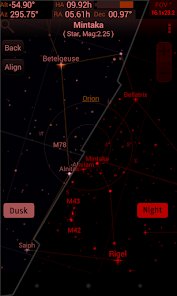
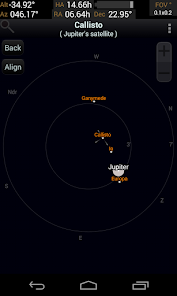
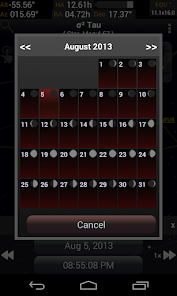
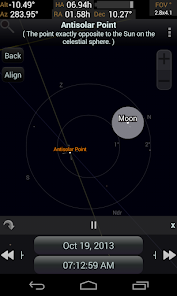
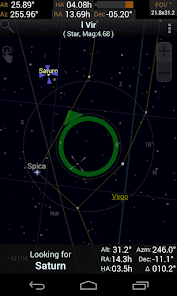
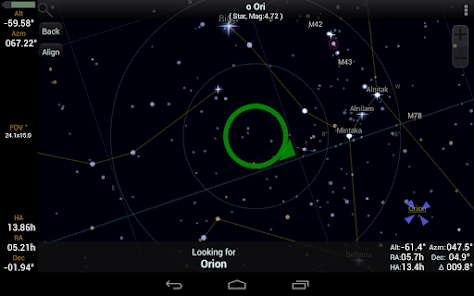
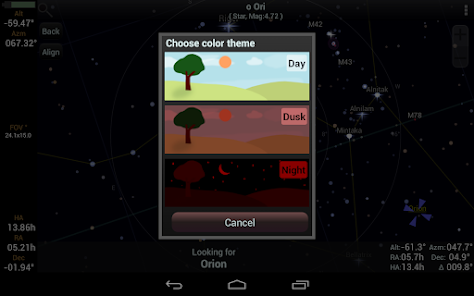
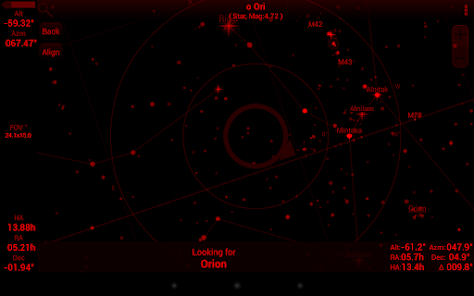
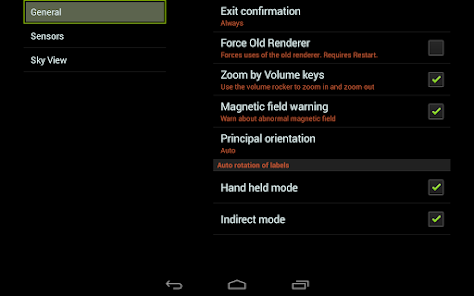
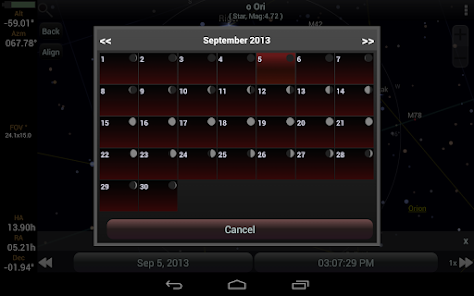
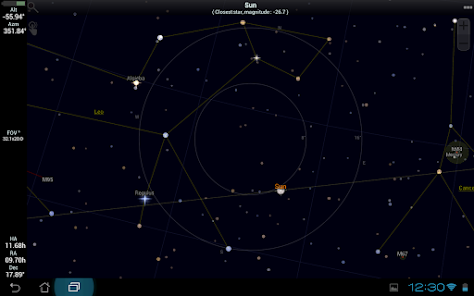
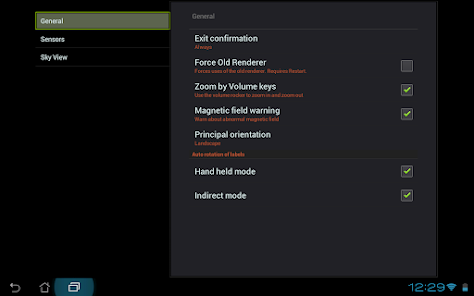
"SkEye | Astronomy" is a powerful mobile application designed for astronomy enthusiasts and professionals alike. One of its standout features is its real-time sky map, which allows users to identify stars, planets, and constellations simply by pointing their device at the sky. The app utilizes augmented reality to enhance the stargazing experience, making it easier to locate celestial objects.
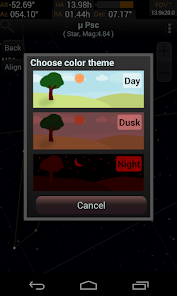
Another notable feature is the extensive database of celestial objects, including detailed information about planets, stars, and deep-sky objects. Users can access information such as distance, size, and brightness, enriching their understanding of the universe. The app also includes a night mode, which adjusts the screen brightness to preserve night vision, making it ideal for stargazing in dark environments.
Additionally, "SkEye" offers customizable settings, allowing users to adjust the field of view and select specific celestial events to track. The app also provides notifications for upcoming astronomical events, ensuring that users never miss a meteor shower or planetary alignment. Overall, "SkEye | Astronomy" combines functionality with user-friendly design, making it an essential tool for anyone interested in exploring the night sky.
Using "SkEye | Astronomy" is straightforward and user-friendly, making it accessible for both beginners and seasoned astronomers. To get started, download the app from your device's app store and install it. Once opened, the app will prompt you to calibrate your device by aligning it with the horizon and pointing it towards the sky. This calibration is crucial for accurate celestial object identification.
After calibration, you can explore the sky by simply moving your device around. The app will display a real-time map of the stars and planets visible in your location. You can tap on any celestial object to access detailed information, including its name, distance, and other interesting facts. For those interested in specific events, navigate to the settings to enable notifications for upcoming astronomical occurrences.
Additionally, you can customize the app's settings to enhance your experience. Adjust the field of view, toggle the night mode for better visibility in dark conditions, and select which celestial objects you want to track. With these features, "SkEye | Astronomy" transforms your stargazing experience into an informative and engaging adventure.
Like any application, "SkEye | Astronomy" has its advantages and disadvantages. One of the primary pros is its intuitive interface, which makes it easy for users of all skill levels to navigate and utilize its features. The real-time sky map and augmented reality capabilities provide an immersive experience, allowing users to identify celestial objects effortlessly. Additionally, the extensive database of astronomical information enriches the learning experience, making it a valuable educational tool.
However, there are some cons to consider. Some users have reported occasional inaccuracies in object identification, particularly in areas with light pollution or obstructions. Additionally, while the app is free, certain advanced features may require in-app purchases, which could deter some users. Furthermore, the app's performance can vary depending on the device's hardware, leading to potential lag or crashes on older models.
In summary, "SkEye | Astronomy" is a fantastic tool for stargazers, offering a wealth of features that enhance the exploration of the night sky. However, users should be aware of its limitations and consider their specific needs when deciding if this app is the right fit for them.

 SkEye offers real-time tracking of celestial objects for enhanced stargazing experiences. Its intuitive interface makes navigation and discovery of stars easy for all users. Users can customize their viewing settings to suit personal preferences and interests. The app provides detailed information on constellations, planets, and astronomical events. SkEye supports augmented reality views, merging digital data with the night sky.
 Limited offline functionality reduces usability in remote areas User interface can be overwhelming for beginners Occasional inaccuracies in celestial object positioning may confuse users
If you don't need anything fancy like an app to aim your telescope, this is far and away the best what-is-in-the-night-sky app. And has the best graphics — love the defraction spikes & colors that help stars stand out from other objects. I would enjoy images when zoomed in on planets & nebulae, but that's not what SkEye is for. Fantastic customization options. Intuitive UI. And only 15MB. Its only real shortcoming is a strange dearth of moons around outer planets. (Doesn't zoom in far enough?)
I have been using this app for years at a time. It is one of the, if not the best astronomy app I have seen. I finally decided to write a review because I wanted to request a viewing mode that mimicks the real sky by giving it seeing effects and twinkling and abberations. it would give the visual effect of stargazing through an app. It would look incredible. I would love this, and I'm sure many others would. 🌌
Well...Generally speaking—It works; It is Free; It has NO ADS—for any would-be app maker...that's a solid ~4 Stars right there. I don't have a choice to parse out the last star...it's certainly not perfect; again, ...it's free..(?). BUT! Free can always be better! Now, I gave 5 stars—however, in the spirit of 'Free & Better,' allow me to criticize: 1. The Horizon needs to be fixable relative to device/preference. 2. An alt perspective would be useful (Sol top-down for ref?) 3. More Free!
I have been using this app for over 15 years, or possibly even longer, as I can't remember the exact date I first downloaded it, but I still recall the excitement! This app continues to be my go-to tool for stargazing. I have used it on crystal clear winter nights in the Middle East, on foggy and cloudy evenings in the UK, and during freezing but clear winters in Canada. It has always met my expectations. The app is a gem; it’s free and easy to use. The developers have done a fantastic job!
Excellent app, a learning curve to get the best out of it but for newbies just be patient. IMO the best mobile astronomy app going, very comprehensive and accurate, just calibrate it as a matter of routine. It will advise you if you have odd magnetic field exposure. You can set sensor sensitivity and the red night lighting is great for the dark adapted eye. You can attach your phone to telescope or binoculars and navigation is good to go. Needs a more explicit calibration prompt though.
Review Source: Google Play store public user reviews.
Yes, users are encouraged to submit suggestions or feedback directly through the app or via the official website to help improve future updates.
SkEye is designed with user privacy in mind and does not collect personal data unless explicitly provided by the user for specific features.
Yes, SkEye allows users to access many of its features offline, making it convenient for stargazing in remote areas without internet access.
To cancel your subscription, you can go to your account settings in the app store where you purchased the subscription and follow the cancellation instructions provided there.
The subscription cost for SkEye varies based on the plan chosen, with options typically available for monthly or yearly payments. Users can check the app for the most current pricing.
Unfortunately, customer numbers cannot be changed after activation. Please contact customer service for any specific concerns regarding your account.
Yes, if you registered using a social media account, you can log in with that account. If you face issues, reach out to customer service.
You can contact customer service via the support section in the app or visit our website for additional help.
After registration, check your email for an activation link. Click it to activate your account. If you didn't receive it, contact customer service.
If you haven't received the activation email, check your spam folder. If it's not there, please contact customer service for further assistance.
Major change!The app now lets the user update the comet data through the internet without waiting for me to package a new release. To update the data go to Settings -> Catalogs -> Comets and click "Update".Note: This feature requires the Internet permission. I resisted adding the feature for so long because I wanted to avoid the Internet permission. But given that interesting comets have been appearing in quick succession, I had to support this feature along with the additional permission.













 Google Play
  App Store