
Version: 3.0.2.3
Developer: Bookvitals
 Verified App
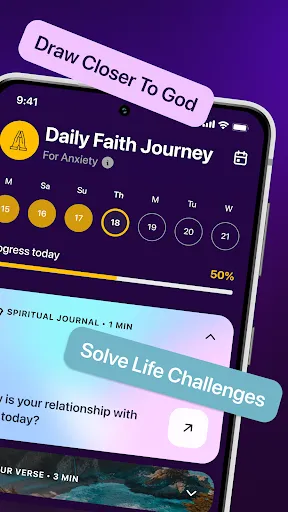
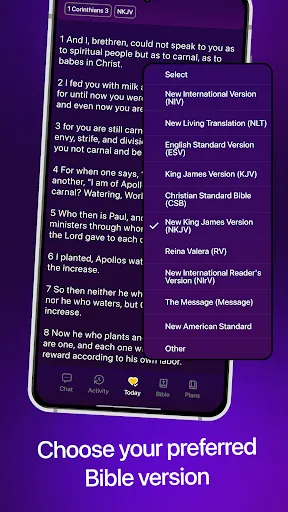
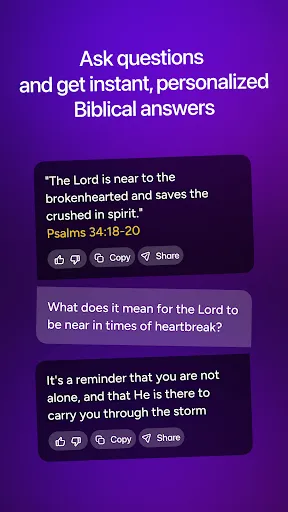

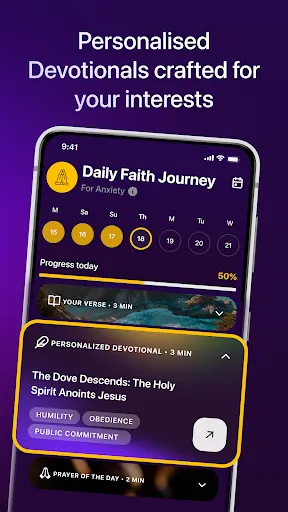

"Bible Chat - Christian Prayer" is a unique application designed to enhance the spiritual experience of its users. One of its standout features is the interactive chat function, which allows users to engage in discussions about biblical topics, prayer requests, and spiritual growth. This feature fosters a sense of community among users, enabling them to share insights and support one another in their faith journeys.
Another notable feature is the extensive library of Bible verses and devotionals. Users can easily access scripture passages and daily devotionals that inspire and guide their prayer life. The app also includes customizable prayer lists, allowing users to keep track of their prayer requests and the needs of others. Additionally, the app offers reminders for prayer times, helping users to maintain a consistent prayer routine. Overall, "Bible Chat - Christian Prayer" combines technology with faith, making it a valuable tool for Christians seeking to deepen their relationship with God.
Using "Bible Chat - Christian Prayer" is straightforward and user-friendly. Upon downloading the app, users can create an account or log in using existing credentials. Once logged in, users are greeted with a welcoming interface that guides them through the various features available. To start engaging with the community, users can join chat rooms focused on specific topics or create their own discussions.
To utilize the prayer features, users can navigate to the prayer section, where they can add personal prayer requests or browse requests from others. The app allows users to set reminders for their prayer times, ensuring they stay committed to their spiritual practices. Additionally, users can explore the library of Bible verses and devotionals, which can be shared within the chat for further discussion. Overall, the app is designed to facilitate a seamless experience for users looking to connect with their faith and community.
Like any application, "Bible Chat - Christian Prayer" has its advantages and disadvantages. One of the primary pros is its community aspect, which allows users to connect with like-minded individuals and share their faith experiences. The interactive chat feature encourages discussions that can lead to spiritual growth and support. Additionally, the app's extensive library of Bible verses and devotionals provides users with valuable resources for their prayer life.
On the downside, some users may find the app overwhelming due to the volume of information and features available. Navigating through various sections might be challenging for those who are not tech-savvy. Furthermore, the effectiveness of the community aspect largely depends on user engagement; if there are fewer active participants, the experience may feel less fulfilling. Lastly, some users may prefer a more traditional approach to prayer and scripture study, which the app may not fully accommodate. Overall, while "Bible Chat - Christian Prayer" offers valuable features, it may not suit everyone's preferences.

 Connect with like-minded believers in a supportive community Access daily prayers and devotionals for spiritual growth Engage in meaningful discussions about faith and scripture Receive personalized prayer support for your needs Experience encouragement and inspiration through uplifting messages
 Limited community interaction may hinder deeper fellowship experiences Content may not address diverse theological perspectives Reliance on technology can detract from personal prayer practices
  Google Play
  App Store
 Yes, Bible Chat - Christian Prayer encourages users to submit suggestions and feedback through the app's support or contact features, helping to improve the app and user experience.
Bible Chat - Christian Prayer may collect some personal data to enhance user experience, but it is committed to protecting user privacy and adheres to relevant data protection regulations.
Yes, Bible Chat - Christian Prayer allows users to access certain features offline, enabling them to engage with the app even without an internet connection.
Users can cancel their subscription to Bible Chat - Christian Prayer through their app store account settings, following the prompts for managing subscriptions. Detailed instructions can usually be found in the app's help section.
Subscription costs for Bible Chat - Christian Prayer may vary depending on the plan selected, with options typically available for monthly or annual billing. Users can check the app for the most current pricing information.
Customer numbers cannot be changed once assigned. If you have concerns, please contact customer service for further assistance.
To activate your account, click the link in the activation email sent to you after registration. If you didn't receive it, check your spam folder or contact customer service.
You can contact customer service through the support section of the Bible Chat website or by emailing support
You can log in to each account separately using the corresponding email and password for each. If you need help managing them, contact customer service.
To log in, visit the Bible Chat website and enter your email and password in the login section. If you encounter issues, try resetting your password.