
 Home
Home  Apps
Apps  Games
Games  About Us
  Cookies & Privacy Policy
  Terms of Service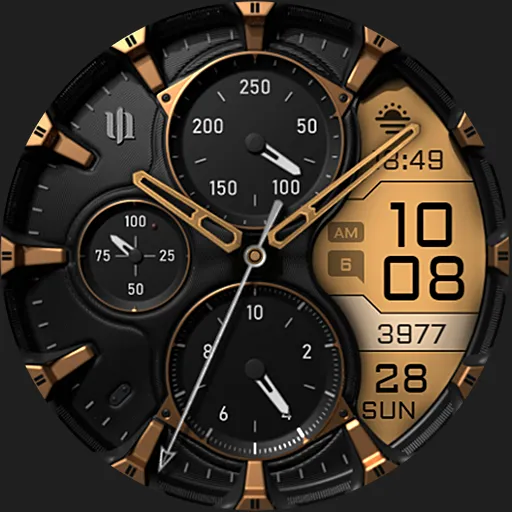
S4U Assen - Hybrid watch face
Version: 45553
Developer: styles4you
 Verified App
 Advertisement

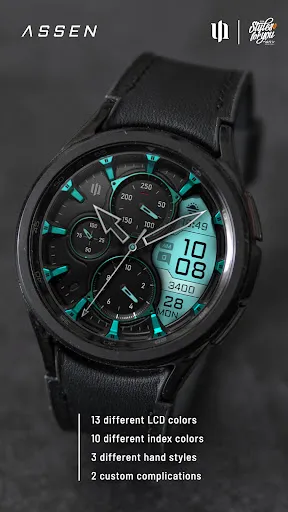
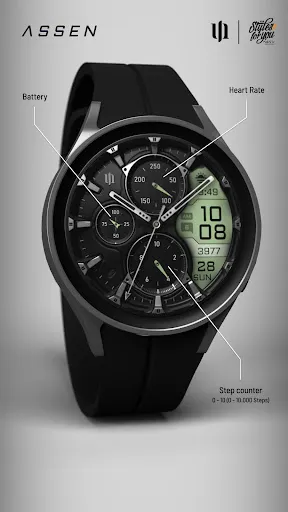

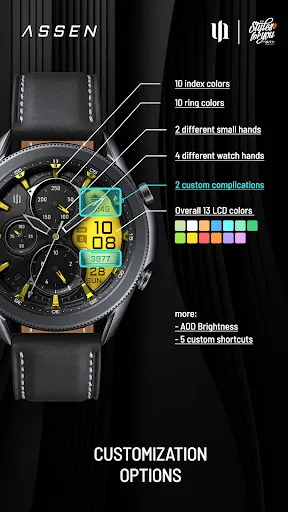
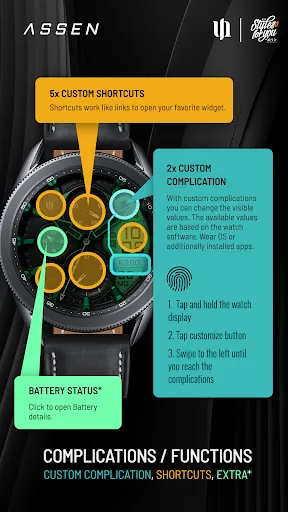
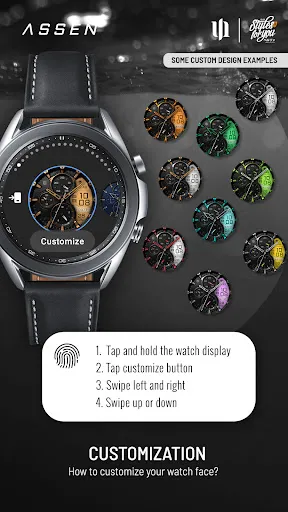
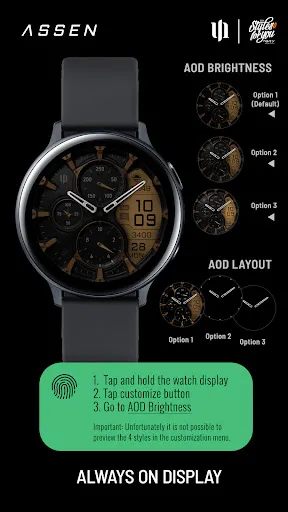
Introducing the S4U Assen Hybrid Watch Face, a perfect blend of style and functionality for your smartwatch. This innovative watch face features a sleek design with customizable elements, allowing you to personalize your experience. Track your fitness goals, monitor notifications, and enjoy a variety of themes to match your mood. Elevate your smartwatch experience with the S4U Assen, where modern aesthetics meet practical features. Transform your wrist into a statement piece today!
Advertisement
Features of "S4U Assen - Hybrid Watch Face"
The "S4U Assen - Hybrid Watch Face" is designed to blend functionality with style, offering a range of features that cater to both aesthetic preferences and practical needs. One of its standout features is the customizable design, allowing users to choose from various color schemes and layouts to match their personal style. The watch face displays essential information such as time, date, and battery status, ensuring that users have quick access to vital data at a glance.
Additionally, the watch face includes fitness tracking capabilities, displaying steps taken, heart rate, and other health metrics, making it a great companion for fitness enthusiasts. The integration of ambient mode ensures that the watch remains visible in low-light conditions, enhancing usability. Furthermore, the "S4U Assen" is compatible with a wide range of smartwatches, making it accessible to a broad audience. Overall, this hybrid watch face combines elegance with practicality, making it a popular choice among smartwatch users.
How to Use "S4U Assen - Hybrid Watch Face"
Using the "S4U Assen - Hybrid Watch Face" is a straightforward process that enhances your smartwatch experience. First, ensure that your smartwatch is compatible with the watch face. Once confirmed, download the watch face from the appropriate app store or marketplace. After installation, navigate to your smartwatch's settings and select the "Watch Face" option. From there, you can browse through your installed watch faces and select "S4U Assen."
Once activated, you can customize the watch face to suit your preferences. This may include changing the color scheme, adjusting the layout, or selecting which health metrics to display. To access additional features, simply tap on the watch face to reveal shortcuts to various apps and settings. Regularly check for updates to ensure you have the latest features and improvements. By following these steps, you can fully utilize the "S4U Assen - Hybrid Watch Face" and enjoy its blend of style and functionality.
Pros & Cons of the App
The "S4U Assen - Hybrid Watch Face" comes with several advantages that make it appealing to users. One of the primary pros is its high level of customization, allowing users to tailor the watch face to their personal style and preferences. The integration of fitness tracking features is another significant benefit, as it helps users monitor their health metrics conveniently. Additionally, the watch face is designed to be user-friendly, making it easy for individuals of all tech-savviness levels to navigate and utilize its features.
However, there are some cons to consider. Some users may find that the battery consumption increases when using certain features, particularly if the watch face is set to display multiple metrics simultaneously. Additionally, while the watch face is compatible with many smartwatches, it may not support all models, limiting its accessibility. Lastly, some users might desire more advanced features that are available in other watch faces. Weighing these pros and cons can help potential users decide if the "S4U Assen - Hybrid Watch Face" is the right choice for their smartwatch needs.
Check All Versions  Google Play
  App Store
Google Play App Store Top Apps





Similar Apps

AliExpress - Shopping App
others

4.5

Block Box Skyland Sword
others
3.2

BuzzKill Notification Manager
others
4.6

Craft Sword Mini Fun
others
2.9

Fabulous Files - Clean&Booster
others
4.2

PXPlay: Remote Play
others
4.7

PayPal - Pay, Send, Save
others
4.2

Peacock TV: Stream TV & Movies
others
4.4

Shaw Academy - Online Courses
others
3.7

Cash App
others
4.6
Animated North Pole Christmas
others
3.8

Bluesky
others
4.5
Advertisement
Laden…