
 Home
Home  Apps
Apps  Games
Games  About Us
  Cookies & Privacy Policy
  Terms of Service
Microsoft Edge: AI browser
Version: 130.0.2849.80
Developer: Microsoft Corporation
 Verified App
 Advertisement
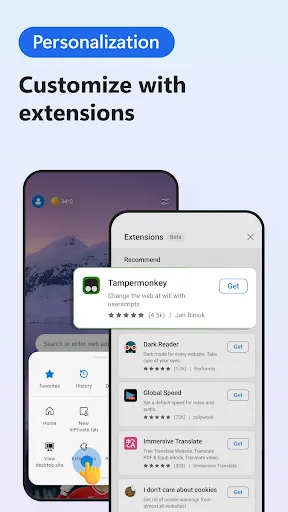


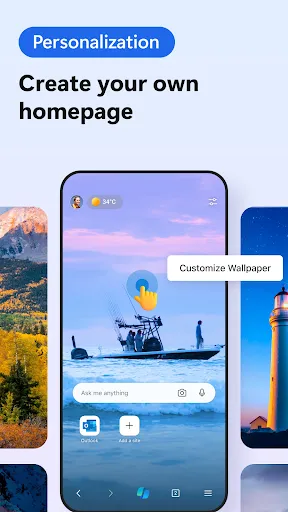
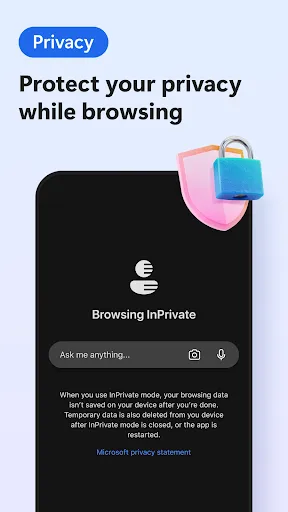
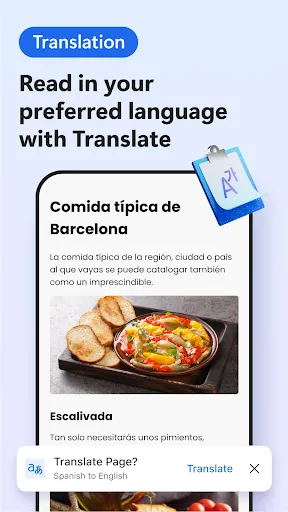
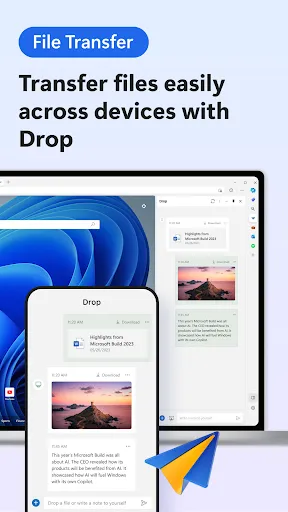
Introducing the Microsoft Edge: AI Browser app, your ultimate browsing companion that combines cutting-edge AI technology with a sleek, user-friendly interface. Experience faster, smarter web navigation with personalized recommendations, enhanced security features, and seamless integration with Microsoft services. Whether you're researching, shopping, or streaming, Edge empowers you to explore the web efficiently while keeping your data safe. Discover a new way to browse with intelligent tools designed to enhance your online experience.
Advertisement
Features of "Microsoft Edge: AI Browser"
Microsoft Edge: AI Browser integrates advanced artificial intelligence capabilities to enhance user experience and productivity. One of its standout features is the built-in AI assistant, which can help users with tasks such as summarizing web pages, generating content, and answering questions in real-time. This feature allows for a more interactive browsing experience, making it easier to find information quickly.
Another notable feature is the enhanced privacy settings, which utilize AI to provide personalized security recommendations. Users can benefit from improved tracking prevention and a more secure browsing environment. Additionally, the browser offers a unique reading mode that uses AI to optimize text for readability, making it easier to consume long articles or documents.
Furthermore, Microsoft Edge: AI Browser supports seamless integration with Microsoft 365, allowing users to access their documents and collaborate in real-time. The browser also includes a built-in PDF reader with AI-driven annotation tools, making it a versatile choice for both personal and professional use. Overall, these features combine to create a powerful and user-friendly browsing experience.
How to Use "Microsoft Edge: AI Browser"
Using Microsoft Edge: AI Browser is straightforward and user-friendly. To get started, download and install the browser from the official Microsoft website. Once installed, launch the browser and sign in with your Microsoft account to sync your bookmarks, history, and settings across devices.
To utilize the AI features, simply navigate to any web page. You can activate the AI assistant by clicking on the dedicated icon in the toolbar. This assistant can help you summarize content, answer questions, or even generate new text based on your prompts. For enhanced privacy, explore the settings menu to customize your tracking prevention options.
Additionally, take advantage of the reading mode by clicking the reading icon when viewing articles. This will optimize the layout for easier reading. For PDF documents, open them directly in the browser and use the AI-driven annotation tools to highlight or comment on important sections. Overall, the browser is designed to be intuitive, making it easy for users to harness its AI capabilities effectively.
Pros & Cons of the App
Microsoft Edge: AI Browser comes with several advantages that make it a compelling choice for users. One of the primary pros is its integration of AI features, which enhance productivity and streamline the browsing experience. The built-in AI assistant can save time by providing quick answers and summarizing content, making it particularly useful for research and information gathering.
Another advantage is the robust privacy settings that protect user data while browsing. The browser's compatibility with Microsoft 365 allows for seamless collaboration and access to documents, which is beneficial for both personal and professional use. Additionally, the user-friendly interface and customizable features make it accessible for users of all skill levels.
However, there are some cons to consider. Some users may find the AI features overwhelming or unnecessary, especially if they prefer a more traditional browsing experience. Additionally, while the browser is generally fast, it may consume more system resources compared to other lightweight browsers. Lastly, users who are not integrated into the Microsoft ecosystem may not fully benefit from all the features offered. Balancing these pros and cons can help users determine if Microsoft Edge: AI Browser is the right fit for their needs.
Check All Versions  Google Play
  App Store
Google Play App Store Top Apps





Similar Apps

UC Browser-Safe, Fast, Private
Communication

4.4

Hangouts
Communication
4.8

Skype
Communication
4.3

TextNow: Call + Text Unlimited
Communication
4.6

GroupMe
Communication
4.6

LINE: Calls & Messages
Communication
3.6

Firefox: el navegador privado
Communication
4.6

Brave Private Web Browser, VPN
Communication
4.7

Burner: Second Phone Number
Communication
4.4

Cafe - Live video chat
Communication
4.6

CallApp: Caller ID & Block
Communication
4.4

Contacts
Communication
4.3
Advertisement
Laden…