
 Home
Home  Apps
Apps  Games
Games  About Us
  Cookies & Privacy Policy
  Terms of Service
Messenger - Texting App
Version: 1.7.8
Developer: Emoji SMS Messenger
 Verified App
 Advertisement

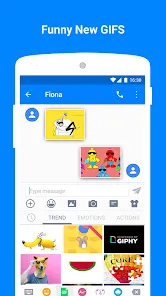
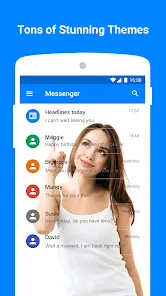
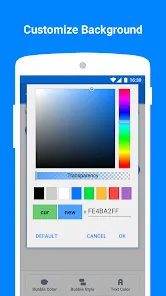
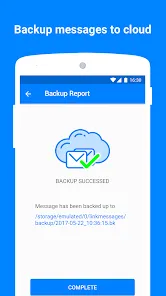
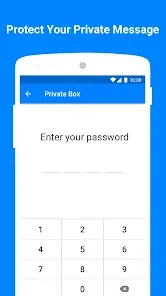
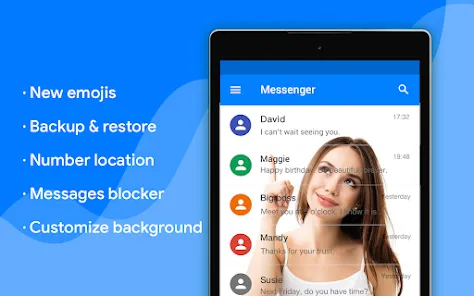
Messenger is a versatile texting app that allows you to connect with friends and family through instant messaging, voice calls, and video chats. With a user-friendly interface, it offers features like group chats, stickers, and multimedia sharing, making communication fun and engaging. Stay connected anytime, anywhere, and enjoy seamless conversations with people around the world. Download Messenger today and experience a new way to chat!
Advertisement
Features of "Messenger - Texting App"
"Messenger - Texting App" offers a wide array of features designed to enhance communication and connectivity. One of its standout features is the ability to send text messages, voice messages, and multimedia files, including photos and videos, making conversations more engaging. Users can also create group chats, allowing multiple friends or family members to participate in a single conversation, which is perfect for planning events or sharing updates.
Another notable feature is the integration of video calling, enabling users to have face-to-face conversations regardless of their location. The app also supports stickers, GIFs, and emojis, adding a fun element to chats. Additionally, users can share their location in real-time, which is particularly useful for coordinating meetups. The app's search functionality allows users to find past messages and media quickly, enhancing usability. Furthermore, Messenger offers end-to-end encryption for secure conversations, ensuring that users' privacy is protected.
Overall, "Messenger - Texting App" combines essential messaging features with innovative tools, making it a versatile platform for both casual and professional communication.
How to Use "Messenger - Texting App"
Using "Messenger - Texting App" is straightforward and user-friendly. To get started, download the app from your device's app store and create an account using your phone number or Facebook account. Once registered, you can sync your contacts to easily find friends who are also using the app. The main interface displays your recent conversations, and you can initiate a new chat by tapping the message icon.
To send a message, select a contact, type your text in the input field, and hit send. You can also attach images, videos, or voice messages by tapping the respective icons. For group chats, simply select multiple contacts when starting a new conversation. To make a video call, tap the video camera icon during a chat. Explore the app's settings to customize notifications, privacy options, and themes to suit your preferences. With these simple steps, you can effectively communicate with friends and family using "Messenger - Texting App."
Overall, the app is designed to facilitate seamless communication, making it easy for users to stay connected.
Pros & Cons of "Messenger - Texting App"
Like any application, "Messenger - Texting App" has its advantages and disadvantages. One of the primary pros is its extensive feature set, which includes text messaging, voice and video calls, and multimedia sharing. This versatility makes it a one-stop solution for various communication needs. Additionally, the app's user-friendly interface and integration with Facebook allow for easy access to a large network of users, enhancing connectivity.
However, there are some cons to consider. Privacy concerns have been raised regarding data collection and the app's integration with Facebook, which may deter some users. Furthermore, the app can consume a significant amount of battery and data, especially during video calls or when sharing large files. Some users also report occasional bugs or glitches that can disrupt the messaging experience. Overall, while "Messenger - Texting App" offers a robust platform for communication, potential users should weigh these pros and cons before fully committing to the app.
In conclusion, understanding both the strengths and weaknesses of the app can help users make informed decisions about their communication preferences.
Check All Versions  Google Play
  App Store
Google Play App Store Top Apps





Similar Apps

UC Browser-Safe, Fast, Private
Communication

4.4

Hangouts
Communication
4.8

Skype
Communication
4.3

TextNow: Call + Text Unlimited
Communication
4.6

GroupMe
Communication
4.6

LINE: Calls & Messages
Communication
3.6

Firefox: el navegador privado
Communication
4.6

Brave Private Web Browser, VPN
Communication
4.7

Burner: Second Phone Number
Communication
4.4

Cafe - Live video chat
Communication
4.6

CallApp: Caller ID & Block
Communication
4.4

Contacts
Communication
4.3
Advertisement
Laden…