
 Home
Home  Apps
Apps  Games
Games  About Us
  Cookies & Privacy Policy
  Terms of Service
Discord - Talk, Play, Hang Out
Version: 254.27 - Stable
Developer: Discord Inc.
 Verified App
 Advertisement
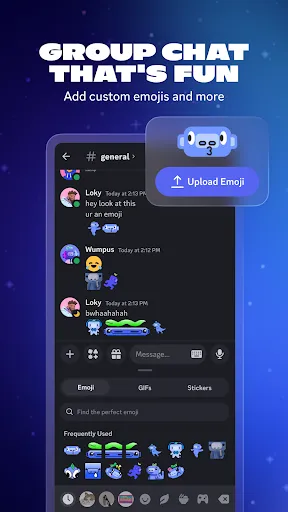

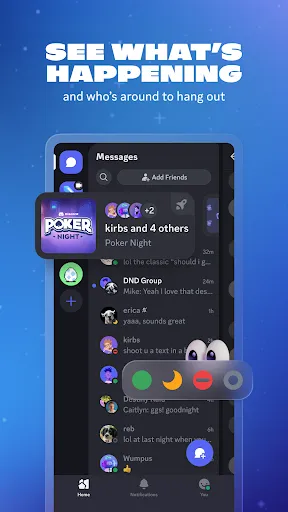



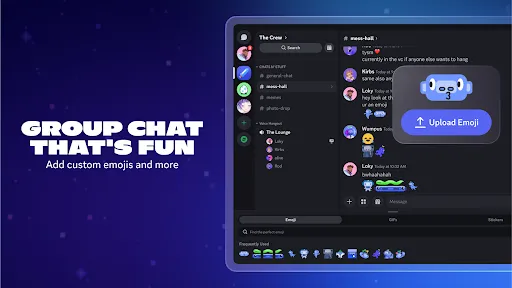
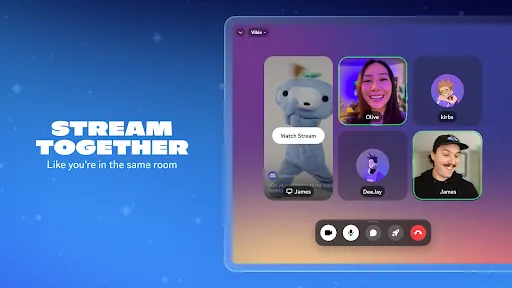
Discord is a versatile communication app designed for gamers and communities, allowing users to connect through voice, video, and text. With customizable servers, channels, and integrations, it fosters collaboration and social interaction. Whether you're gaming with friends, joining a community, or hosting events, Discord provides a seamless platform to talk, play, and hang out. Its user-friendly interface and robust features make it a go-to choice for building connections and sharing experiences online.
Advertisement
Features of "Discord - Talk, Play, Hang Out"
Discord is a versatile communication platform designed for gamers and communities alike. One of its standout features is the ability to create and join servers, which are dedicated spaces for specific groups or interests. Each server can have multiple channels, allowing users to organize discussions by topic, whether through text or voice. Additionally, Discord supports video calls and screen sharing, making it easy for users to connect visually while gaming or collaborating on projects.
Another notable feature is the integration of bots, which can automate tasks, provide entertainment, or enhance server functionality. Users can also customize their profiles with unique avatars and status messages, fostering a sense of identity within the community. Discord's robust privacy settings allow users to control who can message them and join their servers, ensuring a safe environment. Furthermore, the platform is available on multiple devices, including desktop and mobile, enabling seamless communication on the go.
How to Use "Discord - Talk, Play, Hang Out"
To get started with Discord, first, download the app or visit the website and create an account. Once registered, you can either join an existing server or create your own. To join a server, you’ll need an invite link, which can be shared by friends or found in online communities. After joining, familiarize yourself with the various channels available, as each serves a different purpose, such as general chat, announcements, or gaming discussions.
Engaging in conversations is simple; just click on a text channel to type messages or join a voice channel to communicate with others in real-time. You can also customize your notifications to stay updated on important discussions without being overwhelmed. Explore the settings to adjust your privacy preferences and notification settings according to your comfort level. Lastly, consider inviting friends to enhance your experience and build a community around shared interests.
Pros & Cons of the App
Discord offers numerous advantages, making it a popular choice among users. One of its primary benefits is the ability to create dedicated spaces for various interests, allowing for organized discussions and community building. The platform's versatility supports both text and voice communication, catering to different user preferences. Additionally, the integration of bots enhances functionality, providing entertainment and automation for server management. Discord's cross-platform availability ensures that users can stay connected, whether on a computer or mobile device.
However, there are some drawbacks to consider. The vast number of servers and channels can be overwhelming for new users, making navigation challenging. Privacy concerns may arise, as some users may not be aware of the platform's settings and how to manage them effectively. Additionally, while Discord is free, some features are locked behind a paywall, which may deter users looking for a completely free experience. Overall, while Discord is a powerful communication tool, users should be mindful of its complexities and privacy settings.
Check All Versions  Google Play
  App Store
Google Play App Store Top Apps





Similar Apps

UC Browser-Safe, Fast, Private
Communication

4.4

Hangouts
Communication
4.8

Skype
Communication
4.3

TextNow: Call + Text Unlimited
Communication
4.6

GroupMe
Communication
4.6

LINE: Calls & Messages
Communication
3.6

Firefox: el navegador privado
Communication
4.6

Brave Private Web Browser, VPN
Communication
4.7

Burner: Second Phone Number
Communication
4.4

Cafe - Live video chat
Communication
4.6

CallApp: Caller ID & Block
Communication
4.4

Contacts
Communication
4.3
Advertisement
Laden…