
Category: Finance
Developer: Cobo Global Ltd - Crypto Wallet for BTC, ETH
 Verified App


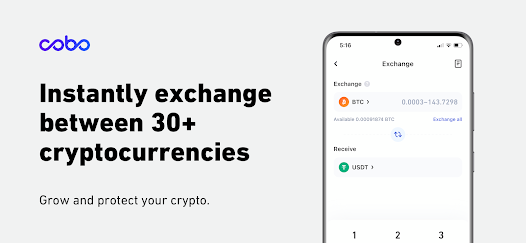
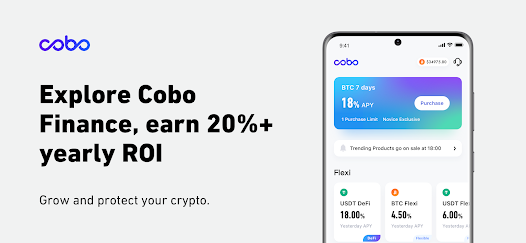
Cobo Wallet is a versatile cryptocurrency wallet that offers a range of features designed to enhance user experience and security. One of its standout features is the multi-currency support, allowing users to store a variety of cryptocurrencies, including Bitcoin, Ethereum, and many altcoins, all in one place. This flexibility makes it an attractive option for both novice and experienced traders.
Another significant feature is its robust security measures. Cobo Wallet employs advanced encryption techniques and offers a multi-signature wallet option, ensuring that users' assets are well-protected against unauthorized access. Additionally, the wallet provides a backup and recovery feature, allowing users to restore their wallets easily in case of device loss or failure.
Cobo Wallet also includes a built-in exchange function, enabling users to trade cryptocurrencies directly within the app without needing to transfer funds to an external exchange. This feature streamlines the trading process and enhances convenience. Furthermore, the wallet supports staking, allowing users to earn rewards on their holdings by participating in various blockchain networks.
Overall, Cobo Wallet combines user-friendly design with powerful features, making it a comprehensive solution for cryptocurrency management.
Using Cobo Wallet is straightforward and user-friendly, making it accessible for individuals at all experience levels. To get started, users need to download the Cobo Wallet app from the official website or app store. After installation, users can create a new wallet by following the on-screen instructions, which typically involve setting a secure password and backing up the wallet with a recovery phrase.
Once the wallet is set up, users can easily deposit cryptocurrencies by selecting the desired coin and generating a receiving address. This address can be shared with others or used to transfer funds from exchanges. To send cryptocurrencies, users simply need to enter the recipient's address, specify the amount, and confirm the transaction.
Additionally, users can explore the built-in exchange feature to trade cryptocurrencies directly within the app. For those interested in earning passive income, the staking feature allows users to participate in various staking programs. Regularly updating the app ensures access to the latest features and security enhancements, making it essential for users to stay informed about updates.
Overall, Cobo Wallet provides a seamless experience for managing and trading cryptocurrencies, making it a valuable tool for crypto enthusiasts.
Cobo Wallet comes with several advantages that make it a popular choice among cryptocurrency users. One of the primary pros is its strong security features, including multi-signature support and advanced encryption, which help protect users' assets. Additionally, the wallet's multi-currency support allows users to manage a diverse portfolio without needing multiple wallets, enhancing convenience.
Another significant advantage is the built-in exchange feature, which enables users to trade cryptocurrencies directly within the app, saving time and effort. The staking option also allows users to earn rewards on their holdings, providing an opportunity for passive income. Furthermore, the user-friendly interface makes it easy for beginners to navigate the app and utilize its features effectively.
In summary, Cobo Wallet offers a robust set of features and security measures, but users should weigh the pros and cons before deciding if it meets their specific needs.
```
 Cobo Wallet offers robust security features to protect your digital assets. It supports a wide range of cryptocurrencies for diverse investment options. The user-friendly interface makes navigation simple for beginners and experts alike. Cobo provides seamless backup and recovery options for peace of mind. Integrated staking features allow users to earn passive income effortlessly.
 Cobo Wallet lacks extensive customer support options for users in need. The wallet may experience slower transaction speeds during peak times. Limited integration with certain cryptocurrencies can restrict user flexibility.
  Google Play
  App Store
 Yes, users can submit suggestions or feedback directly through the app or via the official Cobo Wallet website.
Cobo Wallet prioritizes user privacy and does not collect personal data unless explicitly provided for specific features or services.
Yes, Cobo Wallet allows users to manage their assets offline, enhancing security and minimizing risks associated with online transactions.
You can cancel your Cobo Wallet subscription through your account settings in the app or by following the cancellation instructions provided in the subscription confirmation email.
The subscription cost for Cobo Wallet varies based on the features selected, with options available for different pricing tiers.
No, you need a customer number to activate your Cobo Wallet account. Please check your email for this information.
Unfortunately, customer numbers cannot be changed after activation. If you have concerns, please contact customer service.
You can reach Cobo Wallet customer service through the app's support section or via email at support
To activate your account, follow the instructions in your registration email and enter the required information in the app.
To log in, open the app, enter your customer number and password, then tap "Log In."