
 Home
Home  Apps
Apps  Games
Games  About Us
  Cookies & Privacy Policy
  Terms of Service
Google Wallet
Version: 25.45.831075228
Developer: Google LLC
 Verified App
 Advertisement
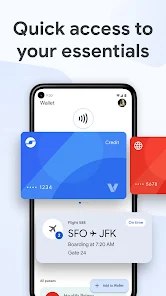
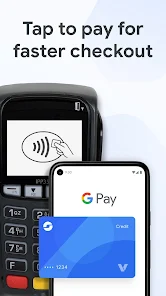
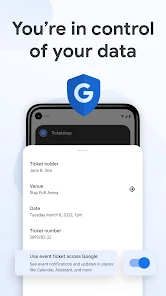
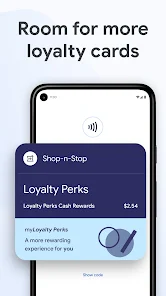
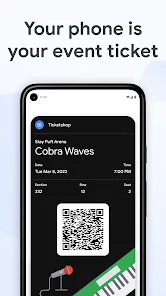
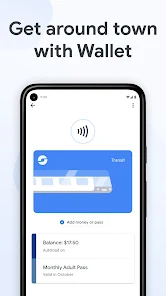
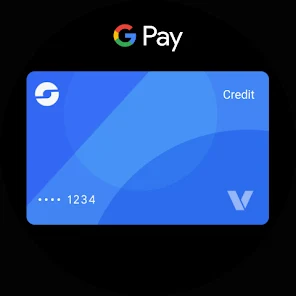
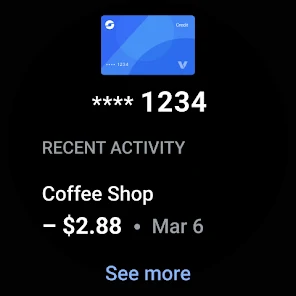
Google Wallet is a versatile digital wallet app that allows users to store and manage their payment methods, loyalty cards, and tickets all in one place. With a user-friendly interface, it enables seamless transactions, whether in-store or online, while ensuring security through advanced encryption and biometric authentication. Google Wallet simplifies everyday purchases, making it easier to pay, track spending, and access essential cards and passes on the go.
Advertisement
Features of Google Wallet
Google Wallet is a versatile digital wallet that allows users to store and manage various payment methods, including credit and debit cards, loyalty cards, and gift cards. One of its standout features is the ability to make contactless payments using Near Field Communication (NFC) technology, enabling users to pay at participating merchants simply by tapping their smartphones. Additionally, Google Wallet supports peer-to-peer payments, allowing users to send and receive money from friends and family effortlessly.
Another notable feature is the integration with Google services, which allows users to access their payment information across multiple devices seamlessly. Users can also track their spending and receive transaction notifications, helping them manage their finances more effectively. Furthermore, Google Wallet prioritizes security with features like biometric authentication and encryption, ensuring that users' financial information remains safe. Overall, Google Wallet combines convenience, security, and functionality, making it a popular choice for digital payments.
How to Use Google Wallet
Using Google Wallet is straightforward and user-friendly. To get started, users need to download the Google Wallet app from the Google Play Store or Apple App Store. After installation, users can create an account or sign in with their existing Google account. Once logged in, users can add their payment methods by entering their card details or linking their bank accounts. This process is secure and typically takes just a few minutes.
After setting up their payment methods, users can make purchases at participating retailers by simply tapping their phones at the point of sale. For online transactions, users can select Google Wallet as their payment option during checkout. Additionally, users can send money to friends or family by selecting the "Send Money" feature, entering the recipient's information, and specifying the amount. With its intuitive interface and seamless integration with other Google services, Google Wallet makes managing payments and transactions easy and efficient.
Pros & Cons of Google Wallet
Google Wallet offers several advantages that make it an appealing choice for users. One of the primary benefits is its convenience; users can store multiple payment methods in one place, making transactions quick and easy. The app's integration with other Google services enhances its functionality, allowing users to manage their finances more effectively. Additionally, the security features, such as biometric authentication and encryption, provide peace of mind when making transactions.
However, there are some drawbacks to consider. Not all merchants accept Google Wallet, which can limit its usability in certain situations. Additionally, users may encounter issues with compatibility on older devices or operating systems. Some users have also reported difficulties with customer support when facing technical issues. Overall, while Google Wallet is a powerful tool for digital payments, potential users should weigh these pros and cons to determine if it meets their needs.
 Google Play
  App Store
 Top Apps





Similar Apps

Green Dot - Mobile Banking
Finance

3.6

CashApp
Finance
4.3

Intuit Credit Karma
Finance
4.7

TurboTax
Finance
4.8

10bii Financial Calculator
Finance
4.4

Experian
Finance
4.7

Rocket Money - Bills & Budgets
Finance
4.6

Venmo
Finance
4.1

Western Union Send Money Now
Finance
4.6

PNC Mobile
Finance
4.6

Halifax Mobile Banking
Finance
4.4

Nationwide Banking App
Finance
4.3
Advertisement
Laden…