
 Home
Home  Apps
Apps  Games
Games  About Us
  Cookies & Privacy Policy
  Terms of Service
YouTube Music
Version: 8.43.53
Developer: Google LLC
 Verified App
 Advertisement
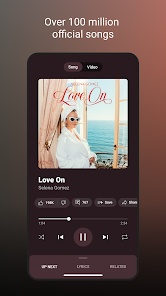
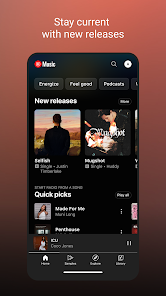
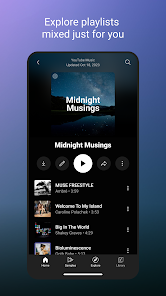
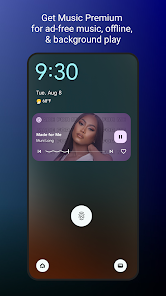
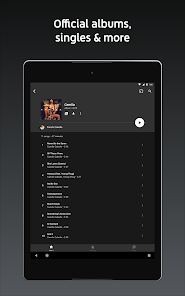
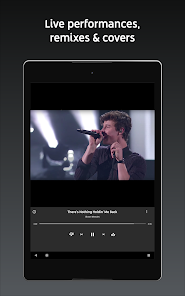
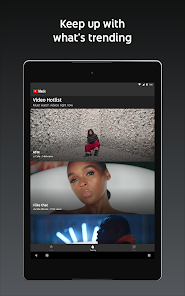
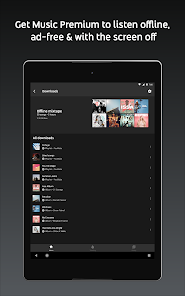
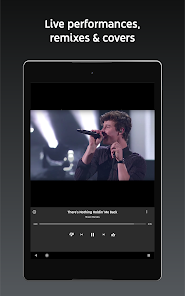
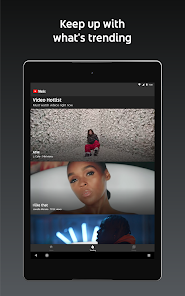
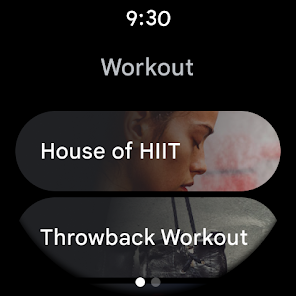
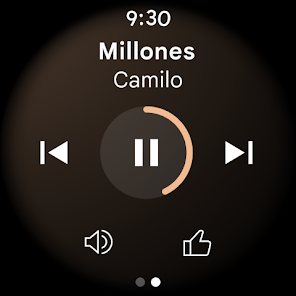
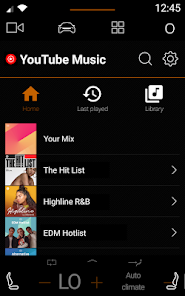
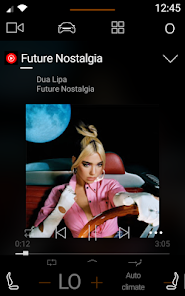
YouTube Music is a streaming service designed for music lovers, offering a vast library of songs, albums, and playlists. With personalized recommendations, curated playlists, and the ability to explore official music videos, it enhances the listening experience. Users can enjoy ad-free music with a premium subscription, download tracks for offline listening, and seamlessly integrate their favorite tunes with YouTube's extensive content. Whether discovering new artists or enjoying classic hits, YouTube Music caters to diverse musical tastes.
Advertisement
Features of YouTube Music
YouTube Music offers a variety of features designed to enhance the music listening experience. One of its standout features is the extensive library, which includes official songs, albums, playlists, and user-generated content. This vast collection allows users to discover both mainstream and independent artists. Additionally, YouTube Music provides personalized recommendations based on listening habits, making it easier to find new music that aligns with individual tastes.
Another notable feature is the ability to create and share playlists, enabling users to curate their favorite tracks and share them with friends. The app also supports background play, allowing users to listen to music while using other apps or when the screen is off, which is particularly useful for mobile users. Furthermore, YouTube Music integrates seamlessly with YouTube, allowing users to switch between audio and video formats effortlessly. The app also offers a premium subscription that removes ads, provides offline listening, and grants access to exclusive content.
How to Use YouTube Music
Using YouTube Music is straightforward and user-friendly. To get started, download the app from the Google Play Store or Apple App Store, or visit the YouTube Music website. Once installed, create an account or log in using your existing Google account. After logging in, you can explore the app's interface, which features a home screen showcasing personalized recommendations, trending songs, and curated playlists.
To find specific music, use the search bar at the top of the screen to enter song titles, artists, or genres. You can also browse through various categories, including new releases and popular playlists. To create a playlist, simply select the three dots next to a song and choose the "Add to Playlist" option. For a more tailored experience, consider subscribing to YouTube Music Premium, which offers additional features like ad-free listening and offline downloads. Overall, navigating YouTube Music is intuitive, making it easy for users to enjoy their favorite tunes.
Pros & Cons of the App
YouTube Music comes with several advantages that make it a popular choice among music lovers. One of the primary benefits is its extensive library, which includes a wide range of music genres, official tracks, and user-generated content. The personalized recommendations feature enhances the listening experience by suggesting songs based on individual preferences. Additionally, the app's integration with YouTube allows users to switch between audio and video seamlessly, providing a versatile platform for music consumption.
However, there are some drawbacks to consider. One significant con is the presence of ads in the free version, which can interrupt the listening experience. Additionally, while the app offers a vast library, some users may find that certain songs or albums are not available. The user interface, while generally intuitive, can sometimes feel cluttered, making it challenging to navigate for new users. Lastly, the premium subscription fee may be a deterrent for those who are looking for a completely free music service. Balancing these pros and cons can help users determine if YouTube Music is the right choice for their music needs.
 Google Play
  App Store
 Top Apps





Similar Apps

SiriusXM: Music, Sports & News
Music & Audio

4.6

Pandora - Music & Podcasts
Music & Audio
3.9

BandLab
Music & Audio
4.6

Audiomack: Music Downloader
Music & Audio
4.8

Amazing Slow Downer
Music & Audio
3.7

Amazon Music: Songs & Podcasts
Music & Audio
3.4

Apple Music
Music & Audio
4.6

FL STUDIO MOBILE
Music & Audio
4.0

Koala Sampler
Music & Audio
4.8

MediaMonkey Pro
Music & Audio
4.4

MobileSheets
Music & Audio
4.4

Music Downloader MP3 Download
Music & Audio
4.2
Advertisement
Laden…