
 Home
Home  Apps
Apps  Games
Games  About Us
  Cookies & Privacy Policy
  Terms of Service
Sonos S1 Controller
Version: 9.3.1
Developer: Sonos, Inc
 Verified App
 Advertisement
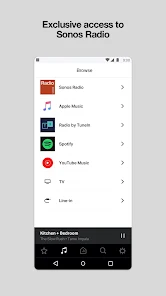
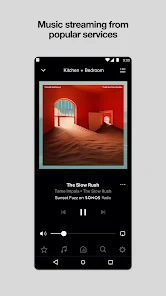
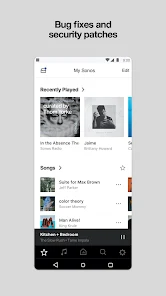
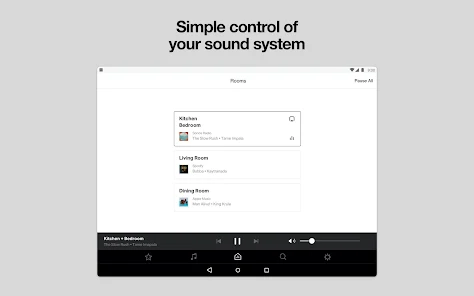
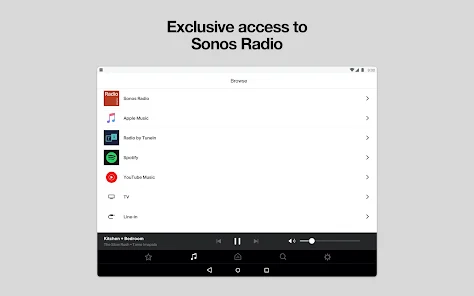
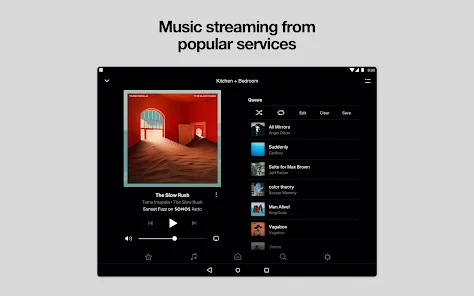
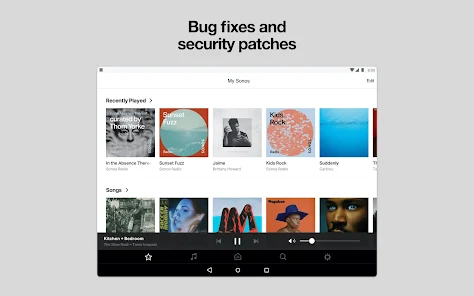
The Sonos S1 Controller app allows you to easily manage and control your Sonos system. Designed for users with older Sonos products, it provides a seamless interface to play music, adjust settings, and access your favorite streaming services. With intuitive navigation and robust features, the app ensures you can enjoy your audio experience effortlessly, whether at home or on the go. Stay connected to your music with the Sonos S1 Controller.
Advertisement
Features of Sonos S1 Controller
The Sonos S1 Controller is designed to provide users with a seamless experience in managing their Sonos audio systems. One of its standout features is the intuitive user interface, which allows for easy navigation through music libraries, playlists, and streaming services. Users can effortlessly browse and select their favorite tracks, making it simple to create personalized listening experiences.
Another key feature is the ability to control multiple Sonos speakers from a single device. This multi-room functionality enables users to play different music in different rooms or synchronize audio across the entire home. Additionally, the app supports a wide range of streaming services, including Spotify, Apple Music, and Amazon Music, allowing users to access their preferred content without hassle.
Moreover, the Sonos S1 Controller offers voice control compatibility with smart assistants like Amazon Alexa and Google Assistant, enhancing the convenience of hands-free operation. The app also provides software updates to ensure optimal performance and access to new features. Overall, the Sonos S1 Controller is a powerful tool for anyone looking to enhance their audio experience.
How to Use Sonos S1 Controller
Using the Sonos S1 Controller is straightforward and user-friendly. First, download the app from the App Store or Google Play Store and install it on your device. Once installed, open the app and follow the on-screen instructions to connect it to your Sonos speakers. Ensure that your speakers are powered on and connected to the same Wi-Fi network as your device for a smooth setup process.
After connecting, you can explore the app's interface to access your music library and streaming services. Simply tap on the "Browse" tab to view available options, and select your desired service or library. You can create playlists, add songs to your favorites, and even group speakers for synchronized playback across multiple rooms.
To control playback, use the play, pause, and skip buttons conveniently located on the app's main screen. You can also adjust the volume for individual speakers or the entire system. For added convenience, consider enabling voice control through your smart assistant, allowing you to manage your music hands-free. With these simple steps, you can enjoy a rich audio experience tailored to your preferences.
Pros & Cons of the App
The Sonos S1 Controller app comes with several advantages that enhance the user experience. One of the primary pros is its intuitive interface, which makes navigation easy for users of all ages. The app supports a wide variety of streaming services, allowing users to access their favorite music without switching between different platforms. Additionally, the multi-room functionality is a significant benefit, enabling users to control multiple speakers from one device, creating a cohesive audio experience throughout the home.
However, the app is not without its drawbacks. One notable con is that it may not support newer Sonos devices, as it is primarily designed for older models. This limitation can be frustrating for users who wish to integrate the latest technology into their audio systems. Furthermore, some users have reported occasional connectivity issues, which can disrupt the listening experience. Lastly, while the app is generally user-friendly, new users may require some time to familiarize themselves with all its features. Overall, the Sonos S1 Controller app offers a solid audio management solution, but potential users should consider its limitations.
 Google Play
  App Store
 Top Apps





Similar Apps

SiriusXM: Music, Sports & News
Music & Audio

4.6

Pandora - Music & Podcasts
Music & Audio
3.9

BandLab
Music & Audio
4.6
Audiomack: Music Downloader
Music & Audio
4.8

Amazing Slow Downer
Music & Audio
3.7
Amazon Music: Songs & Podcasts
Music & Audio
3.4
Apple Music
Music & Audio
4.6
FL STUDIO MOBILE
Music & Audio
4.0
Koala Sampler
Music & Audio
4.8
MediaMonkey Pro
Music & Audio
4.4

MobileSheets
Music & Audio
4.4
Music Downloader MP3 Download
Music & Audio
4.2
Advertisement
Laden…