Version: 6.5.0
Developer: Shell Recharge Solutions
 Verified App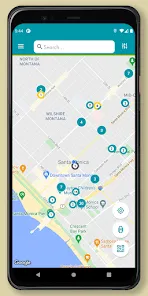
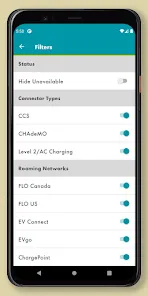
Shell Recharge is a comprehensive electric vehicle (EV) charging solution designed to meet the needs of EV owners. One of its standout features is the extensive network of charging stations, which are strategically located in urban areas, highways, and popular destinations, ensuring that drivers have convenient access to charging facilities. The app provides real-time information on the availability of charging points, allowing users to plan their journeys effectively.
Another notable feature is the user-friendly interface of the Shell Recharge app, which enables users to locate charging stations, check charging speeds, and view pricing information. The app also supports various payment methods, making transactions seamless and hassle-free. Additionally, Shell Recharge offers a loyalty program that rewards frequent users with discounts and promotions, enhancing the overall user experience. Furthermore, the app provides notifications and updates on charging status, ensuring that users are informed throughout the charging process.
Using the Shell Recharge app is a straightforward process that enhances the convenience of charging your electric vehicle. First, download the Shell Recharge app from your device's app store and create an account. Once registered, you can log in and access the map feature to locate nearby charging stations. The app allows you to filter results based on charging speed and availability, helping you find the most suitable option for your needs.
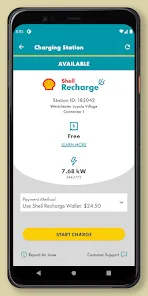
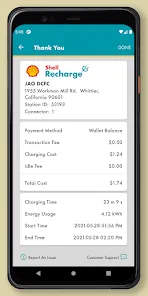
After selecting a charging station, you can initiate the charging process directly through the app. Simply follow the on-screen instructions to start charging your vehicle. The app will provide real-time updates on the charging status, including the time remaining and the amount of energy delivered. Once charging is complete, you can easily make a payment through the app using your preferred payment method. Additionally, users can track their charging history and expenses, making it easier to manage their EV charging needs.
The Shell Recharge app offers several advantages that enhance the electric vehicle charging experience. One of the primary benefits is its extensive network of charging stations, which provides users with ample options for charging their vehicles. The app's user-friendly interface makes it easy to navigate and find nearby charging points, while real-time updates keep users informed about station availability and charging status. Additionally, the loyalty program rewards frequent users, making it a cost-effective choice for regular EV drivers.
However, there are some drawbacks to consider. While the app is generally reliable, users have reported occasional issues with station availability and payment processing. Some charging stations may also have limited charging speeds, which can be a concern for those in a hurry. Furthermore, the app's effectiveness can vary by region, with some areas having fewer charging options than others. Overall, while the Shell Recharge app provides a valuable service for EV owners, potential users should weigh these pros and cons based on their specific needs and locations.
Spotify Wrapped is an annual feature that summarizes your listening habits, including your most-played songs and artists of the year.
To create a playlist, click "Your Library," then "Playlists," and select "Create Playlist." Add songs by searching or browsing.
Yes, with a Spotify Premium subscription, you can download songs and playlists for offline listening.
Spotify offers a free tier with ads, as well as a Premium subscription that removes ads and adds features.
Click the three dots next to the song, select "Share," and choose your preferred sharing method, like social media or a link.








 Google Play
  App Store