
 Home
Home  Apps
Apps  Games
Games  About Us
  Cookies & Privacy Policy
  Terms of Service
Samsung Wallet (Samsung Pay)
Version: 4.0.05
Developer: Samsung Electronics Co., Ltd.
 Verified App
 Advertisement
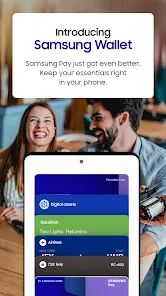



Samsung Wallet, formerly known as Samsung Pay, is a versatile mobile application that allows users to store and manage their payment cards, loyalty cards, and digital assets securely. With advanced security features and seamless integration with Samsung devices, it enables quick and convenient transactions both online and in-store. Users can also access rewards and offers, making it a comprehensive solution for managing finances and enhancing the shopping experience.
Advertisement
Features of Samsung Wallet (Samsung Pay)
Samsung Wallet, previously known as Samsung Pay, is a versatile digital wallet that allows users to store and manage various payment methods and loyalty cards. One of its standout features is the ability to make contactless payments using Near Field Communication (NFC) technology, enabling users to pay at millions of locations worldwide simply by tapping their device. Additionally, Samsung Wallet supports Magnetic Secure Transmission (MST), which allows it to work with traditional magnetic stripe card readers, broadening its usability.
Another key feature is the integration of various cards, including credit, debit, and gift cards, all stored securely within the app. Users can also add membership and loyalty cards, making it easier to earn rewards and track points. Samsung Wallet employs advanced security measures, such as biometric authentication and tokenization, to protect users' financial information. Furthermore, the app provides transaction history, allowing users to keep track of their spending and manage their finances effectively.
How to Use Samsung Wallet (Samsung Pay)
Using Samsung Wallet is straightforward and user-friendly. First, download the app from the Google Play Store if it’s not pre-installed on your device. Once installed, open the app and sign in with your Samsung account. To add a payment method, tap on the 'Add Card' option and follow the prompts to enter your card details or scan your card using the camera. Ensure that your card issuer supports Samsung Wallet for seamless integration.
After adding your cards, you can set a default payment method for quick access. To make a payment, unlock your device and hold it near the payment terminal. If prompted, authenticate the transaction using your fingerprint, PIN, or facial recognition. You can also access loyalty cards and coupons directly from the app, making it convenient to use them during purchases. Regularly check for updates to ensure you have the latest features and security enhancements.
Pros & Cons of Samsung Wallet
Samsung Wallet offers several advantages, making it a popular choice among users. One of its primary benefits is the convenience of contactless payments, allowing users to make transactions quickly and securely without needing physical cards. The integration of various payment methods and loyalty cards in one app simplifies the payment process and helps users manage their finances more effectively. Additionally, the robust security features, including biometric authentication and tokenization, provide peace of mind when making transactions.
However, there are some drawbacks to consider. Samsung Wallet is primarily designed for Samsung devices, limiting its accessibility for users of other brands. Additionally, while it supports a wide range of banks and cards, not all financial institutions are compatible, which may restrict some users from utilizing the app fully. Lastly, users may experience occasional technical issues or bugs, which can hinder the overall user experience. Balancing these pros and cons is essential for potential users when deciding whether to adopt Samsung Wallet.
Check All Versions  Google Play
  App Store
Google Play App Store Top Apps





Similar Apps

Ring - Always Home
Lifestyle

4.6

Amazon Alexa
Lifestyle
4.1

Great Clips
Lifestyle
4.2

Nextdoor: Neighborhood Network
Lifestyle
4.5

Design Space: DIY with Cricut
Lifestyle
3.9

Tile: Making Things Findable
Lifestyle
4.8

Tubi - Movies & TV Shows
Lifestyle
4.7

Wyze - Make Your Home Smarter
Lifestyle
4.4

Falling Fruit
Lifestyle
3.2

Google Home
Lifestyle
4.1

Life360: Stay Connected & Safe
Lifestyle
4.4

My Face Shape Meter and frames
Lifestyle
3.9
Advertisement
Laden…