
 Home
Home  Apps
Apps  Games
Games  About Us
  Cookies & Privacy Policy
  Terms of Service
Wyze - Make Your Home Smarter
Version: 3.6.5.682
Developer: Wyze Labs Inc.
 Verified App
 Advertisement
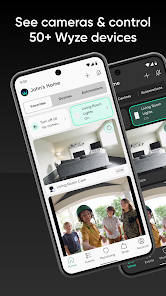
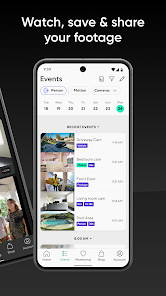
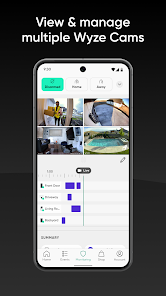

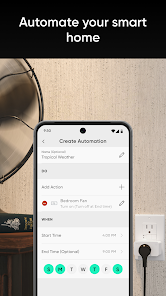
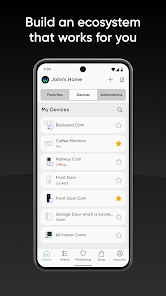
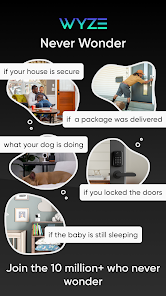
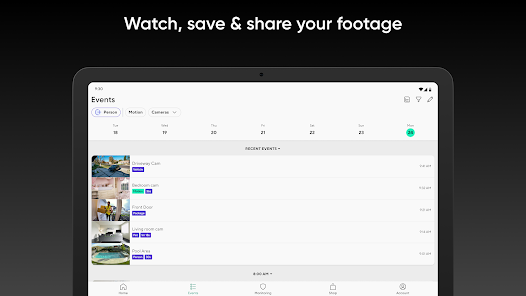
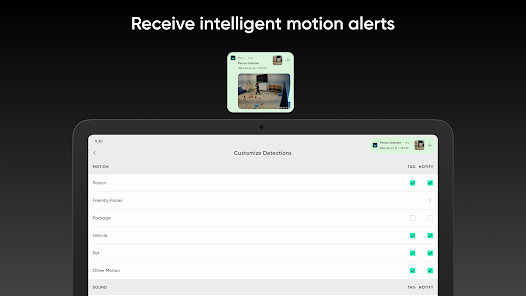
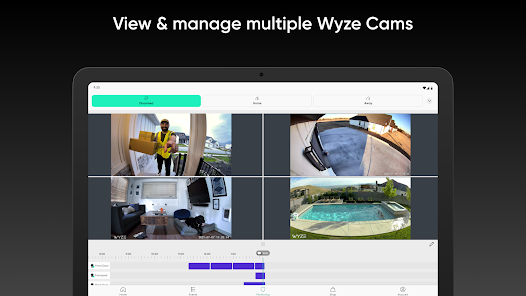
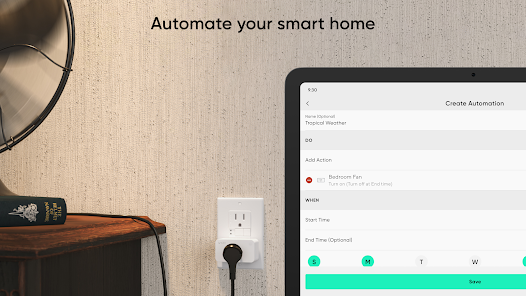
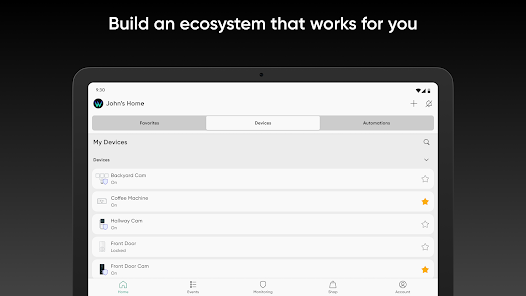
The Wyze app empowers you to transform your home into a smarter, more connected space. With intuitive controls and seamless integration, you can manage all your Wyze devices—from cameras and lights to sensors and plugs—right from your smartphone. Enjoy real-time monitoring, customizable settings, and automation features that enhance your home’s security and convenience. Experience the future of smart living with Wyze, where simplicity meets innovation.
Advertisement
Features of "Wyze - Make Your Home Smarter"
The "Wyze - Make Your Home Smarter" app offers a variety of features designed to enhance home automation and security. One of its standout features is the ability to control a wide range of Wyze devices, including cameras, lights, and sensors, all from a single interface. Users can easily monitor live feeds from security cameras, receive motion alerts, and even communicate through two-way audio.
Another notable feature is the integration of smart home routines. Users can create customized schedules for their devices, allowing for automated actions such as turning lights on or off at specific times. The app also supports voice commands through popular virtual assistants like Amazon Alexa and Google Assistant, making it convenient to control devices hands-free.
Additionally, the Wyze app provides cloud storage options for video recordings, ensuring that important moments are captured and easily accessible. The user-friendly interface makes navigation simple, even for those who are not tech-savvy. Overall, the app is designed to make home management more efficient and secure, catering to a wide range of user needs.
How to Use "Wyze - Make Your Home Smarter"?
Using the "Wyze - Make Your Home Smarter" app is straightforward and user-friendly. First, download the app from the App Store or Google Play Store and create an account. Once registered, you can start adding Wyze devices by following the on-screen instructions. Each device typically comes with a QR code that can be scanned to facilitate easy setup.
After adding devices, you can customize their settings according to your preferences. For instance, you can adjust camera sensitivity, set motion detection zones, or schedule lights to turn on and off at specific times. The app also allows you to create groups for multiple devices, making it easier to manage them collectively.
To enhance your experience, explore the automation features that let you set routines based on time or triggers, such as motion detection. Additionally, you can integrate the app with voice assistants for hands-free control. Regularly check for app updates to access new features and improvements, ensuring your smart home remains efficient and secure.
Pros & Cons of the App
The "Wyze - Make Your Home Smarter" app comes with several advantages that make it appealing to users. One of the primary pros is its affordability, as Wyze devices are generally budget-friendly compared to other smart home products. The app's user interface is intuitive, making it accessible for users of all tech levels. Additionally, the app offers a wide range of features, including cloud storage for video recordings and compatibility with various smart home ecosystems.
However, there are some drawbacks to consider. One con is that the app may experience occasional connectivity issues, particularly with Wi-Fi-dependent devices. Some users have reported that the app can be slow to respond at times, which can be frustrating during critical moments. Furthermore, while the basic features are free, advanced functionalities may require a subscription, which could deter some users.
In summary, while the "Wyze - Make Your Home Smarter" app offers a robust set of features and affordability, potential users should weigh these pros and cons to determine if it meets their specific needs for home automation and security.
 Google Play
  App Store
 Top Apps





Similar Apps

Ring - Always Home
Lifestyle

4.6

Amazon Alexa
Lifestyle
4.1

Great Clips
Lifestyle
4.2
Nextdoor: Neighborhood Network
Lifestyle
4.5

Design Space: DIY with Cricut
Lifestyle
3.9

Tile: Making Things Findable
Lifestyle
4.8

Tubi - Movies & TV Shows
Lifestyle
4.7

Falling Fruit
Lifestyle
3.2
Google Home
Lifestyle
4.1

Life360: Stay Connected & Safe
Lifestyle
4.4

My Face Shape Meter and frames
Lifestyle
3.9

Necrophonic
Lifestyle
3.9
Advertisement
Laden…