
 Home
Home  Apps
Apps  Games
Games  About Us
  Cookies & Privacy Policy
  Terms of Service
Design Space: DIY with Cricut
Version: 6.16.0
Developer: Cricut
 Verified App
 Advertisement

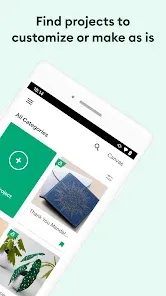
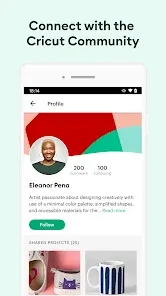
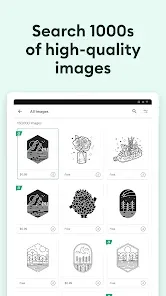
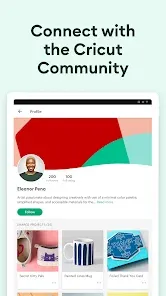

Welcome to "Design Space: DIY with Cricut," your ultimate creative companion! Unleash your imagination with a user-friendly platform that empowers you to design, customize, and craft unique projects. Whether you're a beginner or a seasoned maker, explore a vast library of images, fonts, and templates. Seamlessly connect with your Cricut machine to bring your ideas to life. Dive into a world of endless possibilities and let your creativity soar!
Advertisement
Features of "Design Space: DIY with Cricut"
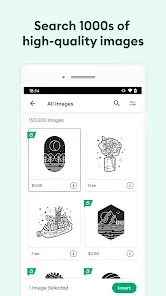
"Design Space: DIY with Cricut" is a versatile application designed to enhance your crafting experience. One of its standout features is the extensive library of images, fonts, and ready-to-make projects, which allows users to explore a wide range of creative possibilities. The app supports various file formats, enabling users to upload their own designs, making it ideal for personalized projects.
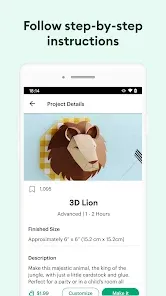
Another notable feature is the user-friendly interface, which simplifies the design process for both beginners and experienced crafters. The app provides step-by-step instructions, ensuring that users can easily navigate through their projects. Additionally, the ability to connect to Cricut machines via Bluetooth or USB allows for seamless cutting and crafting.
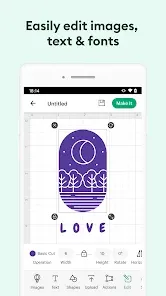
Moreover, "Design Space" offers tools for customizing designs, such as resizing, rotating, and layering, which empowers users to create unique items. The app also includes a community feature where users can share their projects and gain inspiration from others. Overall, "Design Space" is a comprehensive tool that caters to a variety of crafting needs.
How to Use "Design Space: DIY with Cricut"
Using "Design Space: DIY with Cricut" is a straightforward process that begins with creating an account or logging in. Once you’re in, you can explore the vast library of images and projects available. To start a new project, simply click on the "New Project" button, which will take you to the design canvas where you can begin crafting your masterpiece.
From the design canvas, you can choose to upload your own images or select from the pre-existing library. The app allows you to customize your design by resizing, rotating, and layering elements. Once you’re satisfied with your design, you can connect your Cricut machine to the app, either via Bluetooth or USB, to prepare for cutting.
After connecting, follow the prompts to select your material type and adjust the settings accordingly. Finally, click the "Make It" button to send your design to the machine. The app will guide you through the cutting process, ensuring a smooth crafting experience. With practice, users can quickly become proficient in using "Design Space" for a variety of DIY projects.
Pros & Cons of the App
"Design Space: DIY with Cricut" comes with several advantages that make it a popular choice among crafters. One of the primary pros is its extensive library of resources, which provides users with countless design options and inspiration. The app's user-friendly interface is another significant benefit, making it accessible for both beginners and seasoned crafters. Additionally, the ability to upload custom designs allows for a high level of personalization in projects.
However, there are some drawbacks to consider. One notable con is that the app requires an internet connection for many of its features, which can be limiting for users in areas with poor connectivity. Furthermore, while the app is free to download, some premium images and fonts require a subscription or one-time purchase, which may not appeal to all users. Lastly, some users have reported occasional glitches or slow performance, which can hinder the crafting experience.
In summary, while "Design Space: DIY with Cricut" offers a wealth of features and benefits, potential users should weigh these against the limitations to determine if it meets their crafting needs.
 Google Play
  App Store
 Top Apps





Similar Apps

Ring - Always Home
Lifestyle

4.6

Amazon Alexa
Lifestyle
4.1

Great Clips
Lifestyle
4.2

Nextdoor: Neighborhood Network
Lifestyle
4.5

Tile: Making Things Findable
Lifestyle
4.8

Tubi - Movies & TV Shows
Lifestyle
4.7

Wyze - Make Your Home Smarter
Lifestyle
4.4

Falling Fruit
Lifestyle
3.2
Google Home
Lifestyle
4.1

Life360: Stay Connected & Safe
Lifestyle
4.4
My Face Shape Meter and frames
Lifestyle
3.9

Necrophonic
Lifestyle
3.9
Advertisement
Laden…