Category: Events
Developer: Raise 365
 Verified App



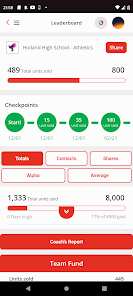
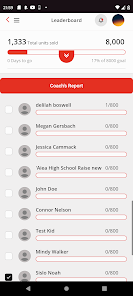
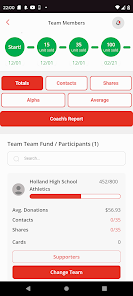
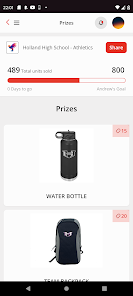
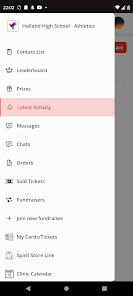
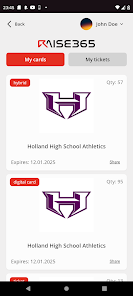
RAISE-365 is a comprehensive platform designed to enhance productivity and streamline operations for businesses of all sizes. One of its standout features is its robust project management tools, which allow teams to collaborate effectively, set deadlines, and track progress in real-time. The platform also integrates seamlessly with various third-party applications, enabling users to centralize their workflows and reduce the need for multiple tools.
Another key feature is its customizable dashboard, which provides users with a personalized view of their tasks, projects, and performance metrics. This feature helps users prioritize their work and stay organized. Additionally, RAISE-365 offers advanced analytics and reporting capabilities, allowing businesses to gain insights into their operations and make data-driven decisions. The platform also emphasizes security, ensuring that sensitive information is protected through encryption and access controls.
Lastly, RAISE-365 includes a user-friendly interface that simplifies navigation and enhances the overall user experience. With its mobile compatibility, users can access the platform on-the-go, making it a versatile solution for modern businesses.
Using RAISE-365 is straightforward and user-friendly, making it accessible for individuals and teams alike. To get started, users need to create an account on the platform. Once registered, they can log in and explore the dashboard, which serves as the central hub for all activities. Users can begin by setting up their projects, defining tasks, and assigning responsibilities to team members.
After establishing projects, users can utilize the project management tools to set deadlines, track progress, and communicate with team members through integrated messaging features. The customizable dashboard allows users to prioritize tasks and monitor their performance metrics effectively. Additionally, users can take advantage of the analytics tools to generate reports that provide insights into project efficiency and team productivity.
For ongoing support, RAISE-365 offers tutorials and customer service resources to help users navigate the platform and maximize its features. Regular updates ensure that users have access to the latest tools and enhancements, making RAISE-365 a dynamic solution for business management.
RAISE-365 comes with several advantages that make it an appealing choice for businesses. One of the primary pros is its comprehensive project management capabilities, which facilitate collaboration and enhance productivity among team members. The platform's integration with various third-party applications allows for a streamlined workflow, reducing the need for multiple tools. Additionally, the customizable dashboard and advanced analytics provide users with valuable insights, enabling data-driven decision-making.
However, there are some cons to consider. Some users may find the initial learning curve steep, especially if they are not familiar with project management software. While the platform offers a range of features, some users may feel overwhelmed by the abundance of options available. Furthermore, depending on the pricing structure, smaller businesses may find the cost prohibitive compared to other simpler solutions on the market.
In summary, while RAISE-365 offers powerful tools for enhancing productivity and collaboration, potential users should weigh these pros and cons to determine if it aligns with their specific business needs and budget.

 Enhances productivity with streamlined workflows and automated processes. Offers real-time analytics for informed decision-making and strategic planning. Facilitates seamless collaboration among teams with integrated communication tools. Ensures data security and compliance with robust protection measures. Provides customizable features to meet specific business needs and goals.
 Limited customization options may hinder specific user needs. Potential integration issues with existing systems can disrupt workflows. High costs might not justify the benefits for smaller organizations.

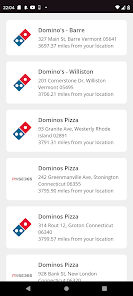
The app is cumbersome at best. I am more disappointed that our school chose to use this. The map is informative, so it was easy to learn that most participating restaurants are too far away for the app to have much value, and the 'deals' available with this program suck compared to the deals available when there were the little cards sold by the football team.
Awful. High school athletes are supposed to be fundraising utilizing this app to sell digital coupon cards. It's impossible to log in to no matter how many times you uninstall and reinstall, plus, when you actually purchase cards, the app gives repeated error messages so it's not even possible to access the coupons people supposedly purchased. This is a worthless and ridiculous app. Don't waste your time or money. Write the sports team you want to support a check directly and save your sanity.
Terrible app and company!!! Tried to use at a restaurant, and the redeem button didn't show a barcode to scan, and after so many seconds, it went off the app without being scanned, and they wouldn't honor the deal.
Do not download the app, buy the physical card! I selected the first coupon in my area to retrieve it and reverted back to selecting school. Next, I re-select the school, re-select the same coupon, and said it's already retrieved. Deleted & reinstalled the app, no difference. Tried multiple coupons down the list and did the same thing. Don't waste your $! Wish I read the comment beforehand 8/23/24.
Atrocious app. I can't log in, the team never provided the password I need, there is absolutely no other way to log in without that password, their support desk is essentially useless, I'm just glad it went to a good cause because apparently I'm never going to be able to use the coupons
Review Source: Google Play store public user reviews.
Yes, RAISE-365 encourages users to submit suggestions or feedback through the app's support section to help improve the user experience.
RAISE-365 does collect some personal data to enhance user experience, but it prioritizes privacy and complies with data protection regulations.
Yes, RAISE-365 allows users to access certain features offline, enabling them to continue their personal development without an internet connection.
Users can cancel their subscription through the app’s settings or through their app store account settings, depending on their subscription method.
A subscription to RAISE-365 typically costs $9.99 per month or $99.99 per year, with occasional promotional offers.
No, you need your customer number to complete the activation process. Please check your email for this information.
Unfortunately, customer numbers cannot be retrieved online. Please contact customer service for help in obtaining your customer number.
You can reach our customer service by calling the number provided on the website or using the live chat feature.
To activate your account, click the link in the activation email we sent you and follow the instructions provided.
To log in, visit the RAISE-365 website and enter your email and password in the login section.













 Google Play
  App Store