Category: Events
Developer: Untitled Tech, Inc.
 Verified App


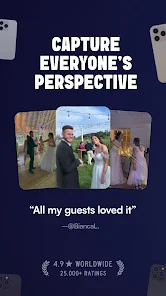
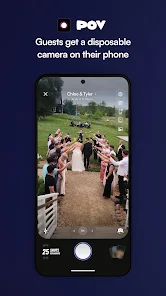
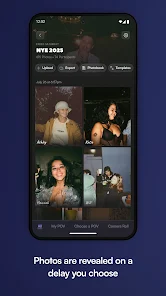
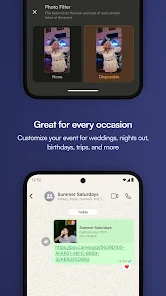
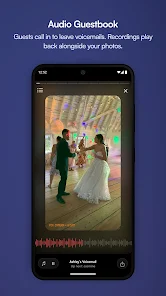
"POV – Disposable Camera Events" is an innovative app designed to capture and share moments from events in a unique way. One of its standout features is the ability to create event-specific albums where users can upload photos taken with disposable cameras. This fosters a sense of community as attendees can contribute their perspectives, resulting in a diverse collection of images from the same event.
Another notable feature is the app's user-friendly interface, which makes it easy for users of all ages to navigate. The app also includes editing tools that allow users to enhance their photos before sharing them. Additionally, the app supports social sharing, enabling users to post their favorite images directly to social media platforms, thus broadening the reach of their event memories.
Moreover, "POV" offers a unique feature that allows users to create themed filters and stickers, adding a fun and personalized touch to their photos. The app also includes a timeline feature that organizes photos chronologically, making it easy to relive the event as it unfolded. Overall, these features combine to create a memorable and engaging experience for users looking to capture and share their special moments.
Using "POV – Disposable Camera Events" is a straightforward process that enhances the experience of capturing event memories. First, users need to download the app from their respective app store and create an account. Once registered, users can create a new event by entering details such as the event name, date, and location. This sets the stage for collecting photos from all attendees.
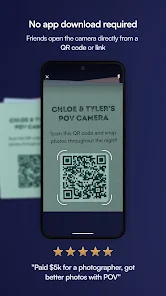
After setting up the event, users can invite friends and family to join by sharing a unique event code or link. Attendees can then upload their photos taken with disposable cameras directly to the event album. The app allows users to edit their photos with filters and stickers before sharing, adding a creative flair to their contributions.
Once the photos are uploaded, users can browse through the album, comment on images, and even like their favorites. The timeline feature helps users view the event's progression, making it easy to reminisce about the day. Finally, users can share their favorite moments on social media, ensuring that the memories created during the event reach a wider audience. Overall, the app is designed to be intuitive and engaging, making it easy for everyone to participate.
The "POV – Disposable Camera Events" app comes with several advantages that enhance the user experience. One of the primary pros is its ability to foster community engagement by allowing multiple users to contribute to a single event album. This collaborative approach results in a rich tapestry of memories that reflect different perspectives. Additionally, the app's editing tools and themed filters provide users with creative options to personalize their photos, making the sharing experience more enjoyable.
However, the app is not without its drawbacks. One potential con is that users may face challenges with photo quality, especially if the original images taken with disposable cameras are not high resolution. Furthermore, the reliance on user participation means that if attendees do not upload their photos, the album may lack variety. Lastly, some users may find the app's social sharing features overwhelming, particularly if they prefer a more private way to share their memories.
In summary, while "POV – Disposable Camera Events" offers a unique and engaging way to capture event memories, users should weigh the pros and cons to determine if it aligns with their preferences and needs.

 Capture authentic moments with a nostalgic feel that digital can't replicate. Engage guests creatively, encouraging them to express themselves through photography. Enjoy a unique keepsake as guests share their printed memories after the event. Foster a sense of connection and fun with shared experiences among attendees. Simple setup and use, allowing everyone to participate without technical barriers.
 Limited photo quality can disappoint attendees looking for professional results. Difficulty in capturing spontaneous moments may lead to missed memories. Developing photos takes time, delaying the sharing of event highlights.
  Google Play
  App Store

I would definitely suggest an option to remove the "POV Camera" watermark on the disposable camera filter. I would pay extra for this feature. Otherwise, great and easy to use app with responsive support and the pictures look amazing. Just would love to be able to change that watermark without having to crop it out.
Great app. The picture quality definitely varies drastically and I'm sure it is based on the phone but I love all of the different perspectives I got. I also think that it would be cool if you could get an amount for an event instead of number of people because some people didn't take many pictures and some ran out quickly. overall it was a great experience and would do this again.
Got it so everyone can take pics of my wedding. It didn't work correctly. The limit was 25 pics per person. The app allowed to take only 5. It said that my event ended at 6, while the end time was set for 11. Still didn't get my refund, went through the app support, then through Google - nothing. Save your money, don't get this. Completely disappointed.
every one that wasn't a Google memeber wasn't able to jump in, we paid 50$ for 20 photos because the entire app was a fail... I had high hopes but obviously this was the wrong choice. nothing but me finding the photos myself will fix this issue. I want my money back.
This was a fun way to get different perspectives of my wedding! It was easy to set up and easy to download all of the photos using the export all button! The cost Seemed a little pricey though. Another note is that the price was not converted to aud for me and there was no mention of which currency the prices were in. I only realised I had paid more than what was stated on the app when I checked my bank account which was not the best suprise considering I was trying to budget for a wedding!
Review Source: Google Play store public user reviews.
Yes, the app encourages users to submit suggestions and feedback through the in-app support feature or via their official website, fostering continuous improvement and user engagement.
The app prioritizes user privacy and only collects necessary data for functionality, ensuring that personal information is protected and not shared without consent.
Yes, POV – Disposable Camera Events allows users to take photos and access certain features offline, making it convenient for events held in areas with limited connectivity.
Users can cancel their subscription directly through the app settings or their app store account settings, following the provided instructions for a hassle-free cancellation process.
Subscription costs may vary depending on the chosen plan, with options for monthly or annual subscriptions that provide additional features and benefits.
Yes, you can change your account details by logging in and navigating to the account settings section.
To activate your account, follow the link in the activation email we sent you after your purchase.
You can check your order status by logging into your account and viewing your order history.
You can reach our customer service via the contact form on our website or by calling the number listed in your confirmation email.
To update your contact information, please log into your account or contact customer service directly with your request.