Version: 7.8.6
Developer: PNN SOFT
 Verified App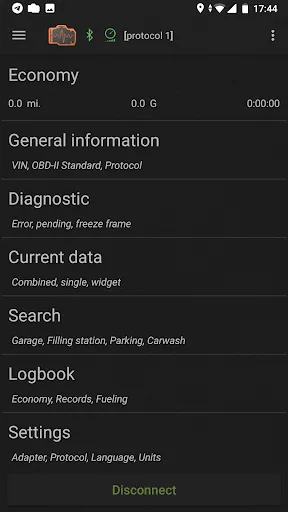
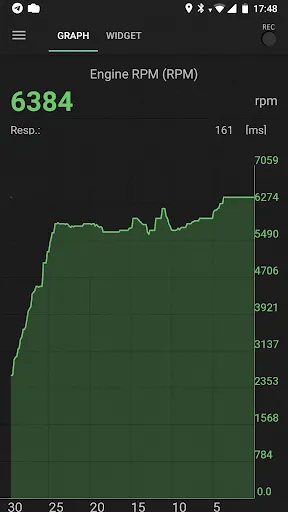
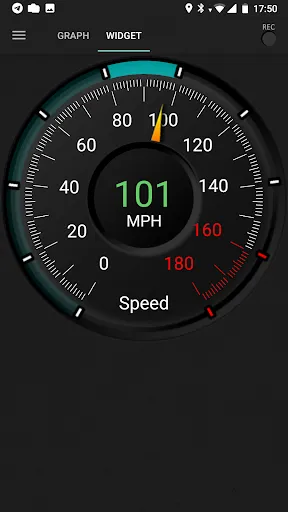
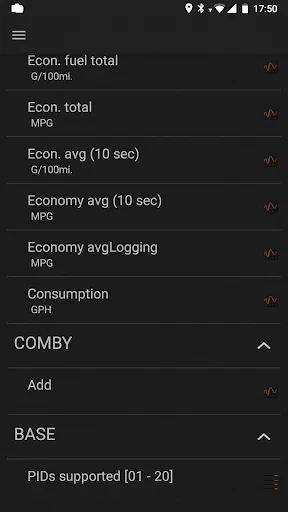
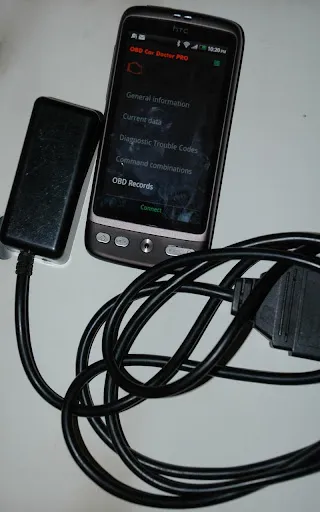
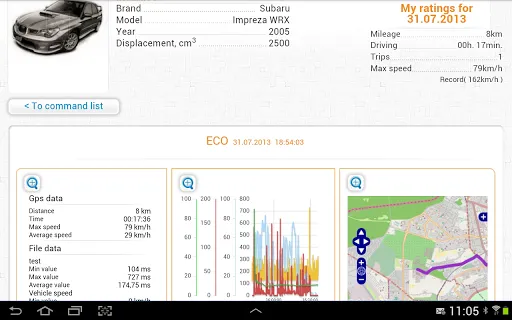
"inCarDoc Pro | OBD2" is a comprehensive vehicle diagnostic application designed to enhance your driving experience. One of its standout features is real-time monitoring of engine parameters, allowing users to track performance metrics such as RPM, speed, and fuel consumption. This feature helps in identifying potential issues before they escalate into serious problems.
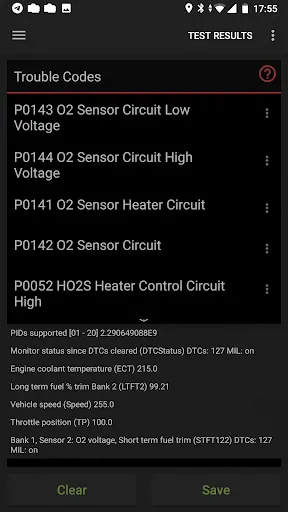
Another significant aspect is the ability to read and clear diagnostic trouble codes (DTCs). This functionality empowers users to understand the health of their vehicle and take corrective actions promptly. Additionally, the app provides access to a wide range of vehicle data, including sensor readings and vehicle performance statistics, which can be invaluable for both casual drivers and automotive enthusiasts.
The app also includes a user-friendly interface that makes navigation simple, even for those who may not be tech-savvy. Furthermore, it supports multiple languages, making it accessible to a global audience. With features like trip logging and fuel consumption tracking, "inCarDoc Pro | OBD2" is an essential tool for anyone looking to maintain their vehicle efficiently.
Using "inCarDoc Pro | OBD2" is a straightforward process that begins with downloading the app from your device's app store. Once installed, you will need to connect an OBD2 Bluetooth adapter to your vehicle's OBD2 port, which is typically located under the dashboard near the steering column. After pairing the adapter with your smartphone or tablet via Bluetooth, launch the app to establish a connection.
Upon successful connection, the app will automatically retrieve data from your vehicle's onboard computer. You can then navigate through various features, such as reading diagnostic trouble codes, monitoring real-time engine parameters, and accessing vehicle performance statistics. The app also allows you to log trips and track fuel consumption, providing valuable insights into your driving habits.
For optimal use, familiarize yourself with the app's interface and explore its settings to customize notifications and data displays according to your preferences. Regularly checking the app can help you stay informed about your vehicle's health and performance, ensuring a safer and more efficient driving experience.
"inCarDoc Pro | OBD2" comes with several advantages that make it a popular choice among vehicle owners. One of the primary pros is its ability to provide real-time data, which can help users identify issues early and avoid costly repairs. The app's user-friendly interface is another significant benefit, making it accessible for individuals with varying levels of technical expertise. Additionally, the ability to read and clear diagnostic trouble codes empowers users to take control of their vehicle's maintenance.
However, there are some drawbacks to consider. One potential con is that the app requires a compatible OBD2 Bluetooth adapter, which is an additional cost for users. Furthermore, while the app supports a wide range of vehicles, some users may find that certain features are limited based on their specific car model. Lastly, occasional connectivity issues between the app and the OBD2 adapter can lead to frustration during use.
In summary, while "inCarDoc Pro | OBD2" offers valuable features for vehicle diagnostics and monitoring, potential users should weigh the pros and cons to determine if it meets their specific needs.
 Google Play
  App Store
 Spotify Wrapped is an annual feature that summarizes your listening habits, including your most-played songs and artists of the year.
To create a playlist, click "Your Library," then "Playlists," and select "Create Playlist." Add songs by searching or browsing.
Yes, with a Spotify Premium subscription, you can download songs and playlists for offline listening.
Spotify offers a free tier with ads, as well as a Premium subscription that removes ads and adds features.
Click the three dots next to the song, select "Share," and choose your preferred sharing method, like social media or a link.