Category: Art & Design
Developer: AR Drawing
 Verified App


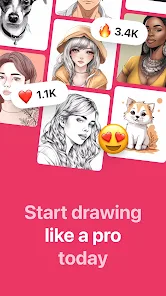
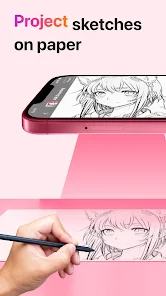
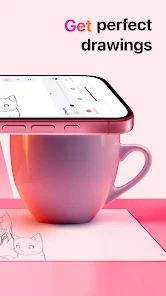
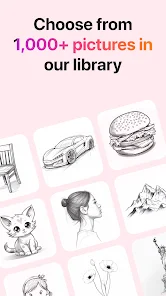
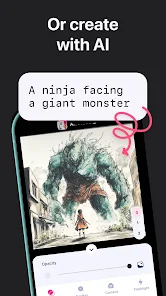
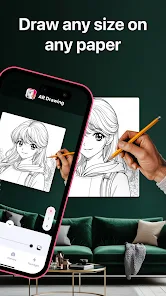
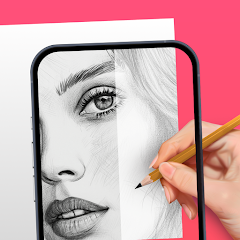
"AR Drawing: Paint & Sketch Art" offers a unique blend of augmented reality and traditional drawing tools, allowing users to create stunning artworks in a three-dimensional space. One of its standout features is the ability to project drawings onto real-world surfaces, enabling artists to visualize their creations in context. The app includes a variety of brushes, colors, and textures, providing users with the flexibility to experiment with different artistic styles. Additionally, it supports layers, allowing for more complex compositions and easier editing.
Another notable feature is the user-friendly interface, which caters to both beginners and experienced artists. The app also includes tutorials and tips to help users improve their skills and make the most of its features. Furthermore, users can share their creations directly on social media platforms, fostering a community of artists who can inspire and support each other. The app's compatibility with various devices ensures that users can create art on the go, making it a versatile tool for anyone interested in digital drawing.
Using "AR Drawing: Paint & Sketch Art" is a straightforward process that encourages creativity. First, download and install the app on your device. Once opened, you will be greeted with an intuitive interface that guides you through the initial setup. To start drawing, select the AR mode, which allows you to choose a flat surface in your environment where you want to project your artwork.
After selecting the surface, you can choose from a variety of brushes and colors to begin your creation. The app allows you to manipulate the size and opacity of your tools, giving you complete control over your artwork. You can also use layers to build complexity in your designs. Once you are satisfied with your drawing, you can save it to your device or share it on social media platforms. Regularly exploring the app's features and participating in community challenges can enhance your skills and inspire new ideas.
"AR Drawing: Paint & Sketch Art" comes with several advantages that make it appealing to users. One of the primary pros is its innovative use of augmented reality, which allows artists to visualize their work in real-world settings. This feature can significantly enhance the creative process, making it easier to conceptualize and execute ideas. The app also offers a wide range of tools and customization options, catering to various artistic preferences and skill levels. Additionally, the community aspect encourages sharing and collaboration, fostering a supportive environment for artists.
However, there are some drawbacks to consider. The app may require a device with advanced capabilities to function optimally, which could limit accessibility for some users. Additionally, while the interface is user-friendly, beginners may still face a learning curve when navigating the various features. Some users have reported occasional bugs or performance issues, which can disrupt the creative flow. Overall, while "AR Drawing: Paint & Sketch Art" offers a unique and engaging platform for artists, potential users should weigh these pros and cons before diving in.

 Experience immersive creativity with augmented reality features for your art. Effortlessly visualize your sketches in a 3D space around you. Enhance your artistic skills with interactive tutorials and guidance. Share and collaborate on art projects seamlessly with friends and community. Enjoy a user-friendly interface designed for artists of all levels.
 Limited precision can hinder detailed artwork creation. Requires a compatible device, restricting accessibility for some users. May cause eye strain or discomfort with prolonged use.
  Google Play
  App Store

You press one button, there's bound to be an ad. You want to import your own image for free - don't think so; throws a subscription at your face unwillingly so, can't skip it or anything. Yes there's a free option but so what if you don't want to make an option? I don't know honestly. Heard of this off Instagram thought it would be cool to use, ended up getting a headache. No thanks.
The app works fairly well, and tried the PRO version using trial. I decided to go with a different app that worked better for me, and cancelled the trial immediately (confirmed too). However, 3 days later I was billed, and was told that it's Google Play issue since that's the platform used. I just thought that was 'odd', in over 10 years that's never happened thru Play Store...just sayin'
The audacity to ask the user to immediately pay for a subscription, or start a free trial (which is through your Google account, which allows the app to have access to your saved payment, so you can be charged for the full amount if you forget to cancel before the trial is over) before they can even see how and if the app even works is absolutely WILD. Like damn, I can't even test it for five minutes before you're begging me for money? Absolutely not. More like zero stars 👎👎👎
Used for 5 min. and thought it was super cool while checking out the app itself but because I didn't want to pay for something I hadn't tried or had seen all of what had to be offered: I was asked to choose a subscription every time I clicked an image and after another 5 min.; every time I touched the screen an ad played. Bombarding people who are trying to determine if they want to spend any money on something isn't the way to convince them to.
this sucks bro i'm not bad at drawing, actually pretty good, but i was testing out these apps to see if they really are that good, but this app genuinely is so bad, you can't even import an image it puts "pay me im money hungry" on your face doesnt even let you do that, and it is genuinely so annoying click anything and an ad pops up, and its not even like the other ones i've tried that atleast let you import an image by making you watch an ad, no this one FORCES you to buy. don't install this.
Review Source: Google Play store public user reviews.
Yes, users are encouraged to submit suggestions and feedback directly through the app or via the official website to help improve future updates.
The app has a privacy policy that outlines the data collection practices, but it primarily focuses on improving user experience and does not collect sensitive personal information.
Yes, AR Drawing: Paint & Sketch Art can be used offline, allowing users to create art without an internet connection.
Users can cancel their subscription through their app store settings, following the instructions provided for managing subscriptions in either the Apple App Store or Google Play Store.
The subscription cost varies, but users can typically choose between monthly and yearly plans, with options for trial periods.
Yes, you can log in using your social media accounts if you linked them during the sign-up process.
You can reach customer service via the support section in the app or by emailing support
After signing up, check your email for an activation link. Click on the link to activate your account and log in.
Check your spam folder for the activation email. If it's not there, request a new activation link through the app.
Activation is usually instant, but it can take a few minutes for the email to arrive. Check your inbox and spam folder.