Category: Personalization
Developer: SpaceMan
 Verified App


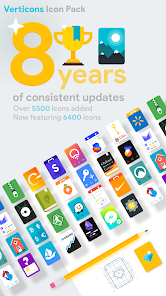
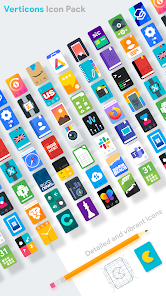
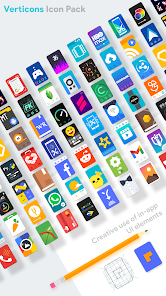
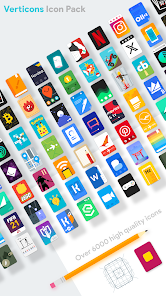
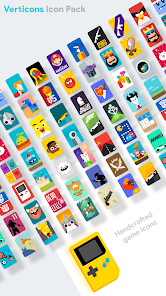
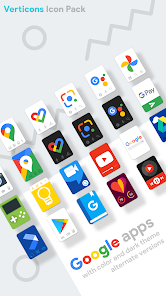
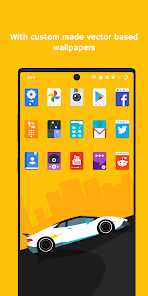
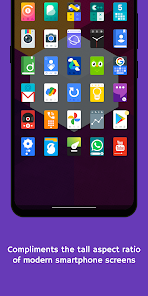
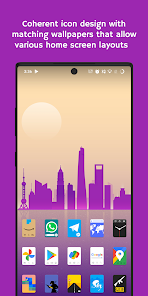
"Verticons Icon Pack" is designed to enhance the visual appeal of your device with a wide array of features. One of its standout characteristics is the extensive collection of over 3,000 high-quality icons, each crafted with a modern and sleek aesthetic. These icons are designed to be compatible with various launchers, ensuring that users can easily integrate them into their existing setups. Additionally, the pack includes a dynamic calendar feature, which allows icons to update automatically based on the current date, providing a fresh look every day.
Another notable feature is the support for multiple resolutions, making it suitable for a variety of devices, from smartphones to tablets. The pack also offers a user-friendly dashboard that simplifies the process of applying icons and customizing settings. Furthermore, regular updates ensure that new icons are added frequently, keeping the collection fresh and relevant. The inclusion of wallpapers that complement the icons enhances the overall aesthetic experience, allowing users to create a cohesive look for their devices.
Using "Verticons Icon Pack" is a straightforward process that enhances your device's interface. First, you need to download and install the icon pack from the Google Play Store. Once installed, open the app, and you will be greeted with a user-friendly interface that showcases all available icons. To apply the icons, you may need a compatible launcher, such as Nova Launcher or Apex Launcher, which can be downloaded separately if you don’t already have one.
After setting up your launcher, navigate to the settings within the launcher app. Look for the option to change the icon pack, and select "Verticons Icon Pack" from the list. This will automatically apply the new icons to your home screen and app drawer. You can also customize individual icons by long-pressing them and selecting the option to change the icon. Additionally, explore the wallpapers included in the pack to further enhance your device's appearance. Regularly check for updates within the app to access new icons and features.
"Verticons Icon Pack" comes with several advantages that make it a popular choice among users. One of the primary pros is its vast collection of over 3,000 icons, which provides ample options for personalization. The high-quality design of the icons ensures that they look sharp and modern on any device. Additionally, the dynamic calendar feature adds a unique touch, keeping the icons fresh and relevant. The app is also regularly updated, which means users can expect new icons and improvements over time.
However, there are some drawbacks to consider. One potential con is that the icon pack requires a compatible launcher, which may not appeal to all users. Some users may also find that certain icons do not match their preferred aesthetic, as personal taste can vary widely. Additionally, while the app is generally user-friendly, beginners may need some time to familiarize themselves with the customization options available. Overall, "Verticons Icon Pack" offers a solid balance of features and design, making it a worthwhile investment for those looking to enhance their device's appearance.

 Verticons Icon Pack enhances your device's aesthetic appeal with stunning designs. Enjoy a vast collection of icons tailored for various styles. Regular updates ensure fresh content and compatibility with new apps. Seamless integration with popular launchers for easy customization. User-friendly interface makes finding and applying icons effortless.
 Limited icon variety may not suit all user preferences Some icons lack high-resolution quality Frequent updates can disrupt consistent aesthetic appeal
  Google Play
  App Store
It's an awesome icon pack! But, there's something that is a bit disappointing. Some icons (Like discord, puffin, and brave) are less detailed than some other ones, like Pokémon Go (Brave is a little weirder, since it has a purple background.) But again, very good otherwise! Edit: Creators did indeed change the icons, and they look wonderful! great customer service, and all around a great icon pack! I definitely recommend!

Love this pack so much. Really responsive dev for adding icons by request and it just makes my phone look so good. My only issue is that I have a couple apps that seem to have strange default images, so I end up with duplicate icons for two different programs. For example, I have two separate forks of Tachiyomi, each with discrete icons, but this pack makes them identical. Still, can't think of a better looking icon pack and don't want to.
It is time to review this icon pack. I've never reviewed an Icon pack before but I've been using this one for at least a solid year, and longer on different phones. The consistency this brings is amazing, the free space in my drawer and home screen brings a clean look. I really can't talk this icon pack up enough, I will probably never use another.
REVIEW REDUX This is almost exactly the icon pack I've always wanted. It absolutely BELONGS on my One Plus 7 Pro. Two things: certain icons seem "squatter" than others (Netflix and Chrome, at a glance) Could simply be my eyes, though. (Edit: after further investigation, it was my eyes) Is there any possibility of plain color options? That would make this a 5 star plus app. Thanks for your hard work, mate. You done a spectacular job.
Really love the shape and look of these icons! Though I will say, icons with gradients look a little out of place compared to those without. Many generic icons, like settings, seem to lack white and black versions. Some icons like Google Voice, Samsung Notes, etc. are a little outdated compared to their default appearance, but that's rather expected when you have 6000+ icons. Being a bit nitpicky though, amazing icons! P.S. Why are there Libreoffice suite icons? I thought it wasn't on Android?
Review Source: Google Play store public user reviews.
Yes, users can submit suggestions or feedback through the app's support or contact features to help improve future updates.
No, Verticons Icon Pack does not collect personal data from its users, ensuring your privacy is maintained.
Yes, once downloaded, Verticons Icon Pack can be used offline without any issues.
You can cancel your subscription through the app store settings on your device, following the cancellation instructions provided there.
The subscription cost for Verticons Icon Pack varies, so it's best to check the app store for the most current pricing information.
Yes, you can change your login details in the account settings once you are logged in.
To activate your account, log in with your credentials and follow the prompts to complete the activation process.
You can reach our customer service via the support section on our website or email us directly at support
You can contact customer service through our website's support page or email us directly for purchase-related issues.
Please check your confirmation email or visit your account settings after logging in to find your customer number.
v2.5.8Verticons now features 6500+ icons!▪ Added 55 new icons▪ Redesigned some old iconsv2.5.7▪ Added 70 new iconsv2.5.6Verticons now features 6400+ icons!▪ Added 50 new iconsv2.5.5Verticons now features 6350+ icons!▪ Added 44 new iconsv2.5.4Verticons now features 6300+ icons!▪ Added 60 new iconsv2.5.3Verticons now features 6250+ icons!▪ Added 48 new icons(Full changelog in app)