Category: Personalization
Developer: Total_Apps
 Verified App


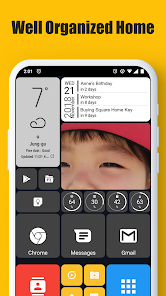
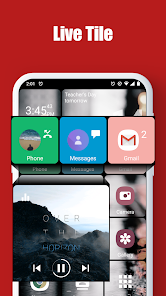
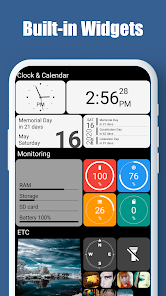
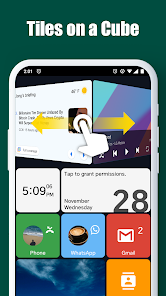
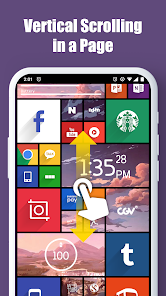
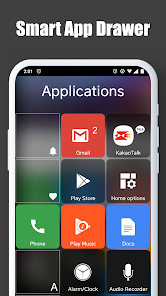
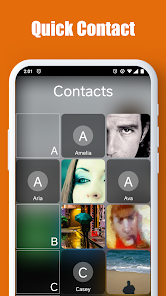
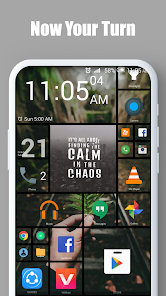
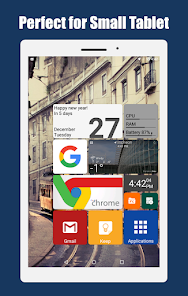
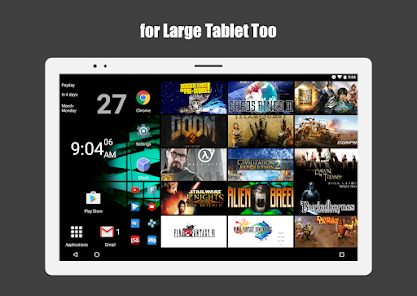
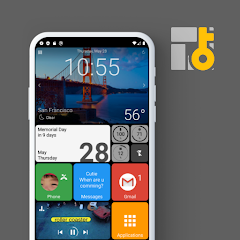
The "Square Home Key" is designed to enhance user experience by providing a unique interface that prioritizes accessibility and customization. One of its standout features is the ability to create a personalized home screen layout, allowing users to arrange their apps and widgets in a way that suits their preferences. This flexibility enables quick access to frequently used applications, streamlining daily tasks.
Another notable feature is the integration of live tiles, which display real-time information such as notifications, weather updates, and calendar events directly on the home screen. This keeps users informed without the need to open individual apps. Additionally, the "Square Home Key" supports various themes and color schemes, allowing users to customize the aesthetic of their device. The app also includes gesture controls, making navigation intuitive and efficient. Overall, the "Square Home Key" combines functionality with personalization, catering to a wide range of user needs.
Using the "Square Home Key" is straightforward and user-friendly. To get started, download and install the app from your device's app store. Once installed, open the app and follow the on-screen instructions to set it as your default home screen. You will be prompted to customize your layout, where you can choose from various templates or create your own arrangement of apps and widgets.
After setting up your home screen, you can easily add or remove apps by dragging them to your desired location. To access the live tiles feature, simply select the widgets you want to display and adjust their size and position. The app also allows you to configure gesture controls, enabling you to navigate your device with simple swipes or taps. Regularly explore the settings menu to discover new customization options and features that can enhance your experience with the "Square Home Key."
The "Square Home Key" app comes with several advantages that make it appealing to users. One of the primary benefits is its high level of customization, allowing users to tailor their home screen to fit their personal style and preferences. The live tiles feature is another significant advantage, providing real-time updates and information at a glance, which enhances productivity. Additionally, the intuitive gesture controls simplify navigation, making it easier for users to access their favorite apps quickly.
However, there are some drawbacks to consider. Some users may find the extensive customization options overwhelming, especially if they prefer a more straightforward interface. Additionally, the app may consume more battery life due to its dynamic features and live tiles. Compatibility issues with certain devices or operating systems can also arise, leading to a less than optimal user experience. Overall, while the "Square Home Key" offers many benefits, potential users should weigh these pros and cons to determine if it aligns with their needs.

 Square Home Key simplifies access with a user-friendly interface. It enhances security through customizable access controls. The device seamlessly integrates with various smart home systems. It offers real-time notifications for enhanced awareness. Square Home Key promotes energy efficiency by managing device usage.
 Limited compatibility with various devices can hinder user experience. Frequent updates may disrupt workflow and require relearning. Reliance on a single key can lead to accessibility issues for some users.
  Google Play
  App Store

Not gonna lie, one of my favorite launchers to date. Very customization & easy to use. Once you finally get comfortable with it's function, you can get the home page looking exactly how you pictured it in your mind. There are some issues however. I'm unsure if this launcher is CPU hungry, if so that would explain why some apps force close more often than when I had used other launchers. There's also a "reshaping the home page" issue, where the tiles will go out of wack.
Easy to use. Very customizable. I've tried most of the launchers but I keep going back to this one. I especially like the cube icon feature that allows me to put six apps (I cluster them into types, like browsers) into one icon and flip the icon like a 3d cube to use the one I want, leaving it "on the top" for quick access. Yeah, I know loading up one icon space with multiple apps had been done before, but that method takes two presses to get to your app. My most used app is always on top.
I love this launcher. It's been my daily driver for a while now and I didn't hesitate to pay for the key either. I have one issue with it, though, the styling is all over the place and there are no specific on which colors which. When you go to the "tile size & style" it only shows the color but not what you're actually coloring. There should be titles or categories to specify the areas that I want to style. If the dev organizes the settings better, this would be the number one launcher in the play store with no competition
I've used this launcher now for several years and across several devices. It's literally the first thing I do when I purchase a new phone; I download this launcher and set it up right away. Dependable, completely glitch free, easy set up, more personal configurations than you can imagine, clean, fast, and all without a hint of battery drain. I absolutely recommend this to everyone. It should be the default UI in my honest opinion!
I really like this launcher. But I'm giving it 3 stars because of 2 really annoying bugs. Periodically after opening a full screen app & then going back to the home screen the icons on the status bar disappear, the status bar is still there, it's just empty. I have to restart to fix it. The other thing is that all the direct message & call shortcuts I have on the home screen stop functioning after a while. I press them & nothing happens, I have to reassign them to get them working again.
Review Source: Google Play store public user reviews.
Yes, users are encouraged to submit suggestions or feedback through the app's support section or via the official website to help improve the app.
Square Home Key prioritizes user privacy and does not collect personal data unless explicitly provided by the user for specific features.
Yes, Square Home Key can be used offline, allowing users to access their customized home screen and apps without an internet connection.
Users can cancel their Square Home Key subscription through their app store account settings or within the app's subscription management section.
A subscription to Square Home Key typically costs around $4.99 per month, with options for annual subscriptions that may provide cost savings.
Unfortunately, customer numbers cannot be changed. If you forget it, please contact customer service for help accessing your account.
You can reach customer service by calling the support number listed on our website or using the contact form in your account.
To activate your account, follow the instructions in the activation email you received after signing up.
You can reset your password by clicking the "Forgot Password?" link on the log in page and following the prompts.
The log in page is available on our website's homepage. Look for the "Log In" button at the top right corner.
- increased target SDK version by a Play store policy