Version: 4.1.0
Developer: Level Infinite
 Verified App




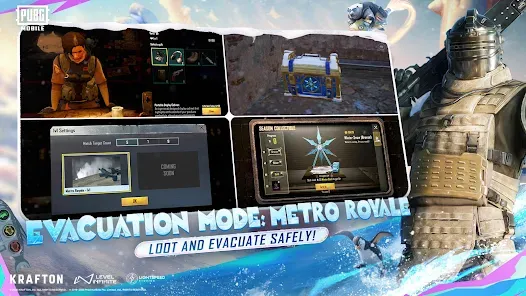




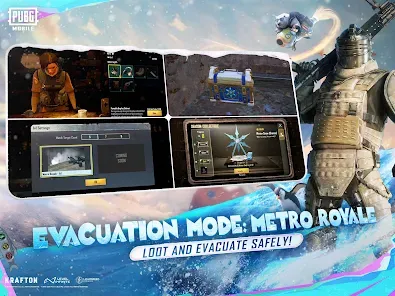

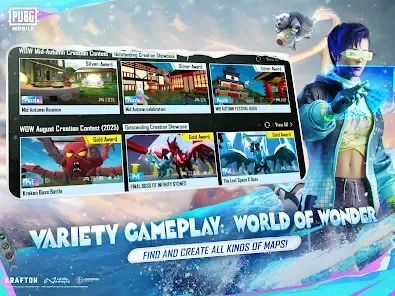
PUBG MOBILE has revolutionized the way we engage in battle royale gaming on mobile devices. With its stunning graphics, immersive gameplay, and regular updates, it sets a high standard for mobile gaming. Here are some of the core features that make it stand out:
As a mobile gaming enthusiast, I often find myself reaching for PUBG MOBILE during various scenarios throughout my day. Whether it’s during my morning commute or while waiting for an appointment, the game provides an escape into a thrilling world. One memorable scenario was during a recent family gathering; while everyone else was engaged in conversations, I sneaked away to grab a quick match. I managed to secure a chicken dinner, and when I returned, I had an exhilarating story to share with my family, who were just as intrigued by my gaming exploits.
The user interface of PUBG MOBILE is intuitive and user-friendly. Upon launching the app, I’m greeted with a clean layout that makes it easy to navigate through different modes and settings. The gameplay is smooth, with minimal lag, even during intense matches. The controls are responsive, which is crucial for a fast-paced game like this. I appreciate the game’s tutorials, which helped me refine my skills when I first started. After several months of playing, I still find joy in the little updates and tweaks that enhance the overall experience, such as new emotes and character animations that keep the game feeling fresh.
PUBG MOBILE is free to download and play, making it accessible to a wide audience. While there are in-app purchases available for cosmetic items and battle passes, I’ve found that it’s perfectly possible to enjoy the game fully without spending any money. The balance between free and paid content is well maintained, ensuring that all players can compete on a level playing field.
The continuous updates from the developers show a commitment to improving the player experience. New features, maps, and events keep the community engaged and excited. I have reached out to customer support a few times regarding minor issues, and I was pleasantly surprised by their prompt and helpful responses. The community forums also provide a wealth of information, helping players stay informed about the latest changes and strategies.
When it comes to security and privacy, PUBG MOBILE takes certain measures that are important for American users. The app is available on official app stores like the App Store and Google Play, ensuring a safe download experience. However, during registration, players are required to provide personal information, such as a phone number or email address. While this is standard for many apps, it’s essential to be cautious about sharing personal data.
Moreover, PUBG MOBILE does display ads and may track user behavior to personalize experiences. I’ve noticed some targeted ads pop up, but they haven’t been overly intrusive. It’s always a good idea for users to familiarize themselves with the app’s privacy policy to understand how their data is used. Overall, while there are some privacy considerations, I feel comfortable using PUBG MOBILE, especially with the knowledge that they prioritize user security through regular updates and community feedback.

 Experience intense battles Explore vast, diverse maps Team up with friends easily Customize your character's gear Regular updates and events
 High data usage during play Frequent updates can frustrate In-game purchases are costly Toxic player behavior persists
 Yes, PUBG MOBILE features in-game purchases. Players can buy various items such as skins, outfits, weapon skins, and the Royale Pass, which offers exclusive rewards and missions. While some items can be obtained for free through gameplay, in-game purchases can enhance the gaming experience and allow players to customize their characters and weapons. It’s important to note that while the game is free-to-play, players can choose to spend real money to enhance their experience or speed up their progress.
No, PUBG MOBILE requires a stable internet connection to play. The game is built around online multiplayer experiences, where players compete against others in real-time. An internet connection is necessary for matchmaking, accessing game servers, and ensuring a smooth gaming experience. While there is no offline mode, players can practice their shooting skills in the training ground feature, which can be accessed while connected to the internet. However, for actual matches and gameplay, a continuous internet connection is essential.
Yes, you can play PUBG MOBILE with your friends! The game offers various modes where you can team up with friends. You can invite them to your squad or join their lobby. Additionally, you can use voice chat features to communicate during matches. It's also possible to create custom rooms for more controlled gameplay with friends. Whether you are playing duo or squad matches, collaborating with friends can enhance your gaming experience and increase the chances of winning.
To improve your skills in PUBG MOBILE, practice is key. Start by familiarizing yourself with the game's mechanics, such as shooting, looting, and using vehicles. Try to play in different modes, like solo, duo, or squad, to understand various strategies. Watch tutorials and gameplay videos from skilled players to learn tips and tricks. Additionally, work on your aim and reflexes by adjusting your sensitivity settings and utilizing training modes. Team communication and strategy are also vital; coordinating with your squad can significantly enhance your chances of winning. Lastly, don’t be afraid to learn from your mistakes after each game.
To report a player in PUBG MOBILE, you can do so during or after a match. If you want to report someone during the game, tap on the player’s name in the scoreboard, and select the option to report them. After the match, you can also report players from the match results screen. Choose the reason for your report, such as cheating or inappropriate behavior, and submit it. The developers take reports seriously and investigate them to maintain a fair gaming environment. Be sure to provide accurate information to help with the investigation.
You can contact Customer Service through the in-game settings, then select "Customer Service" to submit your inquiry. You can also visit the official PUBG MOBILE website for support.
If you created your account using social media, it’s activated automatically. For other methods, follow the prompts during registration to complete activation.
The Customer Number is typically provided in the game under the support section; it may also be found in your account settings or profile.
Open the app and tap "Log In." You can use your Facebook, Twitter, Google, or PUBG ID to access your account.















 Google Play
  App Store