
 Home
Home  Apps
Apps  Games
Games  About Us
  Cookies & Privacy Policy
  Terms of Service
Perfect365 Makeup Photo Editor
Version: 8.33.23
Developer: Perfect365, Inc.
 Verified App
 Advertisement
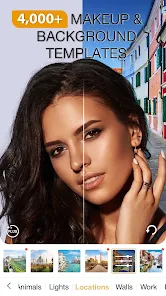
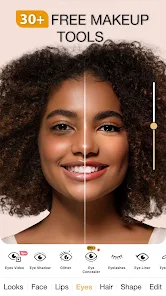
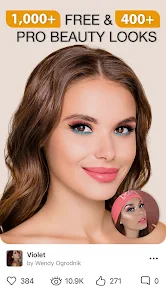
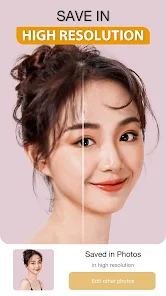
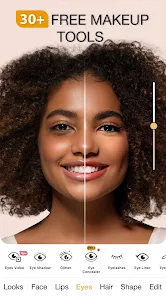
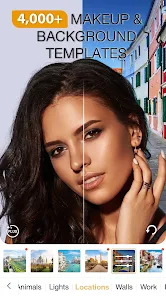
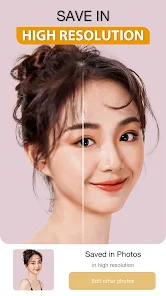
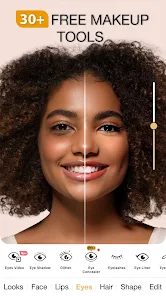
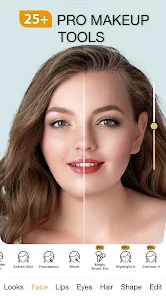
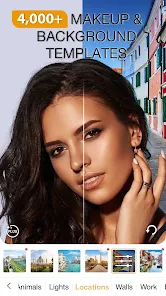
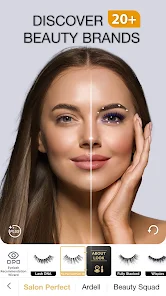
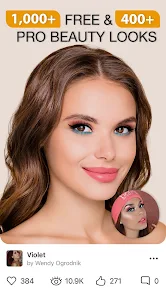
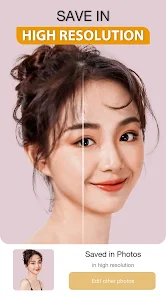
Perfect365 Makeup Photo Editor is your ultimate beauty companion, allowing you to effortlessly enhance your selfies and photos with a wide range of makeup tools and filters. With user-friendly features, you can experiment with various looks, from natural to glamorous, all at your fingertips. Transform your images with virtual makeup, adjust skin tones, and apply stunning effects to achieve the perfect look. Unleash your creativity and share your stunning transformations with friends and family!
Advertisement
Features of "Perfect365 Makeup Photo Editor"
"Perfect365 Makeup Photo Editor" is a versatile application designed to enhance your photos with a variety of makeup and beauty tools. One of its standout features is the extensive library of makeup styles, which includes everything from natural looks to bold, artistic designs. Users can easily apply virtual makeup, including foundation, blush, eyeshadow, and lipstick, allowing for a personalized touch to each image. The app also offers skin smoothing and blemish removal tools, ensuring a flawless finish.
Another notable feature is the ability to adjust facial features, such as eye size and nose shape, providing users with the option to modify their appearance subtly or dramatically. Additionally, the app includes a "one-tap" makeup application feature, which simplifies the process for those who may not be familiar with makeup techniques. Users can also save their favorite looks and share them directly on social media platforms, making it easy to showcase their creativity. Overall, "Perfect365" combines user-friendly design with powerful editing tools, making it a popular choice for makeup enthusiasts and casual users alike.
How to Use "Perfect365 Makeup Photo Editor"
Using "Perfect365 Makeup Photo Editor" is a straightforward process that allows users to transform their photos with ease. To get started, download the app from your device's app store and open it. You can either take a new photo or select an existing one from your gallery. Once your image is loaded, you'll be greeted with a variety of makeup options and tools on the screen.
Begin by exploring the makeup styles available in the app. You can apply different looks by tapping on the desired style, which will automatically adjust to fit your facial features. If you prefer a more customized approach, you can manually adjust individual makeup elements, such as lipstick color or eyeshadow shade. The app also allows you to fine-tune your image with skin smoothing and blemish removal features. After you’re satisfied with your edits, save your creation or share it directly to social media platforms. With its intuitive interface, "Perfect365" makes it easy for anyone to achieve a polished look in just a few taps.
Pros & Cons of the App
"Perfect365 Makeup Photo Editor" comes with several advantages that make it appealing to users. One of the primary pros is its user-friendly interface, which allows even beginners to navigate the app with ease. The extensive library of makeup styles and customization options provides users with a wide range of creative possibilities. Additionally, the app's ability to enhance photos with skin smoothing and blemish removal features contributes to a polished final product. The one-tap makeup application feature is also a significant time-saver for those looking for quick edits.
However, there are some drawbacks to consider. Some users may find that the app's automatic makeup application can sometimes look unrealistic, requiring manual adjustments for a more natural appearance. Additionally, while the app is free to download, certain features and styles may require in-app purchases, which could be a downside for users seeking a completely free experience. Lastly, the app may not perform as well on older devices, leading to slower processing times. Overall, while "Perfect365" offers a range of useful features, users should weigh these pros and cons based on their individual needs and preferences.
 Google Play
  App Store
 Top Apps





Similar Apps
Ulta Beauty: Makeup & Skincare
Beauty

4.6

Booksy for Customers
Beauty
4.9
Sephora: Buy Makeup & Skincare
Beauty
4.2
IPSY: Personalized Beauty
Beauty
4.7

StyleSeat: Book Hair & Beauty
Beauty
4.8

SALLY BEAUTY
Beauty
4.6

Scentbird Monthly Perfume Box
Beauty
4.9
Artistry Virtual Beauty
Beauty
4.3
Beatrix: AI Beauty Camera
Beauty
4.3

e.l.f. Cosmetics and Skincare
Beauty
4.7
PERFUMIST Perfumes Advisor
Beauty
3.4

Skin Bliss: Skincare Routines
Beauty
4.2
Advertisement
Laden…