
 Home
Home  Apps
Apps  Games
Games  About Us
  Cookies & Privacy Policy
  Terms of Service
My Boy! Lite
Version: 1.8.0.1
Developer: Pixel Respawn LLC
 Verified App
 Advertisement
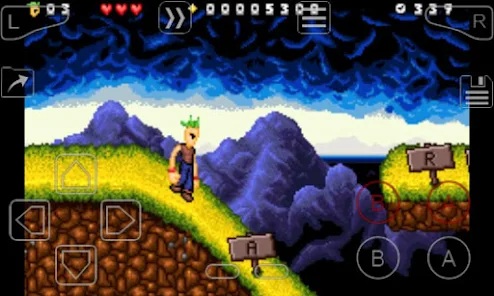
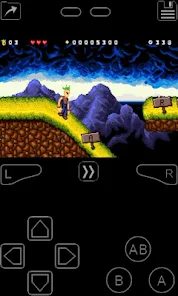
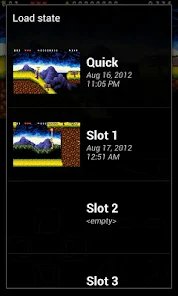
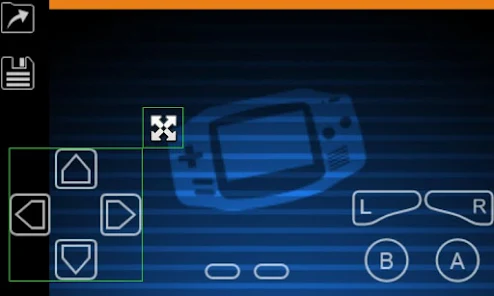
"My Boy! Lite" is a powerful Game Boy Advance (GBA) emulator for Android devices, allowing you to enjoy your favorite GBA games on the go. With high compatibility, fast performance, and a user-friendly interface, it brings classic gaming to your fingertips. Experience features like save states, customizable controls, and cheat support, all while reliving the nostalgia of your childhood gaming adventures. Download "My Boy! Lite" and dive into the world of GBA gaming today!
Advertisement
Features of "My Boy! Lite"
"My Boy! Lite" is a popular Game Boy Advance (GBA) emulator for Android devices, offering a range of features that enhance the gaming experience. One of its standout features is its high compatibility with a vast library of GBA games, allowing users to play their favorite titles without significant issues. The emulator supports save states, enabling players to save their progress at any point in the game, which is particularly useful for challenging levels or lengthy gameplay sessions.
Additionally, "My Boy! Lite" boasts a user-friendly interface that makes navigation simple, even for those new to emulation. The emulator also includes customizable controls, allowing players to adjust button layouts to suit their preferences. Furthermore, it supports cheat codes, giving users the ability to enhance their gameplay experience. The emulator's fast emulation speed ensures smooth gameplay, and it also features a built-in screen filter to improve graphics quality. Overall, "My Boy! Lite" combines functionality and ease of use, making it a top choice for GBA enthusiasts.
How to Use "My Boy! Lite"?
Using "My Boy! Lite" is a straightforward process that allows users to dive into their favorite GBA games quickly. First, download and install the app from the Google Play Store. Once installed, you will need to obtain GBA ROM files, which are the game data files required to play. Ensure that you have legal access to these ROMs, as downloading copyrighted games without permission is illegal.
After acquiring the ROM files, open "My Boy! Lite" and navigate to the location where your ROMs are stored. The app will automatically scan for available games, and you can select the one you wish to play. Once the game loads, you can customize the controls to your liking and start playing. Remember to utilize the save state feature to save your progress at any time. Additionally, you can explore the settings menu to adjust graphics and audio options for an optimized gaming experience. With these simple steps, you can enjoy a seamless GBA gaming experience on your Android device.
Pros & Cons of the App
"My Boy! Lite" comes with several advantages that make it a popular choice among GBA emulator users. One of the primary pros is its high compatibility with a wide range of GBA games, ensuring that most titles run smoothly. The app's user-friendly interface and customizable controls enhance the overall gaming experience, making it accessible for both beginners and seasoned players. Additionally, the ability to save states and use cheat codes adds layers of convenience and fun to gameplay.
However, there are some drawbacks to consider. The "Lite" version of the app has limitations compared to the paid version, such as the inability to use certain advanced features like linking with other devices for multiplayer gaming. Furthermore, ads can be intrusive, which may detract from the gaming experience. Lastly, while the emulator performs well, some users may encounter occasional glitches or performance issues with specific games. Weighing these pros and cons can help users decide if "My Boy! Lite" meets their gaming needs.
Check All Versions  Google Play
  App Store
Google Play App Store Top Apps


Similar Apps

Fairy Rush: Genetic Fusion
Arcade

4.3
Galaxy Attack: Shooting Game
Arcade
4.7

Hoard Master
Arcade
4.0

John GBA
Arcade
3.1

Kungfu Ragdoll
Arcade
4.6
M64Plus FZ Pro Emulator
Arcade
4.9

MD.emu (Genesis Emulator)
Arcade
4
Merge Super - Monster Fight
Arcade
4.6
My Boy! - GBA Emulator
Arcade
3.9
My OldBoy! - GBC Emulator
Arcade
3.9
Pizza Boy A Pro
Arcade
4.8
Pizza Boy C Pro
Arcade
4.5
Advertisement
Laden…