
 Home
Home  Apps
Apps  Games
Games  About Us
  Cookies & Privacy Policy
  Terms of Service
Mathway: Scan & Solve Problems
Version: 5.11.0
Developer: Chegg, Inc.
 Verified App
 Advertisement

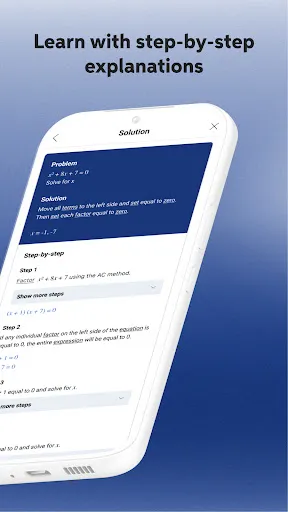
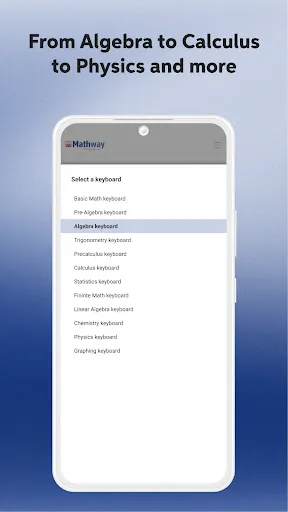

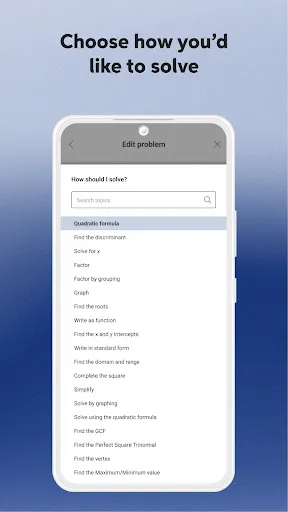
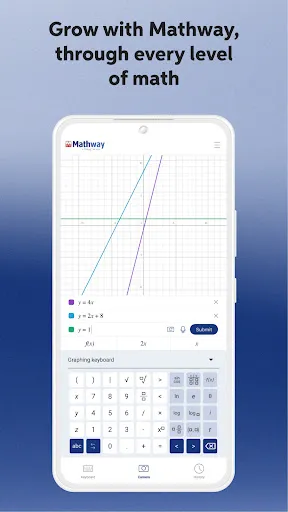
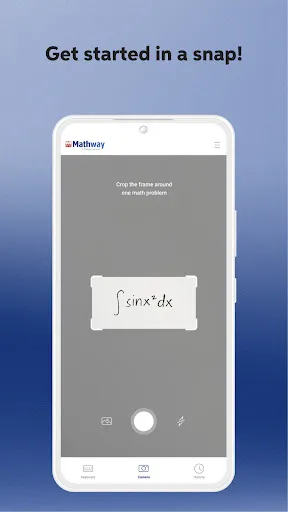

Mathway is a powerful app designed to help users solve a wide range of math problems instantly. With its innovative scan feature, you can simply take a picture of a problem, and Mathway will provide step-by-step solutions. Whether you're tackling algebra, calculus, or statistics, this app is your go-to resource for understanding and mastering math concepts. Perfect for students and anyone looking to enhance their math skills, Mathway makes problem-solving easy and accessible.
Advertisement
Features of "Mathway: Scan & Solve Problems"
"Mathway: Scan & Solve Problems" is a versatile application designed to assist users in solving a wide range of mathematical problems. One of its standout features is the ability to scan handwritten or printed math problems using the device's camera, making it incredibly user-friendly. The app supports various mathematical disciplines, including algebra, geometry, calculus, and statistics, providing step-by-step solutions that help users understand the underlying concepts.
Additionally, Mathway offers a user-friendly interface that allows for easy navigation and quick access to problem-solving tools. Users can input problems manually or choose from a library of common math queries. The app also provides instant answers, which is particularly beneficial for students needing immediate assistance. Furthermore, Mathway includes a graphing feature that allows users to visualize equations and functions, enhancing their comprehension of complex topics. Overall, the combination of scanning capabilities, diverse subject support, and educational resources makes Mathway a valuable tool for students and math enthusiasts alike.
How to Use "Mathway: Scan & Solve Problems"
Using "Mathway: Scan & Solve Problems" is straightforward and intuitive, making it accessible for users of all ages. To get started, download the app from your device's app store and create an account if necessary. Once installed, you can either scan a math problem by pointing your camera at it or manually enter the equation using the app's input features. The scanning function is particularly useful for quickly capturing complex problems without the need for typing.
After inputting the problem, simply tap the "Solve" button, and Mathway will provide an instant solution along with detailed steps to reach that answer. This feature is especially helpful for students who want to learn how to approach similar problems in the future. Additionally, users can explore various topics and practice problems within the app, allowing for a more comprehensive learning experience. Overall, Mathway is designed to facilitate learning and problem-solving in a user-friendly manner.
Pros & Cons of the App
Like any application, "Mathway: Scan & Solve Problems" has its advantages and disadvantages. One of the primary pros is its ability to provide instant solutions to a wide range of math problems, which can be a lifesaver for students under pressure. The step-by-step explanations help users understand the methodology behind the solutions, promoting better learning. The scanning feature is another significant advantage, allowing users to quickly capture and solve problems without manual input.
However, there are some cons to consider. While the app is free to download, many of its advanced features require a subscription, which may not be feasible for all users. Additionally, some users have reported that the app occasionally struggles with more complex problems or unique equations, leading to inaccurate solutions. Lastly, reliance on the app for homework can hinder the development of problem-solving skills if users do not engage with the material actively. Balancing the use of Mathway with traditional study methods is essential for effective learning.
Check All Versions  Google Play
  App Store
Google Play App Store Top Apps





Similar Apps

ClassDojo
Education

4.8

Blackboard
Education
3.4

Duolingo: Language Lessons
Education
4.6

Schoology
Education
1.9

Photomath
Education
4.3

Lingokids - Play and Learn
Education
4.3

Babbel - Learn Languages
Education
4.6

CE5 Contact
Education
4.0

Cancel Tyranny
Education
4.4

Civilization Revolution 2
Education
3.6

Elevate - Brain Training Games
Education
4.6

Foundations Memory Work Cycle2
Education
3.7
Advertisement
Laden…