
 Home
Home  Apps
Apps  Games
Games  About Us
  Cookies & Privacy Policy
  Terms of Service
Magic Photo Editor:Foto Repair
Version: 1.7.3
Developer: Zachary Holt
 Verified App
 Advertisement
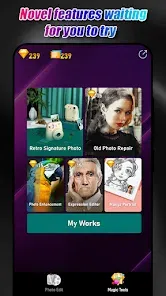
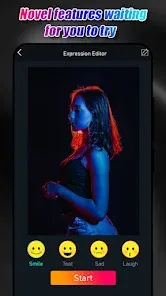
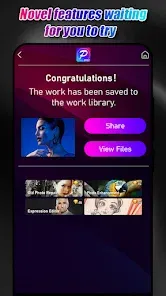
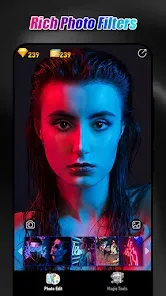
Magic Photo Editor: Foto Repair is your go-to app for transforming and restoring your cherished memories. With powerful editing tools and intuitive features, you can enhance, repair, and creatively modify your photos effortlessly. Whether you want to fix imperfections, add artistic effects, or create stunning collages, this app makes it easy for everyone, from beginners to seasoned editors. Unlock your creativity and bring your photos back to life with Magic Photo Editor!
Advertisement
Features of "Magic Photo Editor: Foto Repair"
"Magic Photo Editor: Foto Repair" is a versatile application designed to enhance and restore images with ease. One of its standout features is the advanced photo repair tool, which allows users to fix damaged or corrupted images seamlessly. The app also offers a variety of filters and effects, enabling users to transform their photos into stunning works of art. Additionally, it includes a user-friendly interface that makes navigation simple, even for beginners.
Another notable feature is the ability to adjust brightness, contrast, and saturation, giving users full control over their photo editing process. The app supports various file formats, ensuring compatibility with most images. Users can also add text and stickers to personalize their photos further. With batch processing capabilities, "Magic Photo Editor: Foto Repair" allows users to edit multiple images simultaneously, saving time and effort. Overall, this app combines powerful editing tools with an intuitive design, making it a popular choice for both casual users and photography enthusiasts.
How to Use "Magic Photo Editor: Foto Repair"
Using "Magic Photo Editor: Foto Repair" is straightforward, making it accessible for users of all skill levels. To get started, download and install the app on your device. Once opened, you can either select an image from your gallery or take a new photo using the camera feature. After selecting your image, the app will present you with various editing options.
Begin by utilizing the photo repair tool to fix any imperfections or damage in your image. You can then explore the filters and effects available to enhance the overall look of your photo. Adjust the brightness, contrast, and saturation as needed to achieve the desired effect. If you wish to add a personal touch, use the text and sticker features to customize your image further. Once you are satisfied with your edits, save the final version to your device or share it directly on social media platforms. The intuitive design ensures that even novice users can navigate the app with ease.
Pros & Cons of the App
Like any application, "Magic Photo Editor: Foto Repair" has its advantages and disadvantages. One of the primary pros is its user-friendly interface, which makes it easy for beginners to navigate and utilize its features effectively. The advanced photo repair tool is another significant advantage, allowing users to restore damaged images with minimal effort. Additionally, the variety of filters and effects available enhances creativity, enabling users to produce visually appealing photos.
However, there are some cons to consider. Some users may find that the app lacks certain advanced features found in more professional editing software, which could limit its appeal to serious photographers. Additionally, while the app is generally reliable, occasional bugs or performance issues may arise, affecting the user experience. Lastly, the app may require a stable internet connection for certain features, which could be inconvenient for users in areas with limited connectivity. Overall, while "Magic Photo Editor: Foto Repair" offers a solid editing experience, it may not meet the needs of all users.
Check All Versions  Google Play
  App Store
Google Play App Store Top Apps





Similar Apps

B612 Camera&Photo/Video Editor
Photo

4.3

Voi - AI Avatar Portrait Maker
Photo
2.2

AfterFocus
Photo
3.8
Beautiful Hair Style Salon
Photo
2.2

Collage Maker - Photo Editor
Photo
4.9

Remix Photo Editor : Pic Colla
Photo
1
Magic Effects Revampic
Photo
1

Adobe Photoshop Mix - Cut-out,
Photo
1

Reduce Photo Size
Photo
1

Layout from Instagram: Collage
Photo
1

Beauty Camera Selfie Filters
Photo
4.8
Photo Slideshow with Music
Photo
Advertisement
Laden…