
 Home
Home  Apps
Apps  Games
Games  About Us
  Cookies & Privacy Policy
  Terms of Service
M64Plus FZ Emulator
Version:
Developer: Francisco Zurita
 Verified App
 Advertisement
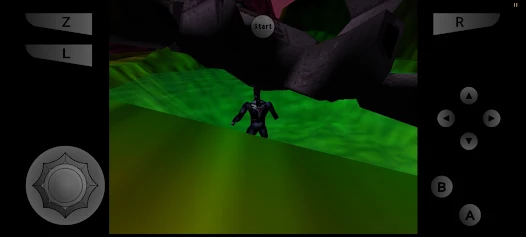
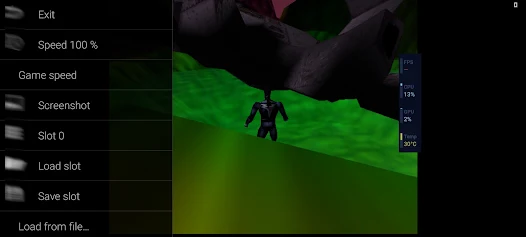
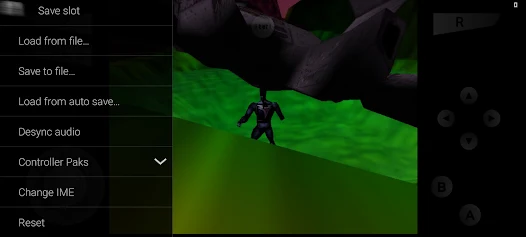
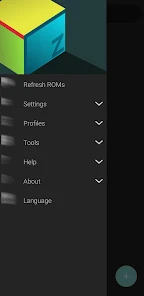
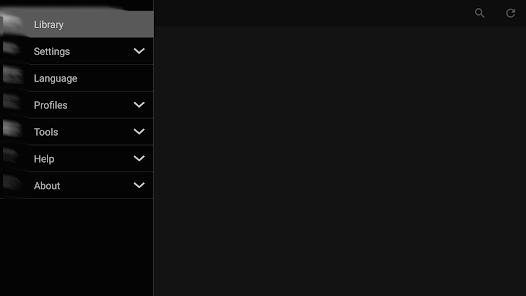
M64Plus FZ Emulator is a powerful and versatile Nintendo 64 emulator for Android devices, designed to provide an authentic gaming experience. With support for a wide range of N64 games, it features enhanced graphics, customizable controls, and various performance optimizations. The app allows users to load ROMs easily, save progress, and enjoy classic titles with improved functionality. Whether you're a nostalgic gamer or new to N64, M64Plus FZ Emulator delivers a seamless and enjoyable experience.
Advertisement
Features of M64Plus FZ Emulator
The M64Plus FZ Emulator is a versatile tool designed for playing Nintendo 64 games on various platforms, including Android and iOS. One of its standout features is its high compatibility with a wide range of N64 titles, allowing users to enjoy classic games without significant issues. The emulator supports various file formats, including .n64, .z64, and .v64, making it easy to load games from different sources.
Another notable feature is its customizable controls, which enable users to configure on-screen buttons or connect external game controllers for a more authentic gaming experience. The emulator also offers graphical enhancements, such as texture filtering and resolution scaling, which improve the visual quality of older games. Additionally, it includes save state functionality, allowing players to save their progress at any point and resume later. The M64Plus FZ Emulator also supports cheat codes, providing an extra layer of fun for those looking to explore games in new ways.
How to Use M64Plus FZ Emulator
Using the M64Plus FZ Emulator is a straightforward process that allows users to dive into their favorite Nintendo 64 games quickly. First, download and install the emulator from a trusted source, ensuring that you have the latest version for optimal performance. Once installed, launch the app, and you will be greeted with a user-friendly interface that guides you through the setup process.
To start playing, you need to load a game ROM. You can do this by navigating to the folder where your ROM files are stored and selecting the desired game. The emulator supports various formats, so ensure your ROM is compatible. After loading the game, you can customize the controls to suit your preferences, whether using on-screen buttons or connecting a Bluetooth controller. Finally, explore the settings menu to adjust graphics and audio options for the best gaming experience. With these steps, you’ll be ready to enjoy classic N64 games on your device.
Pros & Cons of the App
The M64Plus FZ Emulator comes with several advantages that make it a popular choice among gamers. One of the primary pros is its high compatibility with a vast library of Nintendo 64 games, allowing users to play many classics without issues. The emulator's graphical enhancements also improve the visual experience, making older games look better on modern devices. Additionally, the customizable controls and support for external gamepads provide flexibility for different gaming preferences.
However, there are some drawbacks to consider. One of the main cons is that the performance can vary depending on the device's hardware, with some users experiencing lag or frame rate drops on lower-end devices. Furthermore, while the emulator is free, it may contain ads that can disrupt the gaming experience. Lastly, users must ensure they have legal access to game ROMs, as downloading copyrighted material can lead to legal issues. Balancing these pros and cons will help users determine if the M64Plus FZ Emulator is the right choice for their gaming needs.
Check All Versions  Google Play
  App Store
Google Play App Store Top Apps


Similar Apps

Fairy Rush: Genetic Fusion
Arcade

4.3
Galaxy Attack: Shooting Game
Arcade
4.7

Hoard Master
Arcade
4.0

John GBA
Arcade
3.1

Kungfu Ragdoll
Arcade
4.6
M64Plus FZ Pro Emulator
Arcade
4.9
MD.emu (Genesis Emulator)
Arcade
4
Merge Super - Monster Fight
Arcade
4.6
My Boy! - GBA Emulator
Arcade
3.9
My OldBoy! - GBC Emulator
Arcade
3.9
Pizza Boy A Pro
Arcade
4.8
Pizza Boy C Pro
Arcade
4.5
Advertisement
Laden…