
 Home
Home  Apps
Apps  Games
Games  About Us
  Cookies & Privacy Policy
  Terms of Service
Google Fit: Activity Tracking
Version: 2025.08.28.00.arm64-v8a.release
Developer: Google LLC
 Verified App
 Advertisement
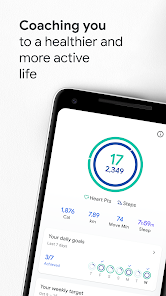
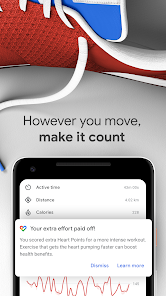
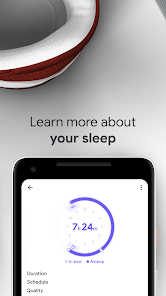
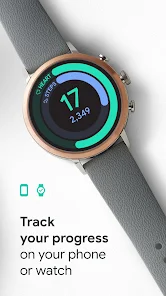
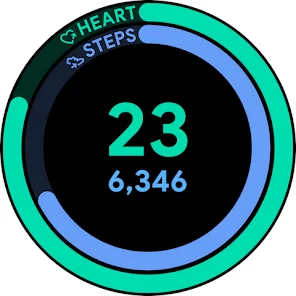
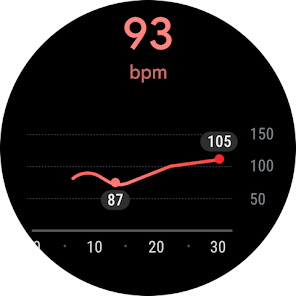
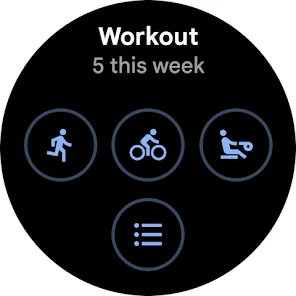
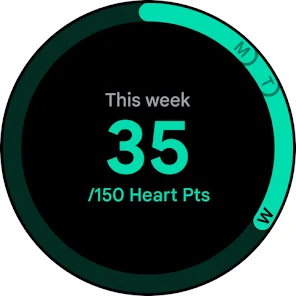
Google Fit: Activity Tracking helps you lead a healthier lifestyle by monitoring your physical activity and fitness goals. With features like step counting, heart rate tracking, and workout logging, it provides personalized insights to keep you motivated. The app integrates seamlessly with other fitness apps and devices, allowing you to track your progress over time. Whether you're walking, running, or cycling, Google Fit empowers you to stay active and achieve your wellness objectives.
Advertisement
Features of "Google Fit: Activity Tracking"
Google Fit: Activity Tracking offers a comprehensive suite of features designed to help users monitor their physical activity and overall health. One of its standout features is the ability to track various types of exercises, including walking, running, cycling, and more. The app utilizes sensors in your device to automatically log activities, making it convenient for users who prefer a hands-off approach to tracking their workouts.
Another key feature is the integration with other health and fitness apps, allowing users to consolidate their health data in one place. Google Fit also provides personalized coaching and goal-setting options, enabling users to set achievable fitness targets based on their individual activity levels. Additionally, the app offers insights into heart rate and sleep patterns, giving users a holistic view of their health. The user-friendly interface makes it easy to navigate through various metrics, while the ability to share progress with friends adds a social element to fitness tracking.
How to Use "Google Fit: Activity Tracking"
Using Google Fit: Activity Tracking is straightforward and user-friendly. To get started, download the app from the Google Play Store or Apple App Store and create an account using your Google credentials. Once set up, you can customize your profile by entering details such as age, weight, and fitness goals, which will help the app tailor its recommendations to your needs.
To track your activities, simply open the app and select the type of exercise you plan to do. Google Fit will automatically detect and log your activities using your device's sensors. You can also manually enter workouts if you prefer. The app provides real-time statistics during your workouts, such as distance covered and calories burned. After your session, review your performance metrics and progress towards your goals. Regularly check the app for insights and trends in your activity levels, and adjust your fitness plans accordingly to stay motivated and on track.
Pros & Cons of the App
Google Fit: Activity Tracking comes with several advantages that make it a popular choice among fitness enthusiasts. One of the main pros is its seamless integration with other health apps and devices, allowing users to gather all their health data in one centralized location. The app's user-friendly interface makes it accessible for individuals of all fitness levels, and its ability to automatically track activities reduces the need for manual input. Additionally, the personalized coaching and goal-setting features help users stay motivated and accountable.
However, there are some drawbacks to consider. One con is that the app may not be as comprehensive as some specialized fitness trackers, lacking advanced metrics for serious athletes. Additionally, users may experience occasional syncing issues with third-party apps, which can lead to discrepancies in data. Some users also report that the app's GPS tracking can be inconsistent in certain areas. Overall, while Google Fit offers a solid foundation for activity tracking, those seeking more advanced features may need to explore additional options.
 Google Play
  App Store
 Top Apps





Similar Apps

AllTrails: Hike, Bike & Run
Health & Fitness

4.6
Blood Pressure App Pro
Health & Fitness
3.9
Blood Pressure Monitor & Info
Health & Fitness
4.5
Calm - Sleep, Meditate, Relax
Health & Fitness
4.5
Feelsy: ASMR Stress Relief
Health & Fitness
4.1
FitNotes Supporter
Health & Fitness
4.9

Fitbit
Health & Fitness
4.1

Flo Period & Pregnancy Tracker
Health & Fitness
4.7

Geocaching®
Health & Fitness
4.6

Peloton - Fitness & Workouts
Health & Fitness
4.1
Pupil Distance PD Glasses & VR
Health & Fitness
4.7

The Blood Type Diet®
Health & Fitness
4.5
Advertisement
Laden…