Version: 90.0.34
Developer: Feedly Team
 Verified App
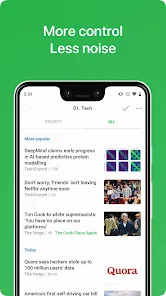
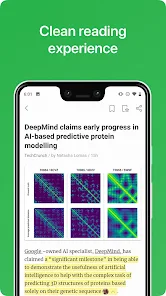
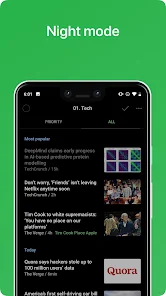
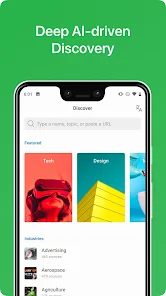
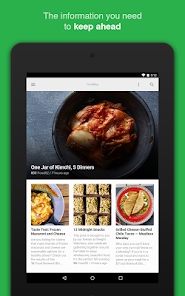
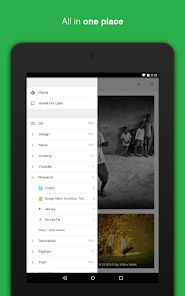
Feedly is a powerful news aggregator that allows users to curate and organize their favorite content from various sources. One of its standout features is the ability to create custom feeds by subscribing to RSS feeds from websites, blogs, and news outlets. This enables users to have all their preferred content in one place, making it easier to stay updated on topics of interest.
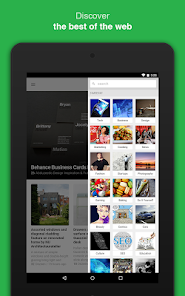
Another notable feature is the intuitive interface, which is designed for easy navigation. Users can categorize their feeds into different collections, allowing for a more organized reading experience. Additionally, Feedly offers a "Discover" section that suggests new sources based on user preferences, helping to expand their reading horizons.
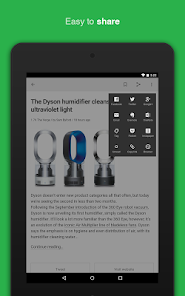
Feedly also integrates with various third-party applications, enhancing its functionality. Users can save articles for later reading, share content on social media, and even annotate articles within the app. The mobile app ensures that users can access their feeds on the go, making it a versatile tool for news consumption.
Lastly, Feedly provides a premium version that includes advanced features such as keyword alerts, more integrations, and enhanced search capabilities, catering to power users and professionals who require more from their news reader.
Using Feedly is straightforward and user-friendly. To get started, users need to create an account, which can be done via email or by linking existing social media accounts. Once logged in, users can begin adding their favorite sources by searching for specific websites or topics in the search bar. This allows for easy subscription to various RSS feeds.
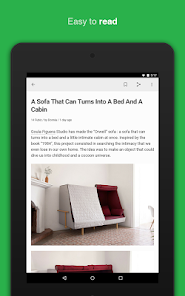
After subscribing, users can organize their feeds into categories or collections, making it easier to navigate through different topics. The main dashboard displays the latest articles from all subscribed sources, allowing users to scroll through and read at their convenience. Users can click on any article to view it in full, and they have the option to save articles for later or share them directly on social media platforms.
Feedly also offers customization options, such as changing the layout to suit personal preferences, whether it be a magazine-style view or a more traditional list format. For those who want to delve deeper into specific topics, the "Discover" feature helps users find new sources and articles tailored to their interests. Overall, Feedly is designed to enhance the news reading experience, making it efficient and enjoyable.
For advanced users, upgrading to the premium version unlocks additional features like keyword alerts and enhanced search capabilities, providing even more tools for effective content curation.
Feedly offers several advantages that make it a popular choice among news readers. One of the primary pros is its user-friendly interface, which allows for easy navigation and organization of content. Users can customize their feeds, making it simple to access articles from various sources without feeling overwhelmed. The ability to integrate with third-party applications enhances its functionality, allowing users to save, share, and annotate articles seamlessly.
Another significant advantage is the "Discover" feature, which helps users find new content based on their interests, ensuring that they are always exposed to fresh perspectives and sources. The mobile app also ensures that users can stay updated on the go, making it a versatile tool for busy individuals.
However, there are some drawbacks to consider. The free version of Feedly has limitations, such as fewer integrations and features compared to the premium version. Some users may find the premium subscription cost to be a barrier, especially if they are not utilizing the advanced features. Additionally, while Feedly is excellent for aggregating content, it may not provide in-depth analysis or commentary on articles, which some users might prefer.
In summary, Feedly is a robust news reader with many features that cater to a wide range of users, but potential subscribers should weigh the pros and cons to determine if it meets their specific needs.
Spotify Wrapped is an annual feature that summarizes your listening habits, including your most-played songs and artists of the year.
To create a playlist, click "Your Library," then "Playlists," and select "Create Playlist." Add songs by searching or browsing.
Yes, with a Spotify Premium subscription, you can download songs and playlists for offline listening.
Spotify offers a free tier with ads, as well as a Premium subscription that removes ads and adds features.
Click the three dots next to the song, select "Share," and choose your preferred sharing method, like social media or a link.















 Google Play
  App Store