
 Home
Home  Apps
Apps  Games
Games  About Us
  Cookies & Privacy Policy
  Terms of Service
ePSXe for Android
Version: 2.0.14
Developer: epsxe software s.l.
 Verified App
 Advertisement
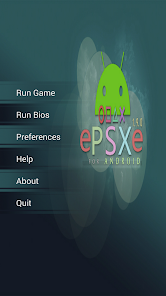
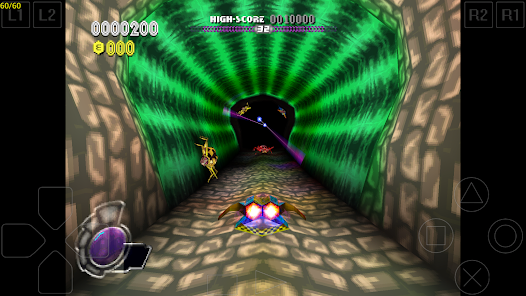
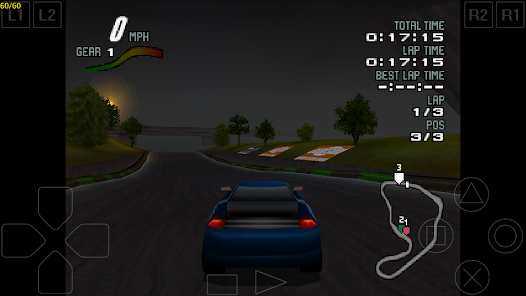

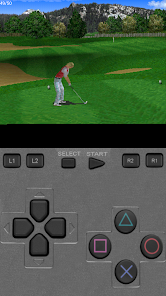
ePSXe for Android is a powerful PlayStation emulator that allows users to enjoy classic PS1 games on their mobile devices. With high compatibility, enhanced graphics, and customizable controls, it provides an authentic gaming experience. The app supports various file formats, including ISO and BIN, and features save states, cheat codes, and multiplayer options. Whether you're revisiting nostalgic titles or discovering them for the first time, ePSXe offers a seamless way to relive the magic of PlayStation gaming on the go.
Advertisement
Features of ePSXe for Android
ePSXe for Android is a highly regarded PlayStation emulator that brings classic gaming to mobile devices. One of its standout features is its compatibility with a wide range of PlayStation games, allowing users to enjoy their favorite titles from the original console. The emulator supports both .bin and .iso file formats, making it easy to load games from various sources.
Another notable feature is its customizable controls, which enable players to adjust the on-screen buttons to their liking. This flexibility enhances the gaming experience, allowing for better control during gameplay. Additionally, ePSXe offers support for external gamepads, providing an option for those who prefer a more traditional gaming setup.
The emulator also includes advanced graphics options, such as OpenGL rendering, which improves the visual quality of games. Users can tweak settings like resolution and texture filtering to enhance their gaming experience further. Furthermore, ePSXe supports save states, allowing players to save their progress at any point in the game, making it easier to resume later.
Lastly, ePSXe for Android features a user-friendly interface, making it accessible for both seasoned gamers and newcomers alike. With regular updates and a dedicated community, it remains a top choice for PlayStation enthusiasts on mobile devices.
How to Use ePSXe for Android
Using ePSXe for Android is a straightforward process that allows gamers to dive into their favorite PlayStation titles quickly. First, download and install the ePSXe app from the Google Play Store. Once installed, launch the app to begin the setup process. The initial screen will guide you through configuring the emulator settings, including graphics and audio options.
Next, you will need to load your game files. ePSXe supports various formats, so ensure your games are in compatible formats like .bin or .iso. You can transfer these files to your device via USB or download them directly. To load a game, tap on the "Run Game" option and navigate to the folder where your game files are stored.
After selecting a game, you can customize the on-screen controls to suit your preferences. The emulator allows you to adjust the layout and size of the buttons for optimal comfort. If you have an external gamepad, connect it to your device, and ePSXe will automatically recognize it, providing a more authentic gaming experience.
Finally, take advantage of the save state feature to save your progress at any point during gameplay. This feature is particularly useful for challenging games, allowing you to pick up right where you left off. With these steps, you can enjoy a seamless gaming experience on ePSXe for Android.
Pros & Cons of ePSXe for Android
ePSXe for Android comes with several advantages that make it a popular choice among gamers. One of the primary pros is its extensive compatibility with a wide range of PlayStation games, allowing users to relive their favorite titles from the past. The emulator's customizable controls and support for external gamepads enhance the gaming experience, making it more enjoyable and user-friendly.
Another significant advantage is the advanced graphics options available, which improve the visual quality of games. The ability to save states is also a major plus, as it allows players to save their progress at any point, making it easier to manage challenging games. Additionally, the app is regularly updated, ensuring that users benefit from ongoing improvements and bug fixes.
Check All Versions  Google Play
  App Store
Google Play App Store Top Apps



Similar Apps

Fairy Rush: Genetic Fusion
Arcade

4.3

Galaxy Attack: Shooting Game
Arcade
4.7

Hoard Master
Arcade
4.0

John GBA
Arcade
3.1

Kungfu Ragdoll
Arcade
4.6
M64Plus FZ Pro Emulator
Arcade
4.9

MD.emu (Genesis Emulator)
Arcade
4

Merge Super - Monster Fight
Arcade
4.6

My Boy! - GBA Emulator
Arcade
3.9

My OldBoy! - GBC Emulator
Arcade
3.9

Pizza Boy A Pro
Arcade
4.8

Pizza Boy C Pro
Arcade
4.5
Advertisement
Laden…