
 Home
Home  Apps
Apps  Games
Games  About Us
  Cookies & Privacy Policy
  Terms of Service
DroidCamX HD (Classic)
Version: 45410
Developer: Dev47Apps
 Verified App
 Advertisement
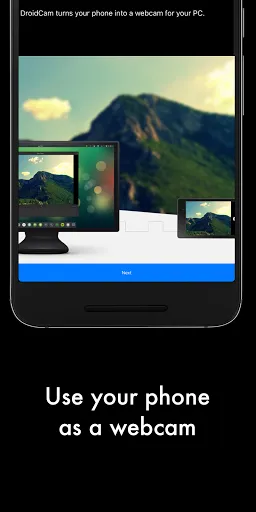
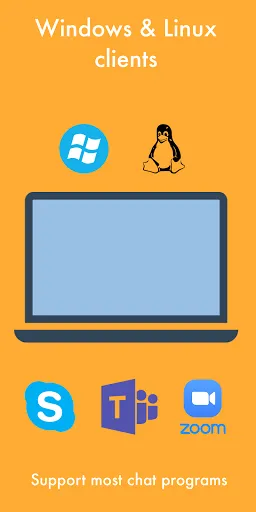
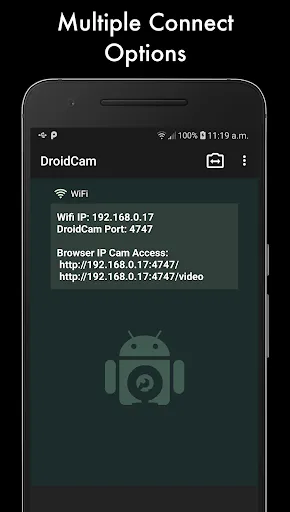
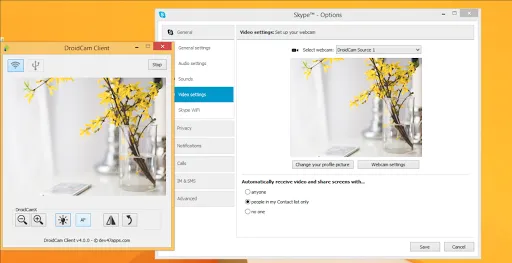
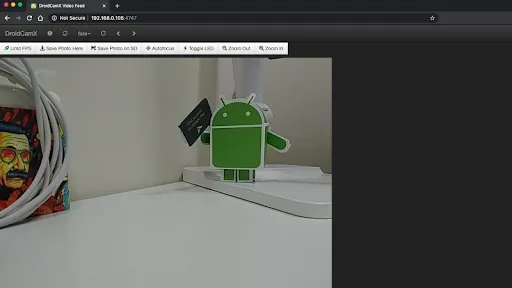
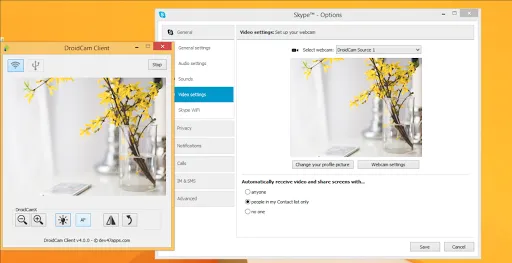
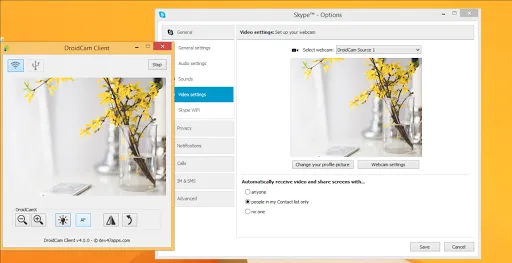
DroidCamX HD (Classic) transforms your smartphone into a high-definition webcam for your computer. With seamless connectivity via Wi-Fi or USB, it allows you to enhance video calls, streaming, and online meetings. The app supports various resolutions and features like audio support, flashlight, and customizable settings, ensuring a versatile and user-friendly experience. Whether for professional use or casual chats, DroidCamX HD delivers quality and convenience right from your mobile device.
Advertisement
Features of "DroidCamX HD (Classic)"
DroidCamX HD (Classic) is a versatile application that transforms your smartphone into a high-definition webcam for your computer. One of its standout features is the ability to connect via Wi-Fi or USB, providing flexibility in how you set up your device. The app supports HD video quality, allowing for clear and crisp video streaming during video calls or recordings. Additionally, it offers audio support, enabling you to use your phone's microphone for sound input, which enhances the overall communication experience.
Another notable feature is the ability to adjust camera settings such as brightness, contrast, and zoom, giving users control over their video output. The app also includes a user-friendly interface, making it easy for anyone to navigate and set up. Furthermore, DroidCamX HD (Classic) is compatible with various video conferencing platforms, including Zoom, Skype, and Microsoft Teams, making it a versatile tool for both personal and professional use. Overall, its combination of high-quality video, audio support, and ease of use makes it a popular choice among users looking to enhance their video communication.
How to Use "DroidCamX HD (Classic)"
Using DroidCamX HD (Classic) is a straightforward process that can be completed in just a few steps. First, download and install the DroidCamX app on your smartphone from the Google Play Store or Apple App Store. Next, you will need to download and install the DroidCam client on your computer from the official website. Once both applications are installed, open the DroidCamX app on your phone and note the IP address displayed on the screen.
After that, launch the DroidCam client on your computer and enter the IP address from your phone into the designated field. You can choose to connect via Wi-Fi or USB, depending on your preference. If you opt for USB, ensure that USB debugging is enabled on your phone. Once connected, you can start using your smartphone as a webcam. Adjust any settings as needed, such as video quality and audio input, to optimize your experience. With these simple steps, you can easily set up and start using DroidCamX HD (Classic) for all your video communication needs.
Pros & Cons of the App
DroidCamX HD (Classic) comes with several advantages that make it a popular choice among users. One of the primary pros is its ability to provide high-definition video quality, which significantly enhances video calls and streaming. The app's flexibility in connecting via Wi-Fi or USB is another major benefit, allowing users to choose the most convenient option for their setup. Additionally, the user-friendly interface makes it accessible for individuals of all technical skill levels, ensuring a smooth experience from installation to usage.
However, there are some drawbacks to consider. One con is that the free version of the app has limitations, such as watermarks on the video feed and reduced functionality compared to the paid version. Some users may also experience connectivity issues, particularly with Wi-Fi connections, which can disrupt video quality. Furthermore, while the app is compatible with many video conferencing platforms, it may not support all features of every platform, which could limit its usability in certain scenarios. Overall, while DroidCamX HD (Classic) offers many benefits, potential users should weigh these pros and cons before deciding to use the app.
Check All Versions  Google Play
  App Store
Google Play App Store Top Apps





Similar Apps

Lucky Patcher
Tools

4.5

SHAREit: Transfer, Share Files
Tools
4.3

Doxcy
Tools
4.9

Calculator
Tools
4.4
Auto Clicker - Automatic tap
Tools
4.6
Beats
Tools
3.8
Starlink
Tools
4.9
APRSdroid - APRS Client
Tools
3.9
AVG AntiVirus & Security
Tools
4.6

AirMirror Receiver Pro
Tools
3

Amazon Fire TV
Tools
4.6

Automatic Call Recorder Pro
Tools
3.5
Advertisement
Laden…